Vibrantsnap

Best Free Text to Speech Tools (2026): AI Voices, Desktop & API
The End of Robotic Voiceovers
For years, "free text to speech" meant one thing: a robotic, monotone voice that was functional for reading text aloud but unusable for any creative or professional project. That era is over.
In 2026, free AI voice generators produce startlingly realistic voices with emotional nuance, natural pacing, and professional quality that rivals expensive voice actors. The best free TTS tools now outperform paid options from just a few years ago.
But this explosion of quality creates a new problem: choice paralysis. Which free tool gives you the most generous character limits? Which offers the most realistic voices? Which secretly strips you of commercial rights?
This guide cuts through the noise, comparing the best free text to speech AI tools for creating voiceovers for videos, courses, presentations, and more.


Quick Comparison: Best Free Text to Speech Tools
| Tool | Free Tier | Voice Quality | Commercial Use | Best For |
|---|---|---|---|---|
| ElevenLabs | 10,000 chars/month | Excellent | Limited | Realistic voices |
| Murf AI | 10 min/month | Excellent | No | Beginners |
| Fish Audio | Free monthly generations | Excellent | No | Voice cloning |
| NaturalReader | 20 min/day | Good | No | Document reading |
| Google TTS | Free tier available | Good | Yes | Developers |
What Makes a Great AI Voice Generator?
Before diving into specific tools, understanding what separates good text-to-speech from great helps you choose the right option.
Voice Naturalness
The best AI voices sound indistinguishable from human speakers. Key factors include:
- Prosody: Natural rhythm, stress, and intonation patterns
- Breathing: Subtle breath sounds that make speech feel organic
- Emotion: Ability to convey happiness, concern, excitement, or calm
- Pacing: Appropriate speed variations for different content types
Audio Quality
Technical quality matters for professional content:
- Sample rate: Higher rates (48kHz+) produce clearer audio
- Bit depth: 16-bit or higher for professional applications
- Noise floor: Clean audio without artifacts or background hiss
- Consistency: Uniform quality across longer passages
Language and Voice Options
Versatility expands your creative options:
- Languages supported: Major languages plus regional dialects
- Voice variety: Male, female, different ages and accents
- Customization: Pitch, speed, and style adjustments
- Voice cloning: Creating custom voices from samples
Top Free Text to Speech AI Tools: Detailed Reviews
ElevenLabs: Industry-Leading Quality
ElevenLabs consistently ranks as the most realistic AI voice generator available. Their free tier provides 10,000 characters per month, enough for approximately 10-15 minutes of audio.
What Sets ElevenLabs Apart:
The voice quality is remarkable. ElevenLabs captures subtle emotional nuances, natural pauses, and breathing patterns that make AI speech nearly indistinguishable from human narration. Their models understand context, adjusting delivery based on content type.
Free Tier Details:
- 10,000 characters monthly
- Access to default voices
- Standard audio quality
- Limited commercial rights
Limitations:
- Free tier restricts commercial use
- Character limit resets monthly (no rollover)
- Voice cloning requires paid plan
- Some premium voices locked
Best For: Creators who need the highest quality for sample content, social media clips, or personal projects.
Murf AI: Best for Beginners
Murf AI offers an intuitive interface that makes professional voiceover accessible to anyone. Their 10-minute monthly free tier provides enough audio for testing and small projects.
Standout Features:
- Clean, user-friendly interface
- Over 200 voices across 20+ languages
- Built-in script editor with timing controls
- Direct export options for various platforms
Free Tier Details:
- 10 minutes of audio monthly
- Access to basic voice library
- Standard quality downloads
- No commercial usage rights
Limitations:
- Limited free minutes
- No commercial rights on free tier
- Watermarked downloads on some plans
- Premium voices require subscription
Best For: First-time users who want an easy introduction to AI voiceover without technical complexity.
Fish Audio: Best for Voice Cloning Quality
Fish Audio focuses on ultra-realistic voice cloning, letting creators generate a custom voice from as little as 15 seconds of reference audio. Beyond cloning, it bundles text-to-speech, speech-to-text, and a community library of over 2,000,000 voices, making it one of the most flexible TTS platforms available.
Standout Features:
- Voice cloning from ~15 seconds of reference audio
- Emotion tags like [angry], [sad], [excited], or [whispering] for expressive delivery
- Multilingual cloning across 30+ languages with one voice
- Library of 2,000,000+ community-uploaded voices
- Real-time, low-latency API and SDKs for developers
Free Tier Details:
- Free monthly generations for personal use
- Access to the public voice library
- TTS, voice cloning, and speech-to-text all in one app
- Browser-based playground with no install
Limitations:
- Free plan is personal, non-commercial only
- Commercial use requires a paid subscription
- Best cloning results need clean reference audio
- Pay-as-you-go pricing for heavier API usage
Best For: Creators and developers who need realistic voice cloning, branded narrator voices, or multilingual delivery that still sounds like the same speaker.
NaturalReader: Document-Focused
NaturalReader specializes in reading documents and long-form text, making it ideal for converting articles, PDFs, and ebooks to audio.
Key Features:
- PDF, Word, and webpage reading
- Browser extension available
- OCR for scanned documents
- Dyslexia-friendly fonts (in app)
Free Tier Details:
- 20 minutes daily (resets each day)
- Basic voice selection
- Standard audio quality
- Personal use only
Limitations:
- Daily limit rather than monthly
- No commercial rights
- Basic voice options only
- Limited customization
Best For: Personal use, accessibility needs, or converting documents to audio for learning.
Google Text-to-Speech: Developer-Friendly
Google's Cloud Text-to-Speech offers high-quality synthesis through an API, with a generous free tier for developers.
Technical Highlights:
- WaveNet voices for premium quality
- Neural2 and Studio voices available
- Extensive language support
- SSML markup support for control
Free Tier Details:
- 4 million characters monthly (standard voices)
- 1 million characters monthly (WaveNet)
- Commercial use permitted
- API access required
Limitations:
- Requires technical setup
- API-only (no web interface for generation)
- Learning curve for non-developers
- Complex pricing at scale
Best For: Developers building applications, technical users comfortable with APIs, or those needing commercial rights.
Amazon Polly: AWS-Native TTS for Apps
If you're building a product on AWS, Amazon Polly is the natural pick. It's the same engine that powers Amazon Alexa, with neural and standard voices, SSML support, and per-character billing that scales from prototype to production.
Technical Highlights:
- Neural and standard voice tiers
- SSML support (pauses, pronunciation, emphasis)
- Custom lexicons for industry-specific terms
- Real-time streaming and async batch processing
- Speech marks (timing data) for syncing audio to text or animation
Free Tier Details:
- 5 million characters/month for 12 months (Standard voices)
- 1 million characters/month for 12 months (Neural voices)
- After the 12-month free period, pricing remains low ($4 per 1M characters for standard, $16 per 1M for neural)
Limitations:
- AWS-only — requires an AWS account and basic CLI/SDK familiarity
- Voice quality is solid but trails ElevenLabs and Google Neural2 on prosody
- No browser playground — you generate audio via SDK or AWS Console
Best For: Engineering teams already on AWS, developers who need predictable per-character pricing, or anyone building accessibility features into a SaaS app.
Desktop TTS Software (Free, Offline)
While the AI voice generators above run in the cloud, several powerful desktop TTS tools work entirely offline. They trade a bit of voice quality for full privacy and zero per-character cost.
Balabolka (Windows): The Free Desktop Workhorse
Balabolka is the most capable free desktop TTS tool on Windows. It uses any SAPI4 or SAPI5 voice installed on your system — including third-party commercial voices if you have them — and adds professional features that aren't free anywhere else.
Standout Features:
- Reads any text from clipboard, files, or web pages
- Batch conversion of multiple documents into MP3, WAV, OGG, or WMA
- Bookmarks and text marking for navigating long documents
- Pronunciation editor for fixing names and acronyms
- Portable version (no installation required)
Pricing: Completely free, including for commercial use of the underlying audio (subject to the license of the SAPI voice you use).
Limitations:
- Windows-only
- Voice quality depends entirely on the SAPI voices installed (Microsoft default voices are functional but not realistic)
- Adding premium voices (Cereproc, Acapela) costs $30–$50 each
- UI is utilitarian — built for function, not beauty
Best For: Windows users who need a free, reliable desktop tool for batch document-to-audio conversion or accessibility setups.
Voice Dream Reader (iOS, Mac): Mobile-First Reading
Voice Dream is the gold standard for mobile reading assistance. It's built for users who want to listen to documents — articles, PDFs, ebooks — while commuting, exercising, or multitasking.
Standout Features:
- Imports from Dropbox, Google Drive, Bookshare, Pocket, Instapaper
- Highlights words in sync with speech (great for dyslexic readers)
- Adjustable speed up to 700 WPM
- High-quality voices (Acapela, Ivona, Vocalizer voices available as in-app purchases)
- Offline use after voices are downloaded
Pricing:
- iOS app: ~$20 one-time purchase
- Premium voices: $0.99 to $4.99 each as in-app purchases
Limitations:
- Not free (one-time purchase)
- Mobile-first — desktop version is more limited
- No Android support
Best For: Heavy reading consumers on iOS, students, professionals with reading-related disabilities.
Speechify: Reading Assistance Across Devices
Speechify positions itself as the "Audible for everything else." Browser extension, mobile apps, and a desktop client all sync your reading position so you can switch devices mid-document.
Standout Features:
- Browser extension (Chrome, Safari) reads any webpage
- Camera-to-speech: photograph a printed page, hear it read
- Cross-device sync via cloud account
- Premium voices (including Snoop Dogg, Gwyneth Paltrow, and other celebrity voices on top tiers)
- OCR for scanned PDFs
Pricing:
- Free tier: standard voices, basic features
- Premium: $139/year for HD voices, faster speeds, higher daily limits
Limitations:
- Free tier is significantly less capable than free tiers from ElevenLabs or Murf
- Premium pricing is higher than most TTS tools
- Voice naturalness lags behind ElevenLabs
Best For: Students, professionals juggling multiple devices, anyone who wants document-to-speech across phone + laptop + browser.
Desktop vs Online: Which Should You Pick?
The choice between desktop and cloud TTS comes down to four tradeoffs.
Desktop Advantages
- Privacy. Your text never leaves your computer. Critical for legal documents, medical records, or sensitive scripts.
- Offline. Works on a plane, in the field, or anywhere internet is unreliable.
- Cost predictability. One-time purchase or free, no per-character billing.
- System integration. Works with screen readers, accessibility tools, and OS-level shortcuts.
Cloud (Online) Advantages
- Voice quality. Cloud-based AI models are dramatically more realistic than offline SAPI voices. ElevenLabs, Fish Audio, and Google Neural2 are simply not possible to run on a laptop.
- Updates. Always the latest voices and features without manual upgrades.
- Multi-device. Generate on your laptop, edit on your phone, share from a browser.
- Languages. Cloud tools support 30–140+ languages; desktop tools are typically limited to whatever SAPI voices you've installed.
When to Choose Desktop
- You're processing confidential or regulated content
- You need batch conversion of hundreds of documents
- Internet access is unreliable
- You're building accessibility tools that must work offline
When to Choose Cloud
- You need realistic, modern AI voices
- You're producing voiceovers for video, podcasts, or marketing content
- You want multilingual coverage
- Per-project usage is low and per-character billing is cheaper than buying desktop software
Privacy: What You're Sending to the Cloud
Cloud TTS tools transmit every text input to a third-party server. For most use cases — marketing scripts, public-facing video voiceovers, product demos — this is fine. For sensitive content, it's not.
Pay attention to:
- Data retention policies. ElevenLabs, Murf, and most major providers state that input text is not used for training. Some smaller tools don't make this guarantee.
- Geographic processing. GDPR-sensitive content may need to stay within EU data centers (Google Cloud and AWS both support region pinning).
- Logged audio outputs. Some "free" tools log generated audio for training. Check terms before processing client work.
- Voice cloning consent. Cloning a voice without the speaker's documented permission can violate biometric data laws (BIPA in Illinois, GDPR in the EU).
For sensitive workflows — internal company training videos, legal scripts, medical narration — desktop tools (Balabolka) or self-hosted models (Coqui TTS, Bark) are safer than free cloud generators.
Free vs Paid: What You're Missing
Understanding what paid plans offer helps evaluate whether free tiers meet your needs:
| Feature | Free Tiers | Paid Plans |
|---|---|---|
| Commercial rights | Usually no | Yes |
| Voice cloning | Rarely | Often included |
| Character limits | Limited | Much higher/unlimited |
| Premium voices | Limited access | Full access |
| Priority processing | No | Yes |
| Support | Community only | Direct support |
Choosing the Right Tool for Your Project
For Video Voiceovers
Recommended: ElevenLabs or Fish Audio
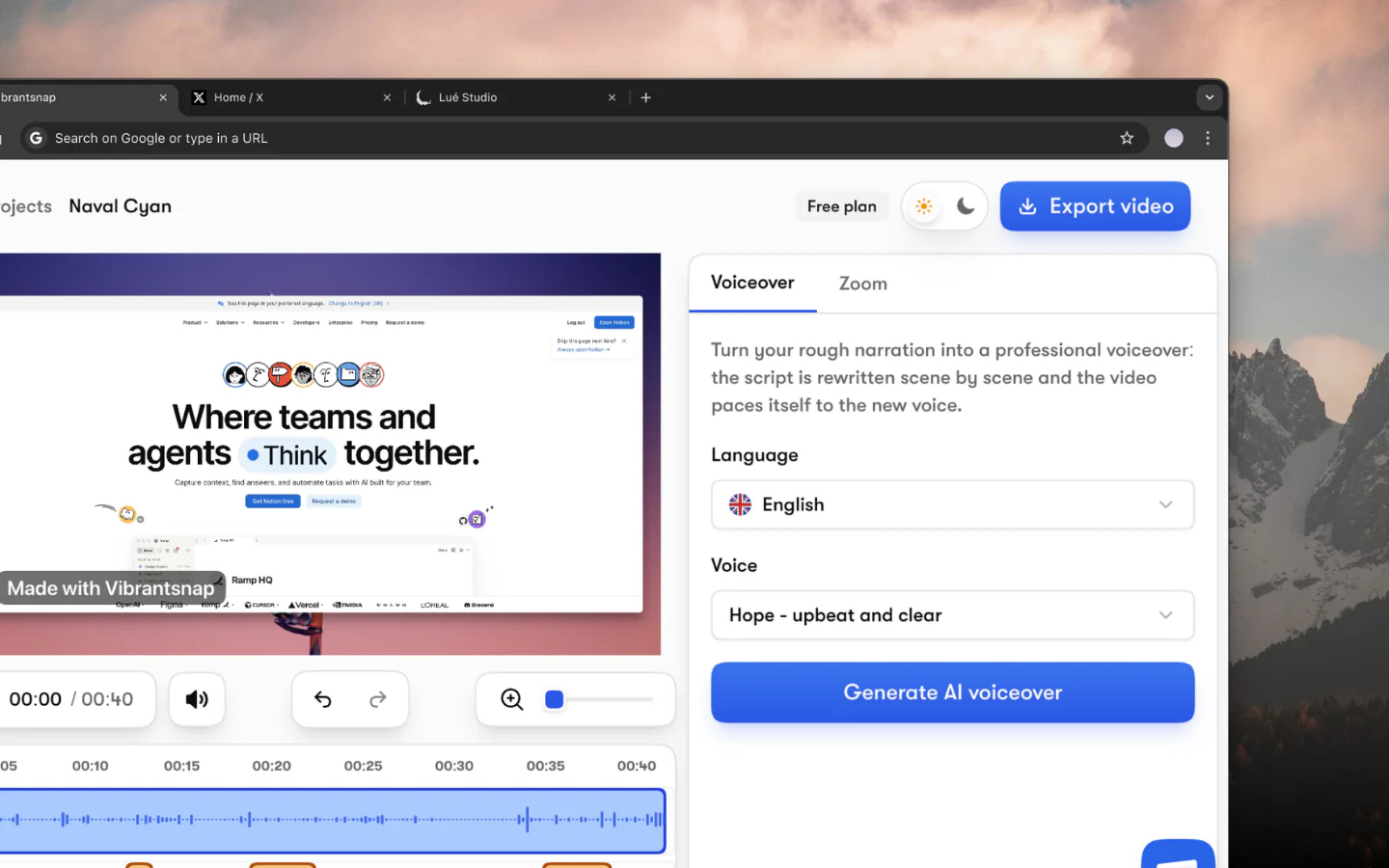
Video content demands the highest quality voices. ElevenLabs provides the most natural delivery, while Fish Audio offers realistic voice cloning and a massive community voice library. For professional videos requiring commercial rights, consider their paid tiers or pair with Vibrantsnap's video creation tools. And if the voiceover is going straight onto a video, we compared the voice over generators for videos specifically — including tools that apply the AI voice directly to your footage instead of exporting an MP3.
For Online Courses
Recommended: Murf AI or ElevenLabs
Educational content benefits from clear, engaging narration. Murf AI's script editor helps time voiceovers to visuals, while ElevenLabs' emotional delivery keeps learners engaged. Remember that free tiers typically don't permit commercial course sales.
For Presentations
Recommended: NaturalReader or Murf AI
Converting slide notes to audio creates accessible presentations. NaturalReader's document focus makes it easy to process presentation scripts, while Murf AI's script editor helps fine-tune delivery and timing.
For Podcast Intros/Outros
Recommended: ElevenLabs
Short audio clips benefit most from premium quality. ElevenLabs' free tier provides enough characters for multiple intro/outro variations. For commercial podcasts, verify licensing terms.
For Accessibility
Recommended: NaturalReader or Google TTS
Making content accessible to visually impaired users is an important use case. NaturalReader's document reading focus serves this well, while Google TTS's commercial rights allow building accessible applications.
Tips for Better AI Voiceovers
Script Optimization
AI voices perform better with optimized scripts:
- Use punctuation strategically: Commas create pauses, periods signal stops
- Write for speech: Short sentences, clear structure
- Spell out numbers: "Twenty-three" rather than "23" for natural reading
- Include phonetic hints: Unusual names benefit from pronunciation guides
- Test sections: Generate samples to refine problematic passages
Audio Post-Processing
Even great AI voices benefit from light editing:
- Normalize levels: Ensure consistent volume throughout
- Add subtle room tone: Prevents jarring silence between segments
- Apply gentle compression: Evens out dynamic range
- Remove artifacts: Clean up any generation glitches
Combining with Video
When adding AI voiceovers to video content:
- Match pacing to visuals: Adjust speech speed if needed
- Leave breathing room: Don't pack audio too tightly
- Consider background music: Low ambient music masks AI tells
- Use Vibrantsnap: Professional video tools complement AI audio
The Future of AI Voices
Text-to-speech technology continues advancing rapidly:
- Emotional intelligence: Better context understanding for appropriate delivery
- Voice cloning: Custom voices becoming more accessible
- Real-time generation: Instant voice synthesis for interactive applications
- Multi-speaker: Conversations between AI voices
- Integration: Native TTS in video editing and content creation tools
Commercial Rights: The Hidden Complexity
Free tiers typically restrict commercial use, but definitions vary:
- Personal use only: Cannot use in any revenue-generating content
- Attribution required: Must credit the TTS provider
- Non-commercial creative: Allows YouTube if not monetized
- Commercial permitted: Full rights to use as you wish
Always verify licensing before using AI voiceovers in commercial projects. When in doubt, paid tiers provide clearer rights.
Conclusion: Start Creating
Free text to speech AI has reached a quality threshold where it genuinely serves professional content creation, with important caveats around commercial rights and usage limits.
For testing, personal projects, and building skills, free tiers from ElevenLabs, Murf AI, and Fish Audio provide remarkable quality. For commercial content, evaluate whether paid plans make sense or explore alternatives like hiring voice talent.
When combining AI voiceovers with video content, Vibrantsnap's professional editing tools help create polished final products that maximize the impact of your AI-generated narration.
Ready to add professional voiceovers to your video content? Start with a free TTS tool to generate your narration, then use Vibrantsnap to create polished video presentations that engage and convert — the complete workflow is in our product demo video guide.
Your message deserves to be heard clearly, AI voices now make professional audio accessible to everyone.
Frequently asked questions
What is the best free text to speech tool? ElevenLabs offers the most realistic free AI voices (10,000 characters per month), Murf AI is the easiest for beginners (10 minutes monthly), Fish Audio leads on voice cloning, NaturalReader is best for reading documents (20 minutes daily), and Google Cloud TTS or Amazon Polly are the developer picks with generous free tiers and commercial rights.
Can I use free TTS voices commercially? Usually not. Most free tiers — ElevenLabs, Murf, Fish Audio, NaturalReader — restrict commercial use to paid plans. The notable exceptions are developer APIs: Google Cloud TTS and Amazon Polly permit commercial use within their free tiers. Always verify the license before using AI voiceovers in revenue-generating content.
What is the most realistic free AI voice generator? ElevenLabs. Its models capture emotional nuance, natural pauses, and breathing patterns that make AI speech nearly indistinguishable from human narration. The free tier includes 10,000 characters per month — roughly 10-15 minutes of audio — with limited commercial rights.
Is there a free offline text to speech tool? Yes. Balabolka on Windows is the most capable free desktop TTS tool — it works entirely offline with any SAPI voice installed on your system, batch-converts documents to MP3, and includes a pronunciation editor. The trade-off is voice quality: offline SAPI voices are functional but far less realistic than cloud AI voices.