AI Auto-Edit
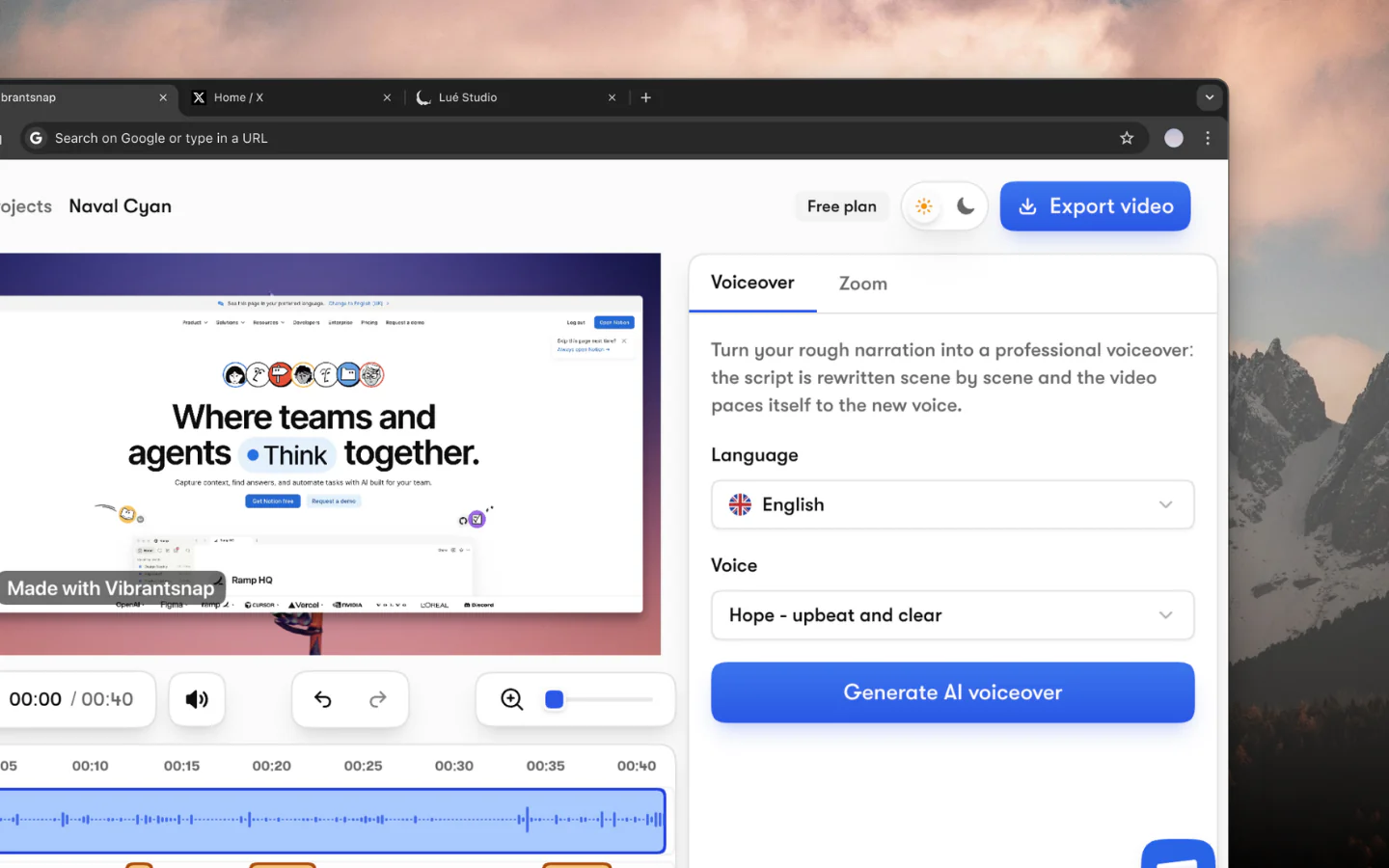
Record and the AI handles the rest. Your narration is rewritten into a clean script and read in a studio voice, the video is retimed to match, and zooms land on every click.
AI screen recorder
Stop spending hours editing screen recordings. Vibrantsnap's AI rewrites your narration into a clean script, reads it in a studio voice, retimes the video to match, and adds zooms and captions, so your customers get a clear tutorial the same day.
Features
Record and the AI handles the rest. Your narration is rewritten into a clean script and read in a studio voice, the video is retimed to match, and zooms land on every click.
Record your narration, then let the AI re-voice it in a natural studio voice. Choose from 30 voices across 10 languages, and revert whenever you want.
Captions are generated automatically from your audio and stay fully editable and styleable, word by word.
Every click gets a close-up, right where you clicked, so small interface labels stay readable. The zooms come from the cursor data the Chrome extension captures in web pages, and you can move or remove any of them.
Your narrated recording also becomes a written guide: numbered steps, each with a screenshot, framed on the click when you record with the Chrome extension. Edit it, copy it into Google Docs, Notion or Confluence, or download a PDF. Free on every plan.
Track the views on every link you share or embed. Link analytics are included from Pro up.
How it works
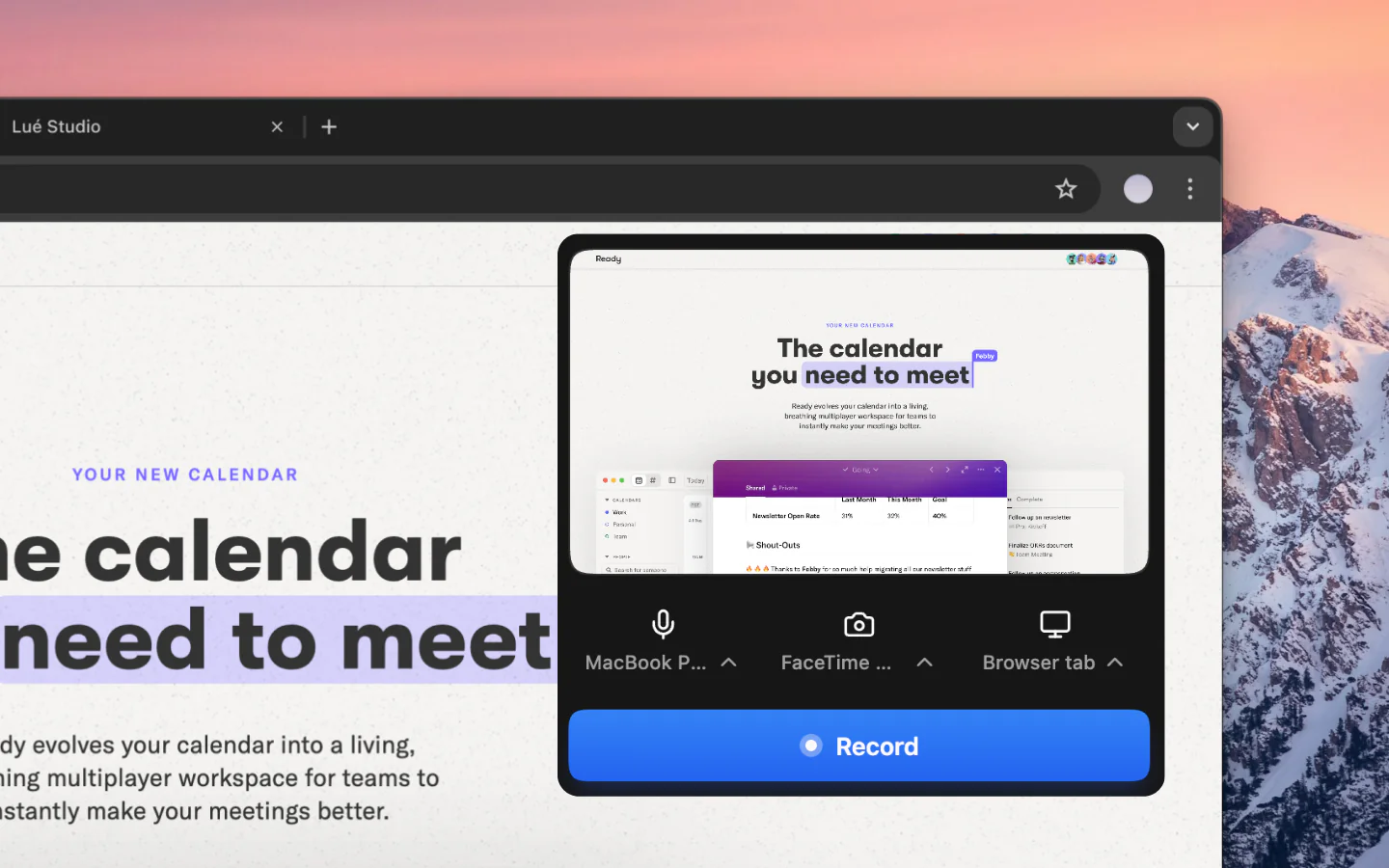
Record a tab, a window or your whole screen from the Vibrantsnap Chrome extension, and narrate as you go. Or import a video you already have.
Vibrantsnap's AI rewrites your narration into a clean script, reads it in a studio voice, retimes the video to match, and places zooms on your clicks automatically.
Pick one of 30 studio voices, edit the captions word by word, rewrite any line of the script, and add a call-to-action button to the share page.
Share a link or an embed for free, with a call-to-action button on the share page, or export the video in 1080p or 4K from Pro. Copy the step-by-step guide into your docs or download it as a PDF, on any plan. Track the views on every link with link analytics, from Pro.
Traditional video editors like Premiere Pro, Final Cut, or DaVinci Resolve are powerful, but they're built for filmmakers, not for SaaS teams who need to ship a product demo before lunch.
Vibrantsnap's AI screen recorder takes a different approach: record once, let the AI do the editing pass. The AI transcribes your recording, rewrites the narration into a clean script, reads it in a studio voice, retimes the video to match, and places zooms on every click.
When you finish recording, Vibrantsnap processes your video in a few steps: your narration is transcribed and rewritten into a clean script, so hesitations and false starts don't survive; a studio voice reads it back and the video is retimed to match; zooms land on your clicks; and captions are generated word by word.
Not everyone nails the perfect take. Record your narration however it comes out, then let Vibrantsnap read it back in a natural studio voice, from 30 voices across 10 languages. Keep your original audio or switch to an AI voice at any time, and revert whenever you want.
Unlike generic video editors, Vibrantsnap puts a call-to-action button on every share page. Send viewers to a signup, a booking page, the next tutorial or a help article. Then share a link or embed it anywhere, and track the views with built-in link analytics. The help article can start from the same recording: Vibrantsnap writes a step-by-step guide with screenshots that you copy into your docs or download as a PDF, free on every plan.
Learn more: How to make a product demo video | Compare alternatives
The questions people ask most before getting started.
Vibrantsnap edits your screen recordings for you: it rewrites your narration into a clean script, reads it in a studio voice, retimes the video to match, places zooms on your clicks, and generates captions. You get a finished tutorial or demo without manual editing.
Vibrantsnap is free to record and edit, with no credit card. You subscribe to export the video and to publish it without the watermark: Pro at $49/month for unlimited 4K exports, 25 AI credits a month and link analytics, or Scale from $149/month for a team of 2, with 65 AI credits a month, a brand kit and priority rendering. Business is quoted per company. The AI voiceover, the auto-zooms and the captions are on every plan, free included, with 3 AI credits a month on Free (1 AI credit = 1 AI voiceover).
No. Vibrantsnap is built for people who don't want to learn video editing. The AI rewrites and re-voices your narration and places the zooms for you, automatically. You just record and the AI does the rest.
Vibrantsnap is built for walkthroughs that teach your customers your product, one feature at a time: onboarding, help-center and support videos. The same recordings also make your product demos.
Traditional editors require you to manually cut, trim, add zooms, and export. Vibrantsnap's AI does all of this automatically. It's built specifically for screen recordings and product demos, not general video production.
Yes. You can put your recording on a wallpaper or a solid colour, switch between 16:9, 4:5, 1:1 and 9:16, restyle the captions, adjust the zooms and add a call-to-action button.
Yes. Record in the language you speak, then pick one of 10 voiceover languages, including Spanish, Portuguese, French and German. The AI writes the script directly in that language, keeps your interface labels and product names as they are, and the captions follow the new voiceover.
Yes. Record one feature per video, and each video gets its own share link and embed code for your help center or onboarding emails. Add a call to action that sends viewers to the next tutorial, and track the views on every link.
Yes. You can record any window or your whole screen, including a desktop application. The automatic zooms rely on the cursor data the Chrome extension captures in web pages, so on desktop software you place the zooms yourself. The script rewrite, the AI voice and the captions work the same.
Yes. Import the video file: the AI transcribes the old narration, rewrites it and reads it in a studio voice, in the same language or another one, with new captions. On an imported video, you add the zooms by hand.
Yes. From a narrated recording, Vibrantsnap writes a step-by-step guide: a title and numbered steps, each with a short title, an optional description and a screenshot. On a recording made with the Chrome extension, each screenshot is framed on the click the step names. On an imported video, the guide is written from the narration alone and the screenshots are full frame. You can rewrite, reorder, add or delete steps, then copy the guide into Google Docs, Notion or Confluence, or download it as a PDF. It can be written in any of the 10 languages, even one you did not narrate in. It is free on every plan and uses no AI credits.
Record a feature once. Ship the tutorial and the demo the same day.
No credit card required - Cancel anytime
“Less editing, more impact. Great quality videos turn attention into customers naturally.”

Healsha
Founder of Vibrantsnap