Published October 3, 2026 in Product Demos
Recording Product Demos When English Isn't Your First Language

Founder & Content Creator at Vibrantsnap · 11 min read
In many B2B software companies, the person who knows the product best does not speak English as a first language. A product team in Bangalore, Kraków, São Paulo or Lyon builds software for buyers in the United States, and someone on that team, often the founder or a product manager, records the product demos and tutorials in English.
If that's you, you know the routine. You hit record, stumble on the third sentence and start again. You get further, lose a word, start again. An hour later you have a three-minute video you're not happy with, and the release notes are still waiting for it.
This guide is for non-native English speakers who record product demos and tutorials for US buyers. It covers what actually costs you, what research says about accents and trust, the five ways to handle the narration, and a workflow and checklist that turn one natural take into a clean English demo.
The accent is rarely the real problem
Here is what one-take narration often sounds like when someone explains a feature in a second language, next to what a US buyer needs to hear:
RAW TAKE
"Okay so, uh, now we will go in the... in the approvals. Here you can see
all the reports which are in pending. So for approve it, you click on the,
uh, Review button, and then you can put a comment, eventually."

CLEAN SCRIPT
"Open Approvals. Every report waiting for a decision is listed here.
Click Review, add a comment if you need one, and approve the report."
Nothing in the raw take is about accent. The problems are elsewhere:
- Restarts and hesitations. "In the... in the approvals" makes the viewer wait for the sentence to recover.
- Grammar the viewer has to decode. "For approve it" is understandable, but it costs the viewer a moment at the exact time they are looking for a button.
- Words that mean something else in English. In French, éventuellement means "if needed". A US viewer hears "eventually" as "at some point later", which changes the instruction.
- Vague pointers. "The reports which are in pending" instead of the label the viewer can see on screen.
Here is the same idea on a real walkthrough: a raw one-take recording, then the same video after its narration was rewritten and re-voiced.
Then there is the cost that never shows in the video: the retakes. A wrong click can be redone in seconds. Narration is what keeps you recording for an hour, because a sentence is heard once, at the speed you said it, and there is no backspace.
What research says about accents and trust
The fear that buyers will trust you less because of your accent has some basis in research, but less than its reputation suggests.
In a 2010 study, Shiri Lev-Ari and Boaz Keysar had native and non-native speakers read trivia statements. Listeners rated the same statements as less likely to be true when they were read with a foreign accent (Lev-Ari and Keysar, 2010). Their explanation was processing fluency: speech that takes more effort to understand feels less true.
That result has been hard to replicate:
- A 2013 replication using virtually the same method found no difference between native and foreign-accented speakers (Souza and Markman, 2013).
- A 2024 study in the Journal of Cognition found that accent did not change how true listeners judged statements to be, although participants did show a negative bias toward the foreign speakers (Lorenzoni, Faccio and Navarrete, 2024).
Where a bias does appear, it can fade with familiarity. A 2021 study found that brief exposure to an accent increased listeners' trust in what non-native speakers said (Boduch-Grabka and Lev-Ari, 2021).
For a product demo, the practical reading is this: your accent alone is unlikely to cost you a deal. The viewer's effort is what you need to manage. Someone watching your demo is already working to follow an interface they don't know, and every restart, ambiguous word or unusual phrasing adds to that work. Clear sentences, a steady pace, exact labels and captions matter more than sounding native.
Five ways to narrate a product demo in a second language
| Option | Time per video | Your voice? | When only the wording changes | Best for |
|---|---|---|---|---|
| 1. Retake until it's right | High, mostly in retakes | Yes | Record again | Short sales follow-ups |
| 2. Write a script and read it aloud | Medium, if you read aloud well | Yes | Record again | Confident readers, short videos |
| 3. Hire a native voice actor | Days per round trip | No | Book another session | A flagship launch video |
| 4. Record naturally, then rewrite and re-voice with AI | Minutes after the take | No, a studio voice | Edit the script | Tutorials, onboarding, feature walkthroughs |
| 5. Record in your first language, publish in English | Minutes after the take | No, a studio voice | Edit the script | Complex, domain-heavy explanations |
1. Retake until it's right
This works for short videos where your voice is the point, like a two-minute follow-up to a prospect you spoke with an hour ago. It scales badly. The cost grows with every minute of video, and by the tenth take most people sound tired, which is its own kind of unclear.
2. Write a script and read it aloud
Reading aloud is a separate skill from explaining, and in a second language it is harder still. Written sentences rarely sound natural when read, and you have to read the script and click through the product at the same time. If you record the voice separately to make that easier, you then have to sync it to the screen by hand. Our guide to replacing the voice on a screen recording shows what that involves.
3. Hire a native voice actor
A professional voice can make sense for a flagship video, such as the film for a major launch. For a library it gets expensive in time more than in money. Someone still has to write the script first, each round trip takes days, and every wording change after a release means booking another session. That is workable for one launch film, not for a help center with 40 tutorials.
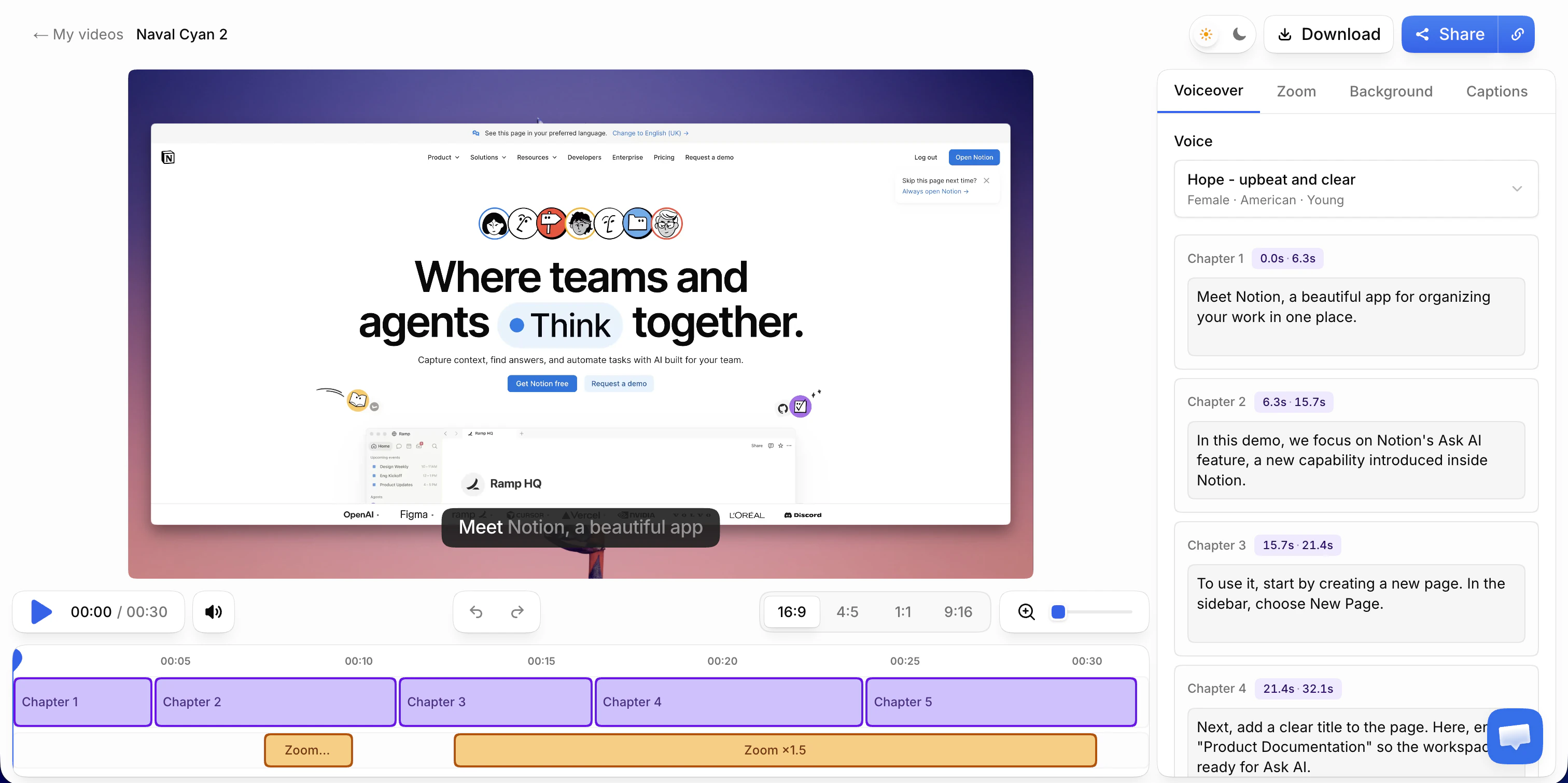
4. Record naturally, then rewrite and re-voice with AI
You narrate the way you would explain the feature on a call. The AI transcribes what you said and rewrites it into a clean script. A studio voice reads the script, and the video is retimed to match. Your job moves from performing to reviewing: you read the script, fix what's wrong, and the voice follows. When the wording needs to change later, you edit a line of script instead of recording again.
The trade-off is that the voice isn't yours. Some editors, Descript among them, can instead clone your voice from a sample of your speech. A clone keeps your voice, but it still reads whatever script you give it, so the wording has to be fixed either way.
5. Record in your first language, publish in English
Many people explain more precisely in their first language: fewer detours, more exact terms, better examples. If your tool writes the script directly in English from that narration, the precision survives. In Vibrantsnap, this works when your first language is one of the 10 it supports. This option suits complex products, where the explanation matters more than the clicks. Read the English script carefully for domain terms, because a model can pick a correct translation that your US buyers don't actually use.
The same workflow runs the other way, when you want to publish in your customers' languages. See how to localize SaaS product videos without re-recording.
A workflow for clean English demos from one take
- Decide the voice first. If this type of video needs your own voice (the rule is in the section on choosing a voice, below), your take is the final narration, so option 1 applies. The steps below assume a studio voice.
- Set up the demo for a US buyer. Use a demo account with data that looks like your buyer's world: US date format, dollar amounts, US addresses and phone numbers, and the units your buyers work in. A screen full of day-first dates and euro amounts tells a US prospect the product wasn't built for them before you've said a word.
- Write a five-line outline. The outcome, who the video is for, the steps, the result, the next step. If you'd rather not start from a blank page, our free demo script generator turns your steps into a timed plan of what to show and what to say.
- Prepare the screen. Notifications off, one browser tab, and a zoom level where the interface labels are easy to read.
- Record once and talk naturally. Narrate as you would on a call, in English or in your first language. Restart only if the clicks go wrong. If you lose a word, keep going: the wording gets fixed in the script.
- Review the script, not the footage. Read the rewritten script chapter by chapter with the checklist below. For a three-minute video, this takes about five minutes.
- Check the captions and publish. Captions help viewers who watch on mute and viewers whose first language isn't English, which may include your customers' own staff. Then send the link or embed the video, and add a row to a simple video inventory: title, screens shown, date recorded. When a screen changes, the inventory tells you which videos to redo.
The script checklist for US buyers
Read the script once, chapter by chapter, with these questions in mind:
- Labels. Does every button, tab and menu named in the script match the screen exactly, including capitalization?
- Product and feature names. Are they spelled and capitalized the way your website writes them?
- Your buyer's vocabulary. Does the script use the words your US customers use? Your team may say "job card" where they say "work order", or "client" where they say "account".
- US spelling and formats. "Organization", "color", "canceled". Dates with the month first. The dollar sign before the amount.
- One action per sentence. "Click Review. Add a comment. Approve the report." is easier to follow than one long sentence with three clauses.
- No claims the screen doesn't show. If the script says "instantly", the video should show it happening instantly.
- False friends and regional usage. Words that mean something different to a US viewer than to you. The table below lists the ones that come up most in software demos.
False friends that change the meaning of a demo
| Word | What you may mean | What a US viewer hears |
|---|---|---|
| eventually (French éventuellement, German eventuell) | if needed, possibly | at some point later |
| actually (French actuellement, Spanish actualmente) | currently | in fact |
| control (French contrôler) | check, verify | operate, restrict |
| realize (French réaliser) | carry out, complete | suddenly understand |
| sensible (French and Spanish sensible) | sensitive | reasonable |
| become (German bekommen) | get, receive | turn into |
| revert (common in Indian business English) | reply | undo, go back to an earlier version |
"Revert" deserves a special warning in software. "The admin will revert to you" sounds like an undo operation, in a product that may well have a Revert button. An AI rewrite can catch some of these from context, but not all of them, so read for them yourself. You know what you meant better than any model does.
Your voice or a studio voice?
Decide per type of video, not per mood, and write the rule down so whoever records next follows it.
Keep your own voice when:
- The viewer has met you. A follow-up after a sales call, a thank-you to a new customer.
- Your face is on screen. A camera bubble with a different voice coming out of it is jarring.
- The video is presented as you speaking. "Hi, I'm the founder…" should be you.
Use a studio voice when:
- The video is part of a library. The help center, the onboarding series, the feature walkthroughs. One voice across 40 videos sounds like one company, even when four people recorded them.
- The video will need updates. Rewording a step means editing one line of script, not giving up an afternoon.
- The viewer doesn't know you yet. The website overview, or a demo a champion forwards to a colleague who wasn't on the call.
A studio voice is a narrator, not an impersonation: it doesn't claim to be you. That makes it a natural fit for videos where the product is the subject, not the person presenting it.
Where Vibrantsnap fits
Vibrantsnap is built for this situation: a founder or product team recording their own demos and tutorials, often in a second language, for customers who speak a different language.
- Record once, your way. The Chrome extension records a tab, a window or the whole screen with your microphone. Narrate in English, or in your first language if it's one of the 10 supported. Recording length is never capped, and you can also import a video you already have.
- Get a clean script. Your narration is transcribed and rewritten into a clean script, split into chapters you can edit one by one. Hesitations, false starts and rambling don't survive into the final video.
- Hear it in a studio voice. One of 30 studio voices, across 10 languages including English, reads the script, and the video is retimed to match, scene by scene. Interface labels and product names keep their spelling. Regenerating an unchanged script gives exactly the same read, so the voice doesn't drift from one version to the next.
- Zooms and captions. Every click gets a close-up on web apps recorded with the extension. On desktop software or an imported video, you place the zooms yourself. Captions are generated word by word and stay editable.
- Keep your own voice when it fits. Any video can switch back to your original narration at any time.
- Share it. A share link with a call-to-action button, an embed, or an MP4 export in 1080p or 4K.
Recording, editing and previewing with every AI feature are free, with no credit card. On the free plan, the share link carries a watermark and a Vibrantsnap badge, and there is no export. Pro is $49/month, with 25 min of export a month, link analytics, 4K and no watermark. See pricing for Scale and Business.
For the wider routine around these videos, see the founder-led product demo playbook. For the video you send after a sales call, see the sales demo follow-up guide.
Frequently asked questions
Does a non-native accent hurt a product demo? Less than most people fear. A 2010 study found that statements read with a foreign accent were rated as less true, but a replication using the same method did not find the effect, and a 2024 study using a different method found that accent did not change how true statements were judged. What does hurt a demo is narration that is hard to follow: restarts, hesitations, ambiguous wording and a pace that changes with your confidence. Fix those and the accent matters far less.
Should I use an AI voice instead of my own voice for product demos? Decide per type of video. Keep your own voice for sales follow-ups to people who have met you, and for any video where your face is on screen. Use one studio voice for product overviews, help center tutorials and onboarding videos, so the library sounds consistent whoever recorded each video, and so a wording fix means editing the script instead of recording again.
Can I record a demo in my first language and publish it in English? Yes, with a tool that rewrites the narration instead of only translating the captions. In Vibrantsnap you can narrate in one of its 10 supported languages, the script is written directly in English (or in another of the 10) and read by a studio voice, and interface labels and product names keep their spelling. Have a fluent English speaker check your first few scripts.
Do I need to write a full script before recording a demo? No. Reading a script aloud in a second language tends to sound stiff, and every stumble means another take. A five-line outline is enough: the outcome, who the video is for, the steps, the result and the next step. Narrate naturally from the outline and fix the wording in the script afterward.
Will the AI voice sound like me? No. Vibrantsnap reads your script in one of 30 studio voices and does not clone your voice. If a video needs your own voice, keep your original narration on that video. A voice-cloning tool is the other option, but a clone still reads whatever script you give it, so the wording has to be fixed either way.
Sources
- Shiri Lev-Ari and Boaz Keysar, Why don't we believe non-native speakers? The influence of accent on credibility, Journal of Experimental Social Psychology 46(6), 2010
- Alison L. Souza and Arthur B. Markman, Foreign accent does not influence cognitive judgments, Proceedings of the Annual Meeting of the Cognitive Science Society, 2013
- Anna Lorenzoni, Rita Faccio and Eduardo Navarrete, Does Foreign-Accented Speech Affect Credibility? Evidence from the Illusory-Truth Paradigm, Journal of Cognition, 2024
- Kinga Boduch-Grabka and Shiri Lev-Ari, Exposing Individuals to Foreign Accent Increases their Trust in What Nonnative Speakers Say, Cognitive Science, 2021
Comparison