Published December 25, 2025 in Product Demos · Updated September 26, 2026
How to Create SaaS Demo Videos That Convert (2026)

Founder & Content Creator at Vibrantsnap · 9 min read
Many SaaS demo videos start the same way: someone on the product team opens a test account, hits record and walks through a feature in one take. The narration is unscripted, the sample data says "Test User", and the first sentence is "Let's now take a look into...". That recording has everything a good demo needs, except the polish.
It matters more every year, because buyers now do most of the evaluation on their own. In a Gartner survey of 646 B2B buyers run in August and September 2025, 67% said they prefer a buying experience without a sales rep, and 45% had used AI tools during a recent purchase (Gartner, via Digital Commerce 360). Your demo videos do the explaining before anyone books a call, and long after the contract is signed.
This guide covers the six demo videos a software company actually needs, how to prepare and script them, and how to turn a raw walkthrough into something a prospect or a new customer will watch to the end.
What a SaaS demo video is (and what it isn't)
A SaaS demo video is a screen recording of your real product doing a real job, with narration that tells the viewer what they are looking at and why it matters. It is not a brand film, and it is not an animated explainer: the viewer should see the actual interface they will use.
Two formats get confused with it:
- Tutorials are demo videos aimed at people who already have the product. Same screen, different goal: teach a task instead of sell an outcome.
- Interactive demos let visitors click through a copy of your product on their own. They are great on a website, but they don't narrate a workflow end to end. If that is what you need, see how Vibrantsnap compares with Arcade and our product demo software comparison.
Wistia's 2026 State of Video report found that educational and tutorial videos top the list of the most engaging video types (Wistia). A SaaS demo that teaches something is usually a demo that gets watched.
The six demo videos a SaaS company needs
A single homepage demo is not a demo strategy. Buyers, trial users and new customers each need a different video, and most of them can come from the same recordings.
| Video | Who watches | Length | Where it lives | Next step |
|---|---|---|---|---|
| Product overview | Prospects comparing tools | 60 s to 2 min | Homepage, pricing page | Start a trial |
| Feature walkthrough | Evaluators and existing users | 1 to 3 min | Feature pages, release notes | Try the feature |
| Sales follow-up | A prospect after a call | 2 to 5 min | Email, CRM sequence | Book the next meeting |
| Trial activation | New trial users | 1 to 3 min | In-app, onboarding emails | Complete the first task |
| Onboarding series | Your customers' admins | 1 to 5 min each | Onboarding program, LMS | Next lesson |
| Help-center how-to | Any user stuck on a task | 1 to 3 min | Help center, support replies | Resolve the ticket |
The lengths follow the data rather than habit. In Wistia's 2026 report, videos under a minute average a 52% engagement rate, and viewers typically watch more than half of an educational or tutorial video in the 1 to 5 minute range, which Wistia calls the sweet spot for product demos and tutorials (Wistia).
The practical consequence: record one feature per video. A focused feature walkthrough can be trimmed into the overview, sent as a follow-up, dropped into the onboarding program and linked from the help center. A 20-minute tour can only be a 20-minute tour.
Before you record: the prep that decides quality
Editing can fix a stumbling narration. It cannot fix what was on the screen. Five minutes of prep saves most retakes.
- Use a demo account with believable data. Real-looking company names, no "Test User", no typos in the sample records. Viewers read everything on screen.
- Show the real use case, not just the button. If a feature tracks how a record changes over time, show the same record at two dates. Two unrelated records demonstrate the UI but hide the value.
- Record a browser tab when you can. It keeps your bookmarks, other tabs, extensions and downloads folder out of the shot. Clean up the profile anyway: notifications off, zoom level up so small labels stay readable.
- Know the click path. Write the three to five steps down and do them once before recording. Hesitation on screen reads as a hard product.
- Plan the first sentence. "Let's now take a look into..." tells the viewer they walked into the middle of something. Open with the outcome instead: "In two minutes you'll compare this month's report with last month's and export the changes."
A script structure that works for SaaS demos
You don't need a word-for-word script. You need a spine that keeps the video on one job. For a demo aimed at prospects:
- Outcome (first 10 seconds). What the viewer will be able to do, stated as a result.
- Context (one or two sentences). Who this is for and the problem it removes.
- Workflow (the core). Three to five steps, each told as context, action, result: why you click, what you click, what changed on screen.
- Proof. The finished result on screen: the exported report, the dashboard filled in, the task done.
- Next step. One call to action that matches where the video lives.
A tutorial for customers uses the same spine with a different emphasis: the goal of the lesson, any prerequisite ("you need admin rights"), the steps, the result, and a pointer to the next lesson.
OUTCOME   In two minutes, you'll invite your team and set their permissions.
CONTEXT   For workspace admins setting up a new account.
STEP 1    Open Settings > Members. (Why: this is where roles live.)
STEP 2    Click Invite and paste the emails. (Result: pending invites appear.)
STEP 3    Copy the role of an existing member. (Result: same access, no manual setup.)
PROOF     The new users show up with the right role.
NEXT      Next lesson: connect your calendar.
If you'd rather not start from a blank page, our free demo script generator drafts this structure for you.
Recording and editing without a studio
Narrate naturally, fix it afterwards. Most people who record demos are product managers, engineers or support leads, and many narrate in their second language. Trying to deliver a perfect take is what makes demos stiff. A better workflow is to talk through the feature the way you would explain it to a colleague, then clean up the words in editing. That is exactly what an AI script rewrite does: it keeps what you meant, removes the hesitations and restarts, and reads the result in a studio voice.
Zoom on what matters. Full-screen SaaS interfaces are unreadable on a laptop and hopeless on a phone. Zoom in on each click and on the field being filled, then zoom back out so the viewer keeps their bearings.
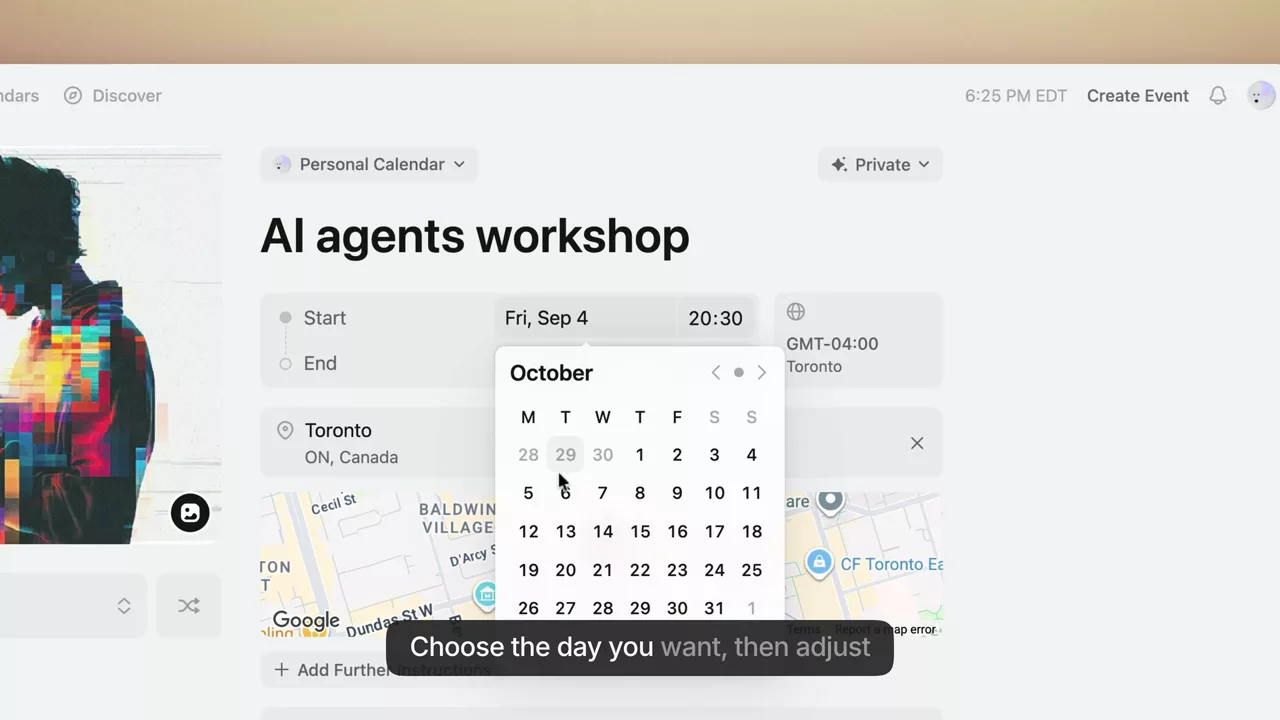
Always caption. In a Verizon Media and Publicis Media survey of 5,616 US adults, 80% said they are more likely to watch an entire video when captions are available (3Play Media). Captions also make product terms searchable and easier to follow for non-native speakers.
Cut to the job. Loading screens, a wrong click, a tangent about a different feature: if it doesn't serve the outcome you promised in the first 10 seconds, it goes.
Publish in your customers' language
If you sell outside one market, the language of the video matters as much as its content. In CSA Research's 2020 survey of 8,709 online shoppers in 29 countries, 76% preferred buying products with information in their own language, and 40% said they never buy from websites in other languages (CSA Research).
For demo videos, re-recording every language is rarely realistic. The workable approach is to rewrite the narration into the target language and generate the voice, while keeping interface labels exactly as they appear on screen, so the viewer can match what they hear to what they see.
Where to put each video and what to measure
Each placement needs its own call to action and its own measure of success:
- Homepage and pricing page: the overview, with a trial or signup CTA. Measure trial starts from the page.
- Feature pages and release notes: the walkthrough. Measure feature adoption after the release.
- Sales follow-ups: a walkthrough that answers the question asked on the call. Measure replies and next meetings booked.
- Onboarding emails and in-app: activation and onboarding videos. Measure how many new users complete the first task.
- Help center: how-to videos. Measure ticket volume on that topic before and after.
View counts per link tell you whether a video is being opened at all, which is the first thing to check when a placement underperforms. For second-by-second retention, use a video host that reports it. Either way, judge the video by the business metric of its placement, not by views alone.
Keep your demo library current
SaaS interfaces change every sprint, which is why long all-in-one tours go stale first. Three habits keep a library alive:
- One feature per video, so a UI change invalidates one short video instead of a long tour.
- Keep the script next to the video. Re-recording a two-minute walkthrough with a script takes minutes.
- Refresh old videos instead of deleting them. If the screen is still accurate but the narration is dated or in the wrong language, you can keep the footage and replace the voice.
How to make a SaaS demo video with Vibrantsnap
Vibrantsnap is a SaaS demo video maker built for exactly this workflow: a raw walkthrough in, a clean demo or tutorial out. Here is the path from recording to a shareable video.
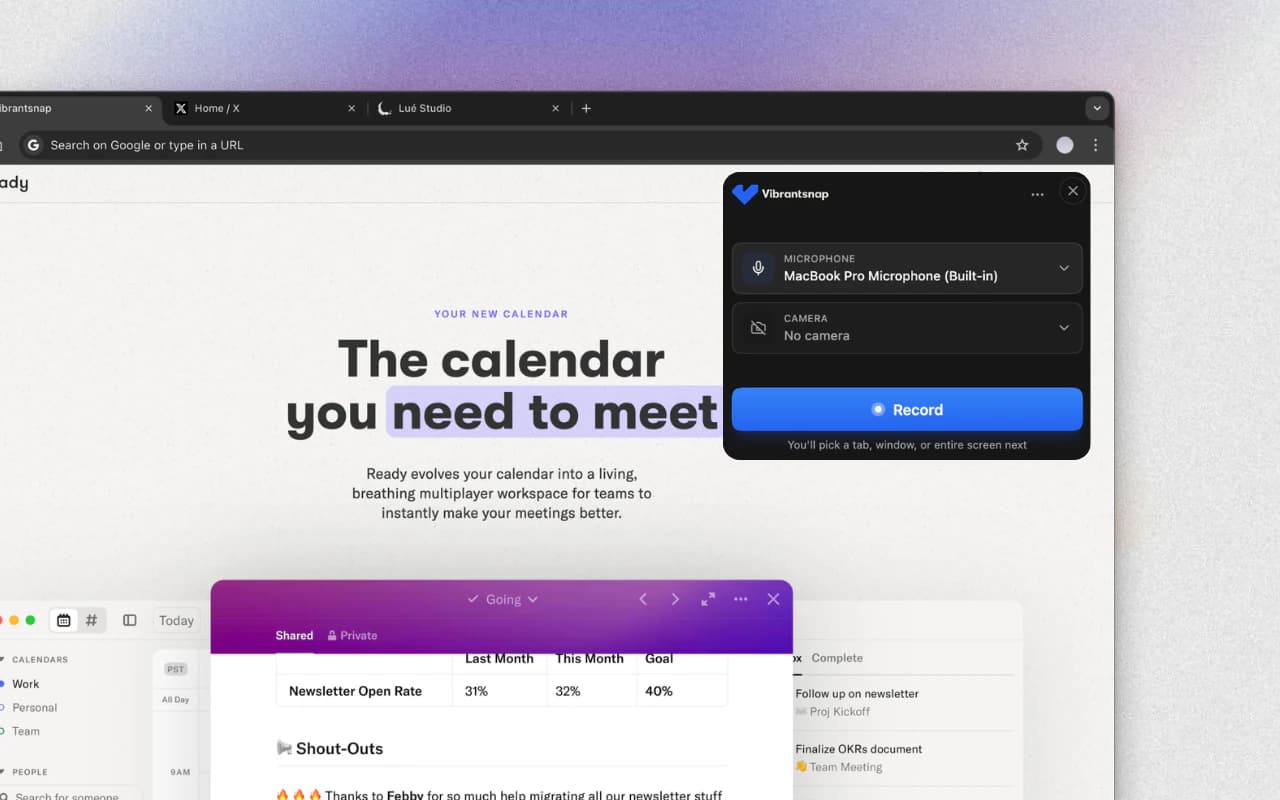
- Record. Install the Chrome extension, pick a tab, a window or your whole screen, and narrate as you click. Recording length is never capped.
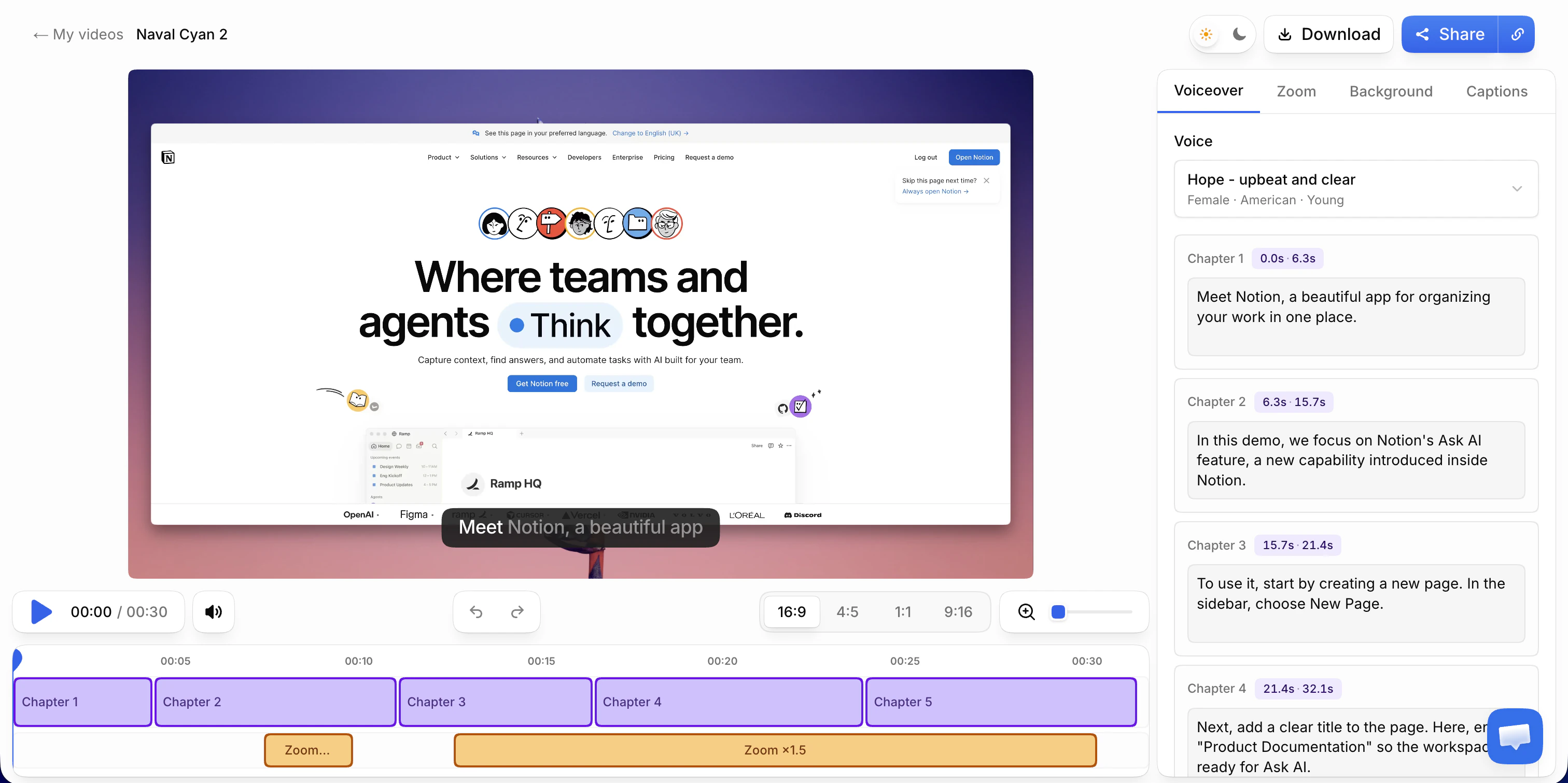
- Let the AI edit. Your narration is transcribed and rewritten into a clean script, read in one of 30 studio voices across 10 languages, and the video is retimed to match. Zooms follow your clicks and typing, and captions are generated word by word.
- Adjust. Edit the script chapter by chapter, swap the voice or the language, move a zoom or change how far it zooms, restyle the captions, and pick a background and a format: 16:9 for your site, 1:1 or 9:16 for social.
- Share. Publish a share link with a call to action, embed the video in your site or help center, or export an MP4 in 1080p or 4K. On paid plans, each link shows its views day by day.
Recording, editing and previewing are free. You subscribe when you export or publish without the watermark: $49/month for 25 min of export on Pro. See pricing for the other plans.
For the step-by-step recording workflow in more detail, see how to make a product demo video. For finished demos to model yours on, see these product demo video examples. If your videos are mostly for existing customers, our guide to customer education videos covers building a full program.
Frequently asked questions
What is a SaaS demo video? A SaaS demo video is a screen recording of your real product doing a real job, with narration that explains what the viewer is seeing and why it matters. Depending on who watches, it can be a short overview on your homepage, a feature walkthrough, an onboarding tutorial for a new customer, or a follow-up a sales rep sends after a call.
How long should a SaaS demo video be? Match the length to the job. Keep a homepage overview under two minutes and a feature walkthrough or tutorial between one and five minutes. Wistia's 2026 State of Video report puts product demos and tutorials in the 1 to 5 minute sweet spot, and videos under a minute average a 52% engagement rate.
What is the difference between a demo video and an interactive demo? A demo video is watched from start to finish with narration, which suits walkthroughs, tutorials and follow-ups. An interactive demo, built with tools such as Arcade or Supademo, lets visitors click through the product at their own pace, which suits website tours. Many SaaS teams use both.
How do I keep demo videos up to date when the UI changes? Record one feature per video and keep the script. When a screen changes, you re-record only the video that shows it instead of a long overview, and the rest of the library stays valid.
Can I make a SaaS demo video in another language without re-recording? Yes, if your tool rewrites the narration rather than just dubbing it. In Vibrantsnap you pick one of 10 voiceover languages, the script is written in that language, interface labels and product names keep their original spelling, and the captions follow the new voice.
Sources
- Gartner B2B buying survey (646 buyers, August to September 2025), reported by Digital Commerce 360 and in Gartner's press release
- Wistia, State of Video 2026 and how to choose the right video length
- Verizon Media and Publicis Media caption study, summarized by 3Play Media
- CSA Research, Can't Read, Won't Buy (B2C, 2020)
Comparison


