Vibrantsnap

Customer Testimonial Videos for SaaS Guide
Customer testimonials are the most powerful conversion tool you're probably not using.
According to recent research, companies using video testimonials report 40-60% increases in conversion rates on pages featuring relevant customer stories. Even more compelling: viewers retain 95% of a message they watch versus just 10% of one they read.
Yet most SaaS founders either skip testimonials entirely or settle for text quotes that nobody reads.
This guide shows you how to create customer testimonial videos that actually convert, without expensive production crews or awkward interview sessions.
Why Video Testimonials Outperform Text
Text testimonials have a credibility problem. Anyone can write "Great product!" and slap a stock photo next to it. Your visitors know this.
Video testimonials are different:
- They show real people with real expressions, making authenticity impossible to fake
- They convey emotion through tone, body language, and genuine enthusiasm
- They demonstrate expertise when customers explain how they use your product
- They build trust faster than any marketing copy ever could
The data backs this up:
| Metric | Text Testimonials | Video Testimonials |
|---|---|---|
| Average time on page | +15% | +88% |
| Conversion rate lift | 5-10% | 40-60% |
| Social share rate | Low | 3x higher |
| Message retention | 10% | 95% |
For SaaS products, especially complex ones that are hard to explain, video testimonials bridge the gap between "I think I understand" and "I need to try this."


The 6 Types of SaaS Testimonial Videos
Not all testimonial videos serve the same purpose. Choose the format that matches your conversion goal.
1. Success Story Testimonials
Best for: Landing pages, case study sections
These follow a narrative arc: problem → discovery → implementation → results. They're the most comprehensive format and typically run 2-3 minutes.
Example structure:
- What challenge were you facing before?
- How did you find our product?
- What was implementation like?
- What results have you achieved?
2. Feature-Focused Testimonials
Best for: Specific feature pages, comparison pages
Customers explain how they use a particular feature and why it matters. These work well when prospects are comparing you to competitors on specific capabilities.
3. Before-and-After Testimonials
Best for: ROI-focused buyers, enterprise sales
Show tangible transformation with specific metrics. "We went from 3-hour weekly reporting to 15 minutes" is more persuasive than "It saved us time."
4. Day-in-the-Life Testimonials
Best for: Products with complex workflows
Follow a customer through their actual workday using your product. This shows the product in context rather than isolation.
5. Multiple-Voice Testimonials
Best for: Homepage, brand videos
Compile clips from several customers into a fast-paced montage. The variety of voices builds credibility and shows broad adoption.
6. Quick-Hit Testimonials
Best for: Social media, ads, email campaigns
30-60 second clips answering a single question. These are perfect for repurposing across channels.
When to Ask for Testimonials
Timing matters. Ask at the wrong moment and you'll get awkward, unconvincing footage.
The best moments to request testimonials:
Right After "Aha!" Moments
When users achieve their first meaningful outcome, their first successful export, their first converted lead, their first resolved ticket, they're energized and eager to share.
At Vibrantsnap, we've found the best testimonials come from users who just exported their first polished video. The excitement is genuine and infectious.
Contract Renewals
If a customer renews (especially for annual plans), they've already proven value. This is an ideal time to ask: "You've been with us for a year now, would you share what's worked?"
Plan Upgrades
When someone moves from a free tier to paid, or from starter to professional, they're voting with their wallet. Capture that confidence.
Spontaneous Praise
If a customer tweets about you, leaves a positive review, or sends an enthusiastic support email, follow up immediately. Convert spontaneous praise into a formal testimonial while the enthusiasm is fresh.
Timing to avoid:
- During onboarding (they don't know enough yet)
- After support tickets (even resolved ones carry negative associations)
- During billing issues (obvious reasons)
The 15 Questions That Unlock Great Stories
Bad questions produce bad testimonials. Avoid yes/no questions and generic prompts like "What do you like about us?"
Instead, use these conversation starters:
Discovery Questions
- "What were you using before, and what wasn't working?"
- "What finally made you decide to look for a solution?"
- "How did you first hear about [product]?"
Implementation Questions
- "What was your first impression when you started using it?"
- "Was there a specific moment when you realized this was going to work?"
- "How long did it take before you saw results?"
Results Questions
- "Can you walk me through a specific example of how you use it?"
- "What metrics have improved since you started using [product]?"
- "How much time does this save you compared to before?"
Emotional Questions
- "How has this changed your daily work?"
- "What would happen if you had to go back to your old way of doing things?"
- "What would you tell someone who's on the fence about trying this?"
Specificity Prompters
- "You mentioned [specific benefit], can you give me an example?"
- "What surprised you most about using the product?"
- "If you could only keep one feature, which would it be and why?"
Pro tip: Send questions in advance so customers can prepare specific examples and metrics. Unprepared interviews ramble; prepared interviews deliver.
Production: Professional Results Without the Crew
You don't need a film crew to create compelling testimonials. Here's how to get professional quality with minimal equipment.
Remote Video Testimonials
Most SaaS testimonials are recorded remotely, and that's perfectly fine. Remote recordings feel authentic, require no travel, and can be scheduled quickly.
Setup recommendations for remote customers:
- Good lighting (face a window, or use a desk lamp)
- Quiet environment (no background noise)
- Stable camera (laptop on a stack of books works)
- Clean background (or virtual background)
- Quality audio (AirPods or wired earbuds beat laptop mics)
Tools for remote recording:
- Zoom (with local recording enabled)
- Loom (customer can self-record)
- Riverside.fm (studio-quality remote recording)
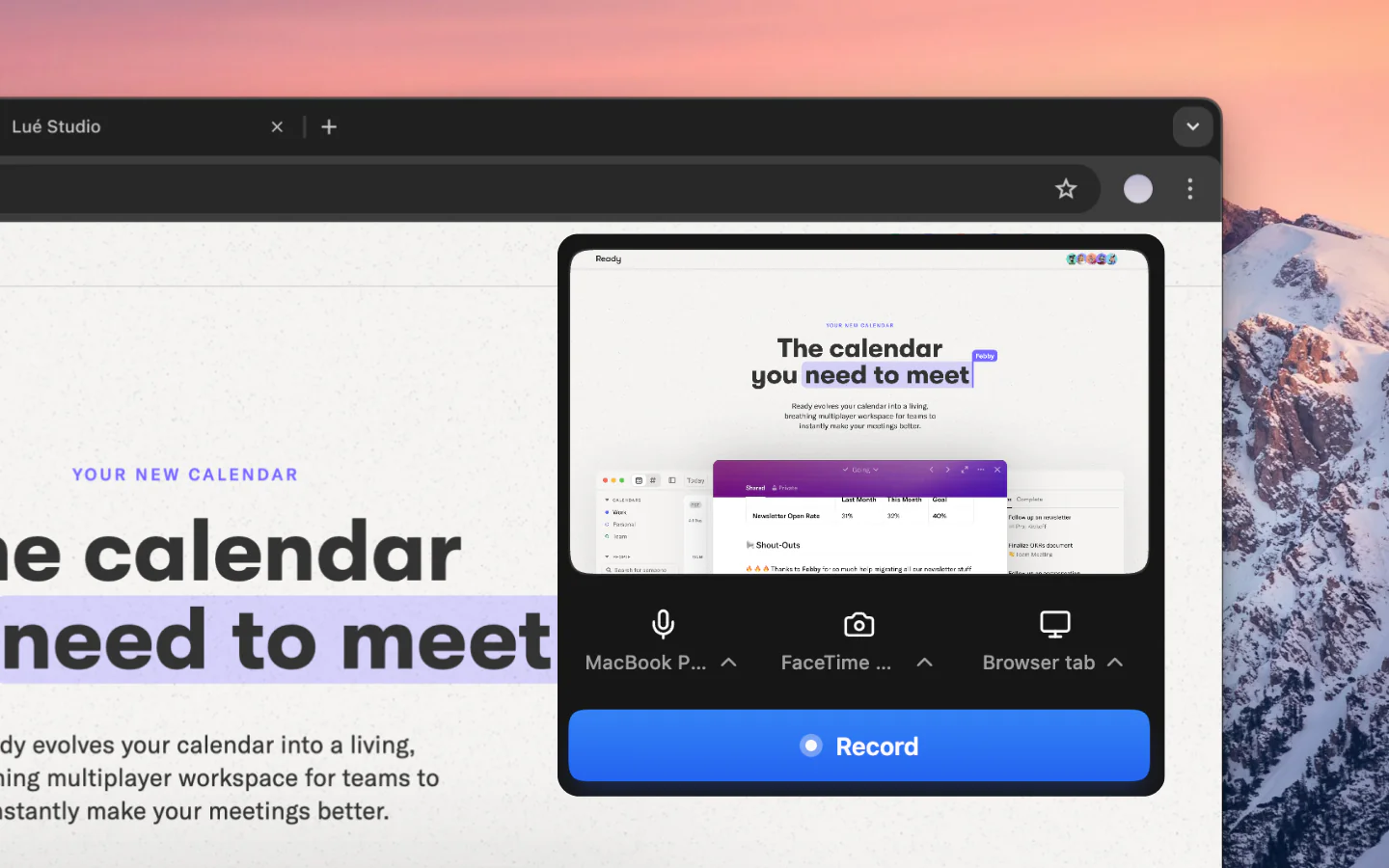
- Vibrantsnap (for screen-share testimonials showing the product)
Self-Recorded Testimonials
Some customers prefer recording themselves without a live call. This often produces more natural results, no interview nerves.
For self-recorded testimonials:
- Send clear instructions and question prompts
- Ask for multiple takes (they'll relax by take 2-3)
- Request horizontal orientation
- Suggest they speak to a friend, not a camera
In-Person Testimonials
If you're meeting customers at conferences or events, bring minimal gear:
- Smartphone on a tripod
- Lavalier microphone (wireless preferred)
- Portable LED light (optional but helpful)
Editing for Impact
Raw testimonial footage needs editing to hold attention. Key techniques:
- Cut the fluff. Remove "ums," long pauses, and tangents. Respect viewer time.
- Add b-roll. Show your product interface while the customer talks about it.
- Include text overlays. Highlight key metrics and quotes.
- Keep it moving. For longer testimonials, use jump cuts to maintain energy.
- Brand consistently. Use your colors, fonts, and logo placement.
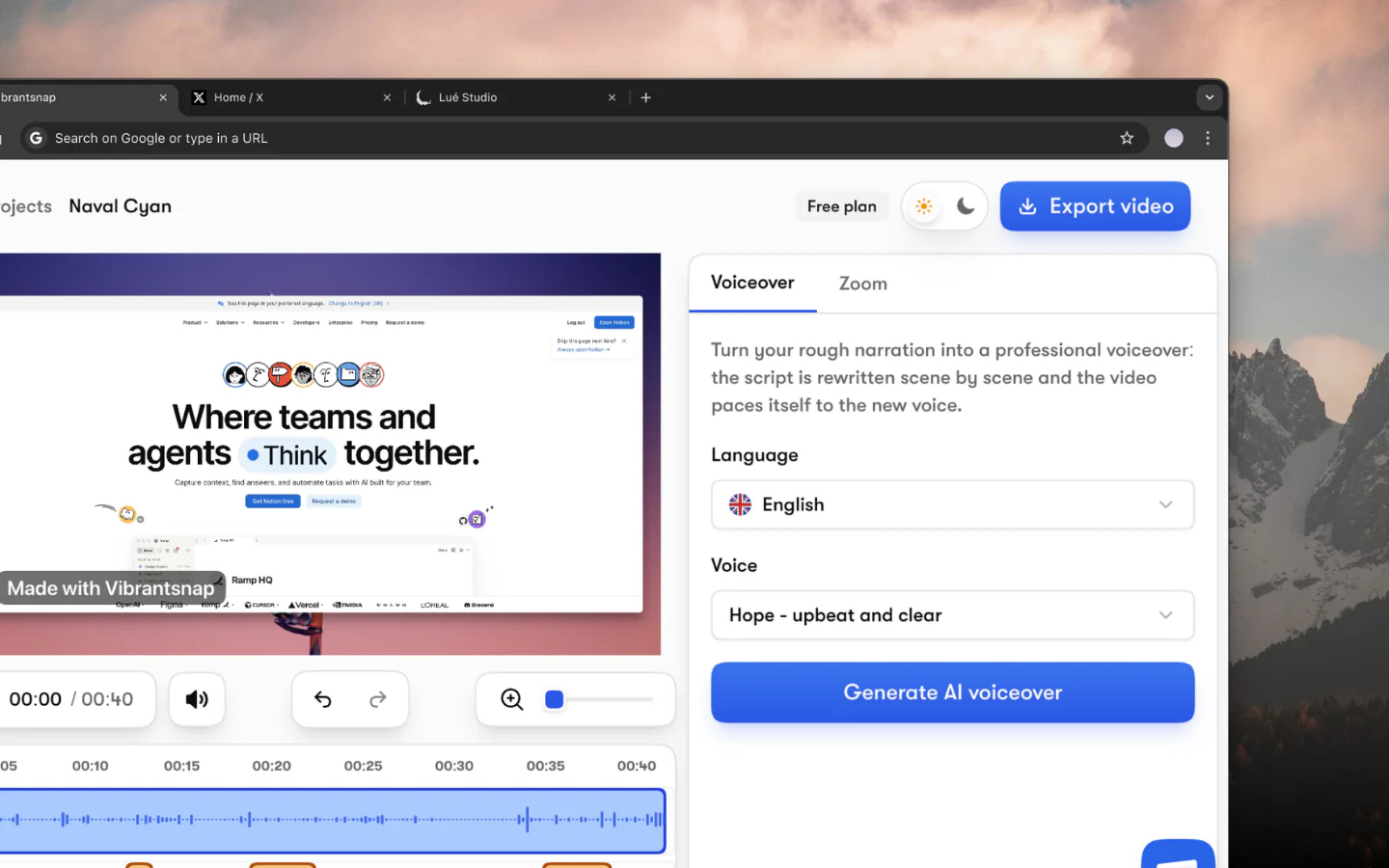
With Vibrantsnap, you can record customer workflows and auto-edit the footage, removing silences, adding zoom effects, and exporting polished clips ready for your testimonial compilation.
Placement: Where Testimonials Convert Best
The right testimonial in the wrong place is wasted effort. Match testimonial types to funnel stages:
Top of Funnel (Awareness)
Goal: Build brand credibility
Best formats: Quick-hit testimonials, multiple-voice compilations
Placement:
- Social media ads
- Homepage hero section
- Blog posts
Middle of Funnel (Consideration)
Goal: Address specific concerns, show product fit
Best formats: Feature-focused testimonials, day-in-the-life videos
Placement:
- Feature pages
- Pricing page (address value concerns)
- Comparison pages
- Email sequences
Bottom of Funnel (Decision)
Goal: Overcome final objections, prove ROI
Best formats: Success story testimonials, before-and-after videos
Placement:
- Demo follow-up emails
- Proposal documents
- Sales calls (share relevant case studies)
- Trial conversion pages
Legal Considerations
Always get written permission before publishing testimonials. A simple release form should cover:
- Permission to use the recording
- Platforms where it will appear (website, social, ads)
- Whether you can use their name and company
- Duration of usage rights (ideally perpetual)
Template language:
"I grant [Your Company] permission to use my video testimonial on their website, social media, and marketing materials. I confirm that my statements are accurate and represent my genuine experience."
Keep these releases on file. They protect both parties if questions arise later.
Measuring Testimonial Impact
Don't guess, track which testimonials drive conversions.
Metrics to monitor:
- View-through rate: What percentage watch to completion?
- Click-through rate: If the testimonial has a CTA, are people clicking?
- Conversion rate by page: Compare pages with vs. without testimonials
- Assisted conversions: Did testimonial viewers convert later?
A/B testing opportunities:
- Different testimonial subjects (same product, different use cases)
- Video length (full story vs. quick clip)
- Placement (above fold vs. below)
- Format (single video vs. carousel)
Common Mistakes to Avoid
1. Over-Scripting
Scripted testimonials sound fake. Provide topics and prompts, but let customers speak naturally.
2. Poor Audio Quality
Viewers tolerate imperfect video but abandon bad audio. Prioritize microphone quality over camera quality.
3. Choosing the Wrong Customer
Your happiest customer isn't always your best testimonial. Look for:
- Clear communicators who articulate benefits well
- Customers similar to your target audience
- People with specific, measurable results
4. One-and-Done Approach
Build a library of testimonials across industries, use cases, and company sizes. Different prospects need different social proof.
5. Hiding Testimonials
If you have great testimonials, feature them prominently. Too many companies bury their best social proof three clicks deep.
Getting Started Today
You don't need a dozen testimonials to start. One genuine, well-produced testimonial beats zero.
This week:
- Identify your happiest customer (check NPS scores, support ratings, or usage data)
- Send a personal email asking if they'd share their experience
- Schedule a 20-minute video call
- Use the question framework above
- Edit the footage into a 60-90 second highlight
- Add it to your homepage or pricing page
- Measure the impact
Next month:
- Request testimonials from your next 3-5 renewals or upgrades
- Create a testimonial request template for your success team
- Build a system for ongoing collection
The companies winning at testimonials aren't doing anything magical, they're just asking consistently and using what they get.
Start Creating Testimonial Videos
Customer testimonial videos are one of the highest-ROI marketing activities for SaaS companies. They combine social proof, emotional connection, and product demonstration in a format that converts.
Try Vibrantsnap to record product walkthroughs that showcase your customers' success stories, complete with automatic editing, zoom effects, and analytics to track viewer engagement.
Sources: Wyzowl Video Marketing Statistics, HubSpot State of Marketing Report, testimonial conversion studies from Hop.online and Senja.io