Published August 14, 2026 in Tools Comparison · Updated September 9, 2026
6 Best Trupeer Alternatives Tested (2026)

Founder & Content Creator · 9 min read
Trupeer is one of the fastest-growing AI demo tools — searches for it have more than doubled in the past year. But the same Reddit thread that ranks on its category asks the telling question: "a cheaper alternative to Clueso/Trupeer for recording product demos and tutorials." The reason is quotas: Trupeer Pro costs $40/month (billed annually) and includes 20 AI video minutes per month, with recordings capped at 12 minutes. The comfortable tier is $199/month.
I build Vibrantsnap, a competing AI demo tool, so I track this category professionally — and I tested every product below the same way: same product walkthrough recorded in each, exported, and compared on output quality, production time, and true monthly cost. Here are the six Trupeer alternatives worth considering in 2026, with honest verdicts on where each one wins.
Quick comparison: Trupeer alternatives at a glance
| Tool | Starting price | Limits | AI voiceover | Best for |
|---|---|---|---|---|
| Vibrantsnap | From $49/mo (free to record & edit) | 90 min export/mo on Pro, 400 min on Scale; no recording cap | Yes, multiple voices & languages | Polished product demos, shipped often |
| Clueso | $40/mo (annual) | 3 hours of exports per year on Solo | Yes (500+ voices) | Video + written docs at enterprise scale |
| Guidde | Free / $19/mo (annual) | Unlimited text-to-voice only on Business | Text-to-voice | Fast internal how-to documentation |
| Screen Studio | $29/mo or $108/yr | Mac only, export requires active plan | No | Cinematic Mac tutorials |
| Descript | Free / $16/mo (annual) | 10 media hours/mo on Hobbyist | Voice cloning | Text-based editing, long-form content |
| Loom | Free / $18/user/mo | Free: 25 videos, 5 min each | No | Quick async video messages |
TL;DR: If Trupeer's tight minutes and recording caps are your problem, Vibrantsnap loosens both — 90 min of export for $49/month versus Trupeer's 20 minutes for $40, no recording length cap, and recording and editing stay free until you export. If you specifically need the video + written documentation combo, Clueso is the closest rival (with annual-hour quotas of its own). For lightweight internal docs, Guidde; for cinematic Mac-only polish, Screen Studio.
Why look for a Trupeer alternative?
Trupeer's core promise — one recording, an AI-edited video plus a step-by-step guide — is genuinely useful. Three things push people to comparison-shop anyway:
- The minute quotas. Pro at $40/month (billed annually) includes 20 AI video minutes per month, and recordings are hard-capped at 12 minutes. One rough recording session can burn a week's allowance. The free plan is a 10-day trial, not a free tier.
- The comfortable plan costs $199/month. Scale unlocks 100 minutes, 15-minute recordings, and 3 editors — a 5× price jump from Pro. Custom voices and branded share pages also sit up there.
- You may not need the documentation half. If written guides aren't part of your workflow, you're paying for a doc pipeline, AI avatars, and knowledge-base add-ons ($120–200/month extra) when all you wanted was polished demo videos.
If any of those hit home, here's where to go instead.
The 6 best Trupeer alternatives in 2026
1. Vibrantsnap — more export minutes for less money, no recording caps
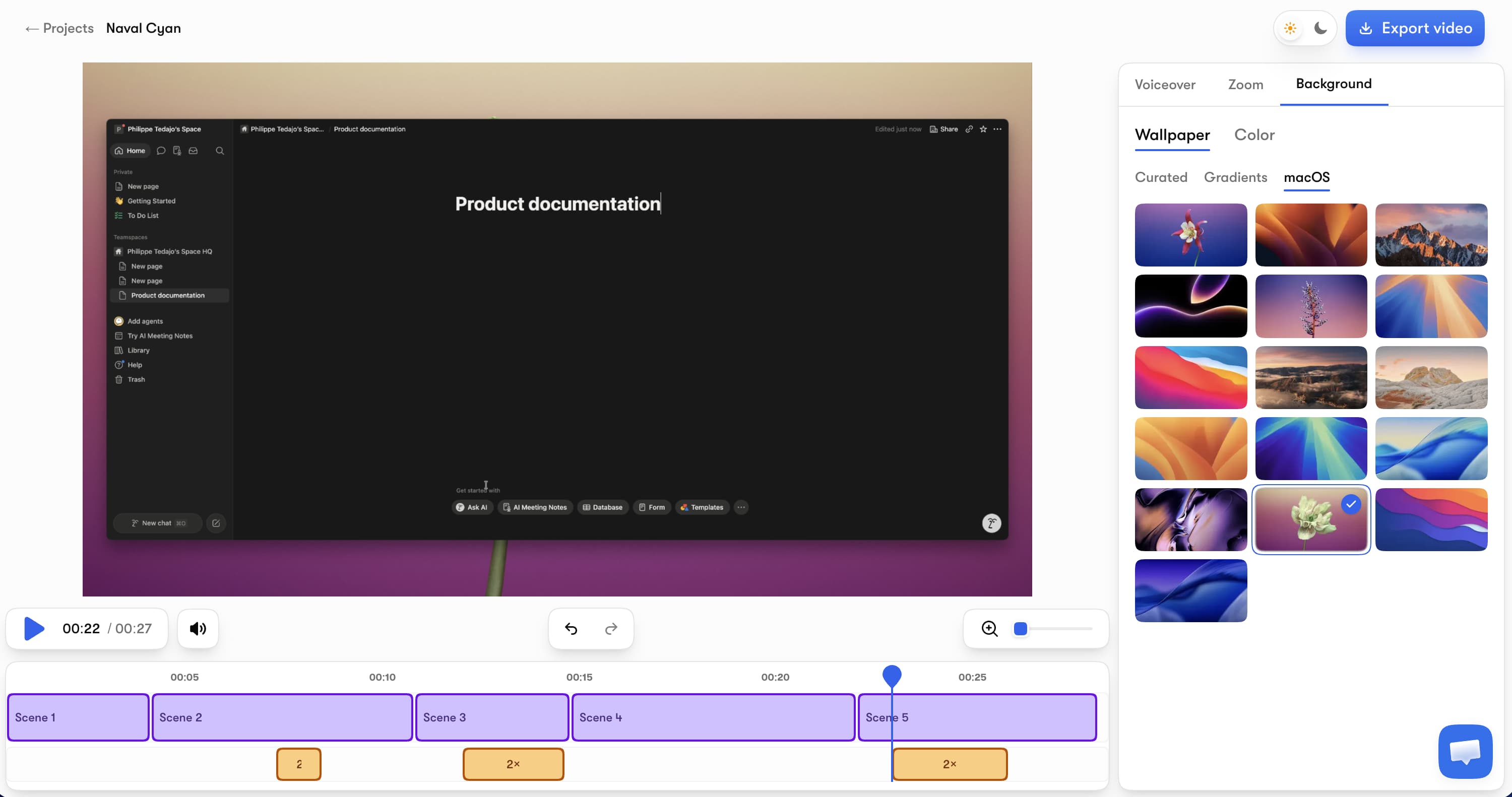
Vibrantsnap (our tool — judge the reasoning, not the placement) attacks the same problem as Trupeer from a different angle: the whole pipeline — recording, editing, previewing — is free until the moment you export, and recording length is never capped. Record any browser tab, narrate naturally, and the AI replaces your take with a professional voiceover while auto-zoom follows your clicks, the rewritten script leaves the fillers behind, and captions generate automatically.
Key features:
- AI voiceover in multiple voices and languages — revertible whenever you want your original take back
- Auto-zoom tracks clicks and typing with smooth camera movement
- A script that cleans itself — fillers, hesitations and false starts don't survive the rewrite
- AI captions free on every plan, editable word by word
- 4K export in 16:9, 9:16, 4:5, or 1:1
- Share pages with a call-to-action button and built-in analytics
Pricing: Free to record, edit, and preview — no credit card, no 10-day countdown. Watermark-free exports plus the AI audio tools start with Pro at $49/month (90 min of export a month), and Scale at $149/month lifts the export limit entirely while adding video analytics, a brand kit, and custom support. Recording length is never capped, and there's no annual lock-in.
Honest limits: Vibrantsnap records from the browser on Mac and Windows, doesn't generate written step-by-step guides like Trupeer, and has no AI avatars. The bet is that the video is what converts, so that's what it perfects.
vs Trupeer: At a realistic pace of 4 demos a month, Trupeer Pro's 20-minute allowance is already tight, and a single long take is impossible past 12 minutes. Vibrantsnap Pro is $49/month against Trupeer Pro's $40, and buys four and a half times the export volume (90 min vs 20 minutes) with no cap on how long you can record — and if you outgrow it, Scale raises the allowance to 400 min a month. If you don't need written docs generated from the recording, the trade is straightforward. Need the narration written first? Our free demo script generator does that.
2. Clueso — the closest rival, with annual quotas instead
Clueso is the tool Trupeer is most often compared against — same recording-to-video-plus-docs pipeline, with AI voiceovers (500+ voices), script rewriting, translation, and PPT-to-video conversion.
Pricing: Free exports 10 minutes of video per month at 1080p. Solo is $40/month billed annually ($50 monthly) with 3 hours of video exports per year; Business is $120/month (annual) for 2 users and 6 hours per year.
Honest limits: The quota problem doesn't go away — it just changes shape, from Trupeer's monthly minutes to Clueso's annual hours. Solo's 3 hours per year works out to 15 minutes a month. Pricing is shaped for documentation teams, not solo founders.
Best for: Enterprise documentation teams that want the most mature docs + video pipeline and have the budget for it. We've compared its whole competitive field in our Clueso alternatives guide.
3. Guidde — fastest lightweight how-to documentation
Guidde is a browser extension that captures a workflow and produces a narrated how-to video with visual callouts in minutes — the lightest tool in this comparison.
Pricing: Free covers up to 25 how-to videos with a recorded voiceover. Pro at $19/month (annual, $29 monthly) unlocks unlimited videos, watermark removal, and brand kit. Unlimited text-to-voice and desktop-app capture require Business at $39/month (annual).
Honest limits: The output is documentation-styled — step captures, zooms, TTS narration — not a cinematic product demo. The best voices sit behind the Business tier and a premium-voice add-on.
Best for: Support and ops teams that need volume, not polish. Full breakdown in our Guidde alternatives guide.
4. Screen Studio — cinematic polish, Mac only
Screen Studio built its reputation on making screen recordings look beautiful automatically: smooth cursor movement, auto-zoom on mouse actions, elegant backgrounds, 4K export, and recently AI transcription.
Pricing: $29/month or $108/year ($9/month billed annually). It's subscription-only for new buyers — the old $229 one-time license was discontinued (legacy licenses still work). There's no free tier: you can use the app, but exporting requires an active plan.
Honest limits: macOS only — no Windows, no web. No AI voiceover, so your narration is whatever you recorded. And the subscription switch is exactly what a chunk of its own community is unhappy about.
Best for: Mac-based creators who want maximum visual polish and record their own narration. If that's your search, we tested the whole field in our Screen Studio alternatives comparison.
5. Descript — edit video the way you edit a doc
Descript transcribes your recording and lets you edit the video by editing the text — delete a sentence, the footage cuts itself. It adds AI voice cloning and studio-grade audio cleanup.
Pricing: Free plan available; Hobbyist is $16/month (annual, $24 monthly) with 10 media hours/month and 1080p watermark-free export; Creator at $24/month (annual) unlocks 4K and 30 hours.
Honest limits: Descript is a full editing suite with a real learning curve. It doesn't auto-produce a demo — you're still directing every cut, just with text instead of a timeline. Media-hour quotas apply.
Best for: Podcasters, course creators, and long-form content teams that want deep editing control.
6. Loom — for messages, not demos
Loom is the async video default: record, get a link, send. The free plan allows 25 videos capped at 5 minutes; Business at $18/user/month removes limits and unlocks 4K.
Honest limits: No AI voiceover, no auto-zoom, no silence removal — Loom output is intentionally raw. It solves communication, not production.
Best for: Internal updates and quick customer replies. For a full tour of that market, see our 10 Loom alternatives tested.
How we tested
Every tool here went through the same exercise: I recorded the same 4-minute SaaS dashboard walkthrough in each product, produced a finished demo using each tool's AI or editing features, and exported it. I compared output quality, total production time, plan restrictions (quotas, caps, watermarks), and the real cost at a volume of 4 demos per month. All prices were verified on each vendor's official pricing page on August 14, 2026 — if a number has changed since, tell us and we'll update it.
Which Trupeer alternative should you pick?
- You ship polished demo videos regularly and want the most minutes per dollar → Vibrantsnap. Free to test on your own product today; from $49/month (90 min of export) when you export.
- You genuinely need video + written docs from one recording → Clueso — accepting annual-hour quotas and enterprise-shaped pricing.
- You need lots of quick internal how-tos → Guidde at $19/month.
- You're Mac-only and record your own narration → Screen Studio.
- You want deep, text-based editing control → Descript.
- You just need to show someone something fast → Loom.
Trupeer itself remains a solid pick for teams that live inside its video + documentation workflow and stay under the minute limits. But if you've ever cut a take short because of a recording cap, one of the six tools above will feel like a relief.
Frequently asked questions
What are the best alternatives to Trupeer? The best Trupeer alternatives in 2026 are Vibrantsnap (AI voiceover demos with no recording caps, from $49/month), Clueso (video plus written docs for enterprise teams), Guidde (fast how-to documentation from $19/month), Screen Studio (cinematic Mac-only recordings), Descript (text-based video editing), and Loom (quick async messages). The right choice depends on whether you need polished demo videos, written documentation, or fast internal communication.
How much does Trupeer cost? Trupeer's free plan is a 10-day trial with 10 AI video minutes and recordings capped at 8 minutes. Pro costs $40/month billed annually ($49 monthly) and includes 20 AI video minutes per month with a 12-minute recording cap. Scale costs $199/month billed annually ($249 monthly) for 100 minutes, 15-minute recordings, and 3 editors. Knowledge base add-ons run $120–200/month extra.
Is there a cheaper alternative to Trupeer? Yes. Vibrantsnap is free to record, edit, and preview, then a paid plan for watermark-free exports and AI voiceovers — Pro includes 90 min of export a month, four and a half times Trupeer Pro's 20 minutes, with no recording length cap. Guidde Pro at $19/month (annual) is another budget option if you mainly need simple how-to videos.
What is Trupeer AI used for? Trupeer AI turns screen recordings into AI-edited product videos and written step-by-step guides at the same time. Teams use it for product walkthroughs, training content, and documentation. It includes AI translation and avatars, with custom voices and branded share pages on the $199/month Scale plan.
How does Vibrantsnap compare to Trupeer? Both turn raw screen recordings into polished videos with AI voiceovers. The practical differences: Trupeer Pro at $40/month includes 20 AI video minutes and caps recordings at 12 minutes, while Vibrantsnap Pro at $49/month includes 90 min of export, never caps recording length, and stays free until you export — and Scale at $149/month raises it to 400 min a month. Trupeer generates written documentation alongside video, which Vibrantsnap doesn't. If you need docs plus video and stay under the quotas, Trupeer fits; if you ship polished demo videos every week, Vibrantsnap fits.
Next steps: See the full workflow in our guide to making a product demo video with AI, compare the adjacent field in Clueso alternatives, or see how Vibrantsnap stacks up against more tools.
Comparison
