Published September 14, 2026 in Training & Documentation · Updated October 27, 2026
AI Training Video Generator: 7 Tools Compared (2026)

Founder & Content Creator · 8 min read
Search AI training video generator and the results quietly mix two different product categories. One family turns a screen recording into a finished training video: cleaned-up narration, zooms on the clicks, captions. The other turns a script into a video fronted by an AI avatar, no recording involved. Both call themselves AI training video generators; they solve different problems, and buying from the wrong family is how teams end up with an avatar reading a script over static slides when what their learners needed was to see the actual software in use.
The split that matters: does your training have a screen to show? Software walkthroughs, process training, tool onboarding: screen-based family. Policy, compliance, culture, soft skills: avatar or animation family.
All prices below were checked against each vendor's published plans in September 2026.
Quick comparison
| Tool | Family | Best for | Entry price | The catch |
|---|---|---|---|---|
| Vibrantsnap | Screen-based | Software & process training | Free to record; $49/mo to export the video | Auto-zoom only in web pages |
| Clueso | Screen-based | Video + docs, enterprise teams | $40/mo (annual) | 3 hours of exports per year on Solo |
| Trupeer | Screen-based | Video + docs together | $40/mo (annual) | 20 AI min/mo, 10-min recording cap |
| Guidde | Screen-based | High-volume internal how-tos | Free (25 videos); $19/mo Pro (annual) | Documentation-styled output |
| Synthesia | Avatar | Policy & compliance at scale | ~$29/mo (10 min/mo) | Nothing real on screen |
| Vyond | Animation | Soft-skills scenarios | ~$58/mo (annual) | Scripted animation, not your product |
| Camtasia | Manual + AI assists | Frame-level control | From $179.88/yr | You still do the editing |
TL;DR: teaching software or a process → Vibrantsnap (the video and a step-by-step guide from one recording) or Clueso/Trupeer if you also want AI avatars. Teaching policy with no screen involved → Synthesia. Teaching judgment and interpersonal scenarios → Vyond. Wanting total manual control → Camtasia, and budget the hours.
Screen-based generators: when the product is the content
1. Vibrantsnap — record the tab, get the finished video
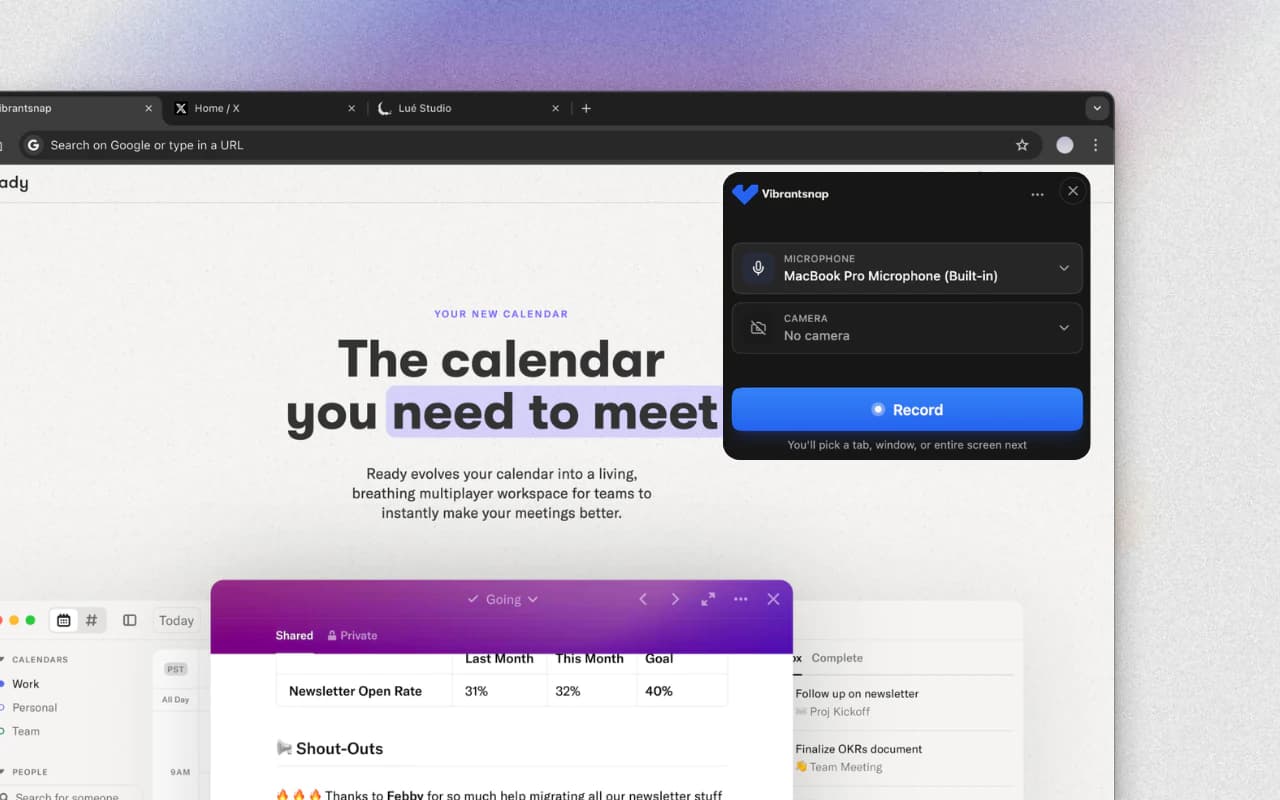
The workflow: record any browser tab through the Chrome extension while explaining the task naturally. The AI rewrites your narration into a clean script (hesitations and false starts don't survive) and reads it in one of 30 studio voices across 10 languages, or keeps your own voice. Auto-zoom follows your clicks so the control you're talking about is actually legible, and captions generate word-timed and editable.
Why it fits training specifically:
- No recording length cap — a 25-minute systems walkthrough is fine
- The video is rebuilt around the rewritten script rather than trimmed by hand, so updates mean re-recording a section, not re-editing a timeline
- The voiceover is deterministic: an unchanged script produces the exact same read, so a video updated after a UI change doesn't sound like two narrators stitched together
- From Pro, each share link shows its views day by day, so you can see which videos get opened
- The same narrated recording gives you a step-by-step guide with a screenshot for each step, to paste into Notion, Confluence or Google Docs or download as a PDF. It is free on every plan and uses no AI credits
Pricing: free to record, edit, and preview with no credit card. Exporting the video and watermark-free share pages start at $49/month, with unlimited 4K exports and 25 AI credits a month (1 AI credit = 1 AI voiceover); Scale, from $149/month for a team of 2, raises the credits to 65 AI credits a month shared by the team and adds a brand kit. No annual lock-in.
2. Clueso — video plus written docs, priced for enterprise teams
The workflow: similar capture-first approach, with a bigger production system behind it: 500+ AI voices, translation pipelines, PPT-to-video conversion, and a written step-by-step article generated from the same recording.
Pricing: Solo at $40/month billed yearly includes 3 hours of video exports per year; Business at $120/month doubles capacity across 2 users. Writing the article uses no AI credits, but article exports have their own cap: 15 a month on Solo (checked on October 27, 2026). That quota math is workable for a documentation team shipping a handful of long-lived assets, and tight for anyone producing weekly training content. Our Clueso alternatives comparison puts the export allowances side by side.
Best for: enterprise documentation and customer education teams that need video and articles from one recording and can live inside the export quotas.
3. Trupeer — the same dual output, same quota trade-off
The workflow: Clueso's closest rival. Screen recording in, AI-edited video plus written guide out, with translation and avatar options on higher tiers.
Pricing: Pro at $40/month billed annually includes 20 AI video minutes per month with recordings capped at 10 minutes, and each AI document costs 50 of its credits (checked on October 27, 2026); Scale at $199/month lifts it to 100 minutes. The full breakdown of where those limits pinch is on our Trupeer alternatives page.
Best for: teams that want video + docs and stay comfortably under the minute quotas.
4. Guidde — fastest for high-volume internal how-tos
The workflow: a browser extension captures a click-through of a workflow and produces a narrated how-to video with visual callouts, in minutes. The output is documentation-styled (step captures with text-to-speech narration) rather than a produced training video.
Pricing: free up to 25 videos; Pro at $19/month (annual) unlocks unlimited videos and brand kit.
Best for: support and ops teams that need volume over polish: dozens of short "how do I do X" answers for an internal knowledge base.
Text-based generators: when there's no screen to show
5. Synthesia — avatar presenters for policy-scale training
The workflow: paste a script, pick an AI avatar and voice, get a presenter-led video. No camera, no recording, and updating the video means editing text. For compliance modules that need a human face saying standardized words in many languages, this is the category leader, which is exactly why it shows up in every L&D stack and why we keep a detailed Vibrantsnap-vs-Synthesia comparison.
Pricing: starts near $29/month for around 10 minutes of generated video a month; serious usage lives in custom plans.
Limits: the avatar reads; it can't show. The moment your training involves real software, you're compositing screenshots behind a presenter, at which point a screen-based tool produces a more useful video for less.
6. Vyond — animated scenarios for soft skills
The workflow: build animated scenes with characters, dialogue, and an AI script assist. Nothing on screen is real, which is the point: difficult-conversation training, safety scenarios, and culture content don't have a UI to record.
Pricing: from roughly $58/month billed annually for business plans.
Best for: L&D teams teaching judgment and interaction rather than software.
7. Camtasia — the manual benchmark, with AI bolted on
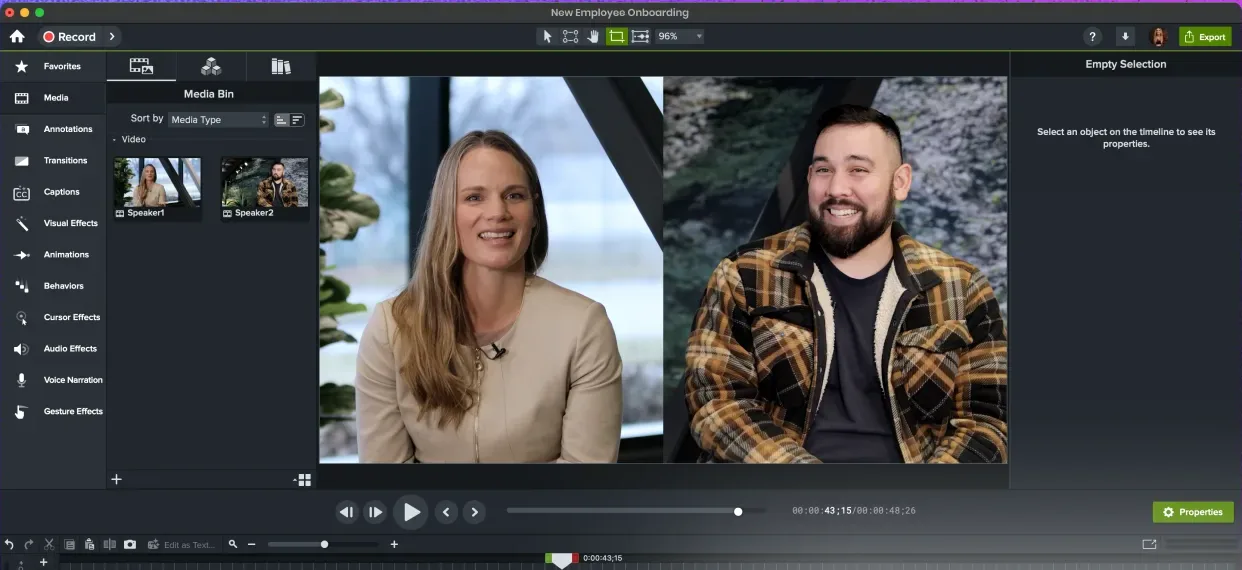
Camtasia remains what most teams graduate from: a desktop editor where zooms, cuts, captions, and narration are your job on a timeline, with AI assists arriving on the $599/year Pro tier. Frame-level control when you want it, hours of editing when you don't. If you're here because Camtasia's per-video effort doesn't scale, that's the exact gap this category exists to close. See the full list of Camtasia alternatives for the head-to-head.
How we compared
Placements follow one question per tool: for which training job is this the tool a rational team would pick? Categories and quotas come from each vendor's published pricing and docs, checked in September 2026; where a vendor has both annual and monthly prices, the annual figure is quoted with the billing term stated. Vibrantsnap's numbers come from its pricing page.
Which AI training video generator should you pick?
- Software or process training, budget-conscious, videos weekly → Vibrantsnap. Free until you export the video; the training video workflow guide shows the full process.
- Video + written documentation from one recording → Vibrantsnap, with the step-by-step guide free on every plan. If you also want AI avatars, Clueso (enterprise docs teams, within the article export quotas) or Trupeer (credit-metered documents, mind the minute caps).
- Dozens of short internal how-tos, polish optional → Guidde.
- Policy and compliance, many languages, no screen → Synthesia.
- Soft-skills and scenario training → Vyond.
- Total manual control and the hours to spend → Camtasia.
The broader market (course-authoring suites with SCORM, LMS-integrated recorders) is mapped in our training video software comparison; this page covers the AI-generation slice of it.
Frequently asked questions
What is an AI training video generator? An AI training video generator is a tool that produces finished training videos from a simpler input than a video editor requires. There are two distinct families: screen-based tools (Vibrantsnap, Clueso, Trupeer, Guidde) that turn a raw screen recording into an edited video with voiceover, zooms, and captions, and text-based tools (Synthesia, Vyond) that turn a script into a video presented by an AI avatar or animated characters. Which family fits depends on whether your training has a screen to show.
What is the best AI video generator for training videos? For software and process training, where the product on screen is the content, a screen-based generator is the right family: Vibrantsnap is free to record and edit with AI voiceover, auto-zooms, and captions, and writes a step-by-step guide from the same recording. Clueso and Trupeer also write documentation from a recording and add AI avatars. For policy and compliance training with no screen to show, Synthesia's avatar presenters are the established choice. For soft-skills scenarios, Vyond's animation fits. There is no single best tool across those three jobs.
Can AI really make a whole training video? For the production layer, yes: editing, voiceover, captions, zooms, and translations are reliably automated today. What AI does not replace is the training content itself: knowing the workflow, deciding what to teach, and recording or scripting it accurately. Plan on a subject-matter expert spending 15–30 minutes per video with a screen-based tool; the AI turns that raw material into something watchable.
How much does an AI training video generator cost? Screen-based tools: Vibrantsnap is free to record and edit, with paid plans to export the video; Guidde Pro is $19/month billed annually; Clueso Solo is $40/month billed yearly with 3 hours of exports per year; Trupeer Pro is $40/month billed annually with 20 AI video minutes per month. Avatar tools: Synthesia starts near $29/month for 10 minutes of video. Animation: Vyond from roughly $58/month billed annually. Check quotas, not just prices: minute caps are where these tools get expensive.
Do AI-generated training videos actually work for learners? The production method matters less than the format: short, task-focused videos with captions and legible UI get finished; long unedited recordings don't. AI tools help mainly because they remove the cost of the things that make videos watchable (cutting dead air, zooming on the relevant control, generating captions), so teams actually produce and update videos instead of postponing them.
Next steps: learn the production process in how to make a training video, see the full market in training video software compared, or start with your five most-repeated questions using the customer education playbook.
Comparison