Vibrantsnap

Video Prospecting for SaaS: 35% More Deals
Your prospects don't want more meetings.
They're drowning in Zoom calls, ignoring cold emails, and actively avoiding sales pitches. The average B2B buyer now involves 6-10 stakeholders in purchase decisions, making scheduled calls increasingly difficult to coordinate.
Yet somehow, you're supposed to explain your complex SaaS product, build relationships, and close deals.
Enter async video, the sales channel that's quietly transforming how top performers sell. According to Vidyard's 2025 research, teams using video in sales report 35% higher win rates, 28% increased pipeline volume, and 27% shorter sales cycles.
This guide shows you exactly how to use async video at every stage of the SaaS sales cycle.
Why Async Video Works for SaaS Sales
Async video combines the personal touch of a meeting with the convenience of email. But it's not just a format preference, there are structural reasons it works.
The Attention Advantage
Text emails compete with hundreds of other messages. Videos stand out.
Email open rates: 20-30% (optimistic)
Video email click rates: 200-300% higher than text emails
Video completion rates: 65%+ for videos under 2 minutes
When a prospect sees a video thumbnail with your face, they know you invested real time. That alone increases engagement.
The Clarity Advantage
SaaS products are often abstract and complex. Explaining them in text means either oversimplifying (losing nuance) or overcomplicating (losing readers).
Video lets you show and tell simultaneously:
- Walk through the product interface
- Highlight specific features relevant to this prospect
- Use visual annotation to emphasize key points
- Demonstrate the exact workflow they asked about
The Scalability Advantage
Live demos don't scale. You can only take so many calls per day, and each one requires both parties to be available simultaneously.
Async video scales your best pitch:
- Record once, send to multiple prospects
- Create modular clips for common questions
- Personalize with 30-second intros on template videos
- Reach global prospects across time zones
The Internal Champion Advantage
Your prospect isn't the only decision-maker. They need to sell internally to stakeholders who will never take your call.
A well-crafted video is shareable in ways live demos aren't:
- Forwarded to CFO to justify budget
- Shared with IT to address security concerns
- Sent to end users to demonstrate value
- Reviewed multiple times before decision


The Async Video Sales Stack
You don't need expensive tools. Here's what actually moves the needle.
If your team already uses Loom but is hitting its limits (no AI editing, weak analytics, recording caps), our roundup of the best Loom alternatives covers stronger options for sales workflows.
Essential Tools
| Need | Tool Options | Cost |
|---|---|---|
| Screen recording | Vibrantsnap, Loom, Vidyard | $15-50/mo |
| CRM integration | Most tools integrate with HubSpot/Salesforce | Usually included |
| Analytics | Built into most video tools | Included |
| Personalization at scale | Vidyard, Sendspark, Hippo Video | $30-100/mo |
The 80/20 Setup
Most sales reps overcomplicate this. Start simple:
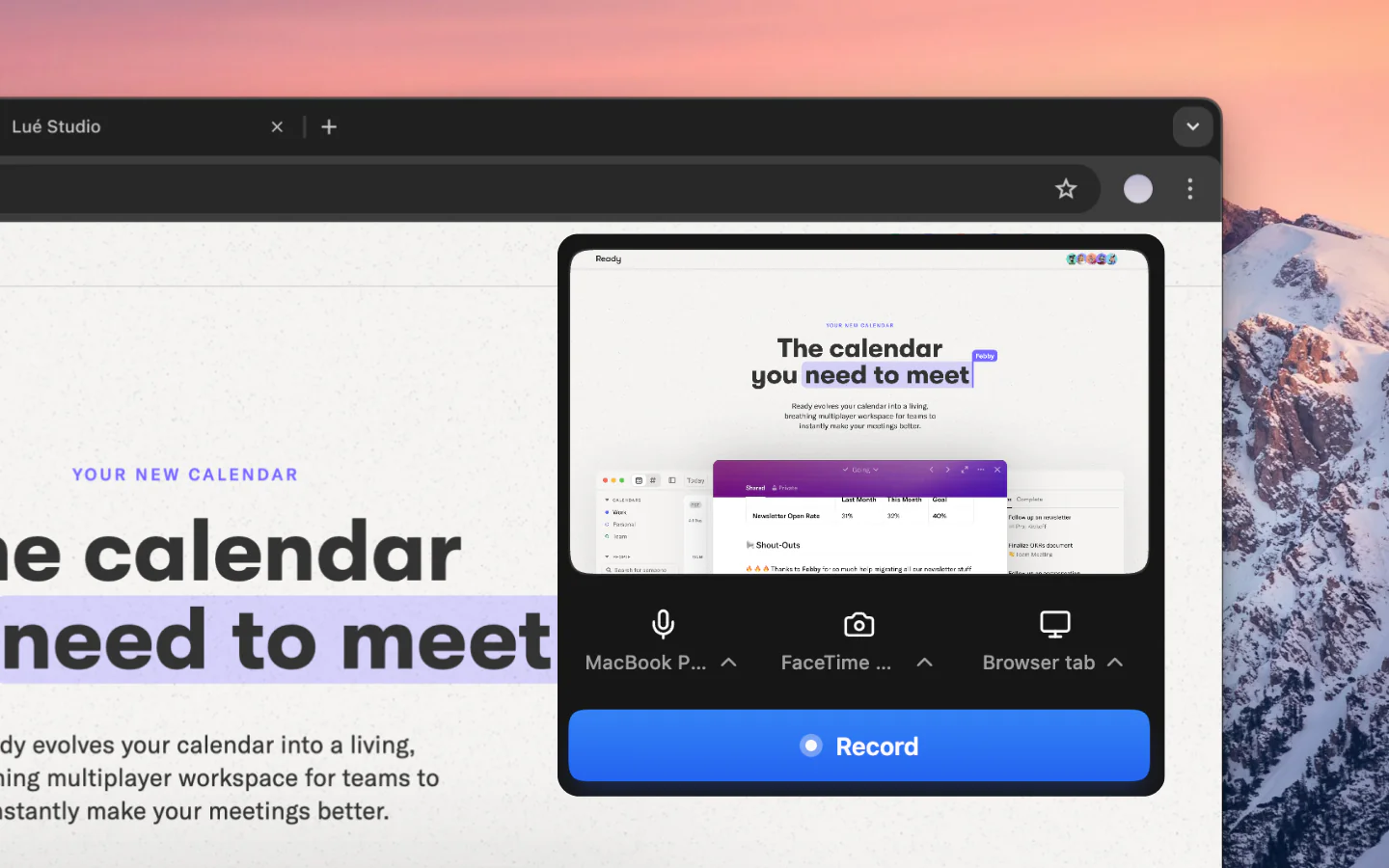
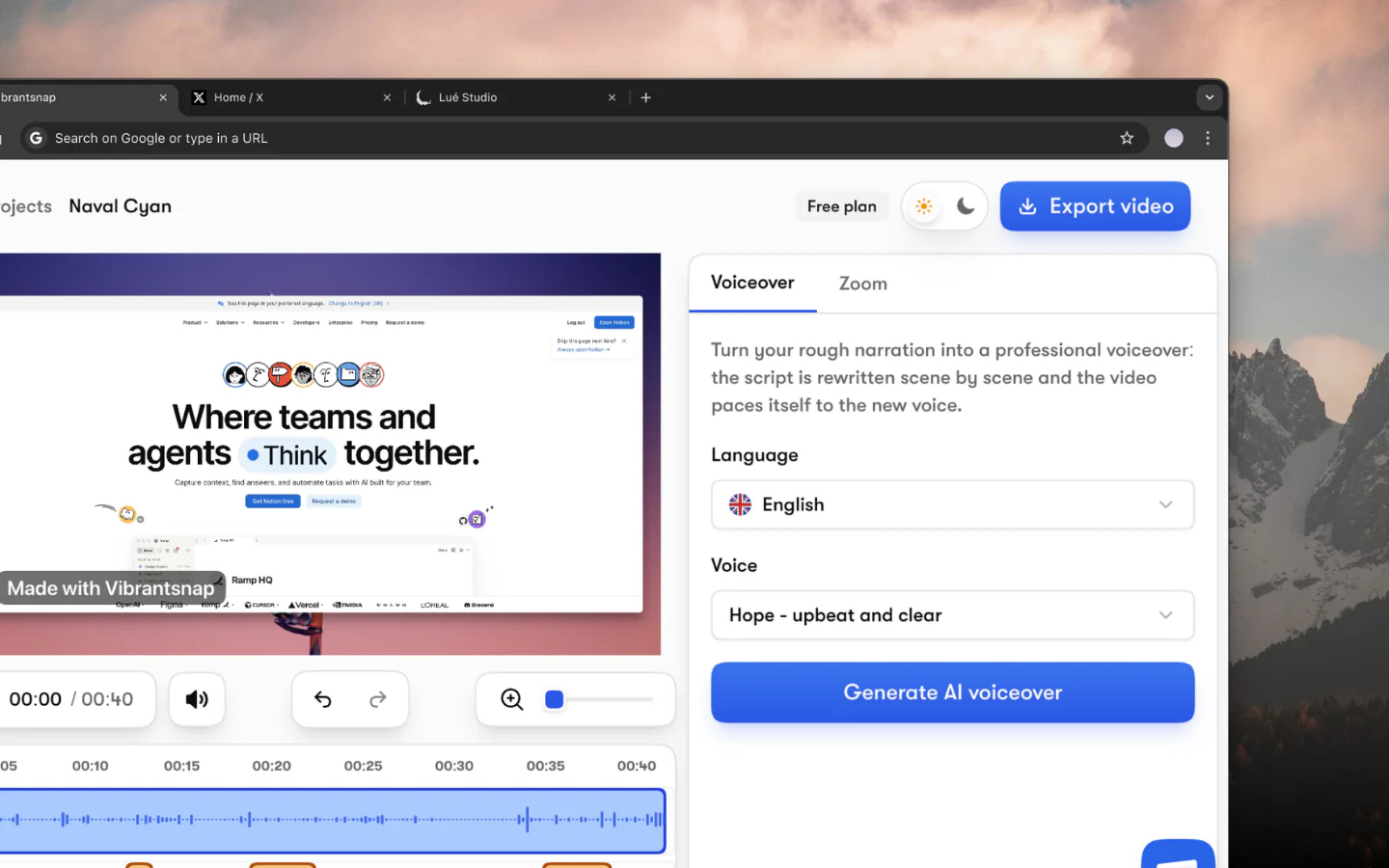
- Recording tool: Vibrantsnap for product walkthroughs with automatic editing
- Camera: Your laptop webcam (upgrade later if needed)
- Microphone: Any wired earbuds beat laptop mics
- Lighting: Face a window or add a simple desk lamp
- Background: Clean and professional (virtual backgrounds work)
Don't buy expensive gear until you've validated the workflow.
Async Video Throughout the Sales Cycle
Different sales stages require different video approaches.
Stage 1: Prospecting
Goal: Get attention and start a conversation
Cold outreach is brutally competitive. Generic emails get deleted. Personalized videos get watched.
What works:
- Personalized 30-60 second videos referencing something specific about the prospect's company
- Website walkthrough showing you actually looked at their site
- Trigger-based videos responding to funding news, job changes, or company announcements
Example script:
"Hey [Name], I noticed [Company] just launched [specific feature/product]. We're helping similar companies like [relevant customer] create product videos that explain new features to users. I recorded a quick 90-second example of what that could look like for your product. Worth a look?"
What doesn't work:
- Generic videos sent to mass lists (defeats the purpose)
- Long videos in first touch (nobody watches 5 minutes from a stranger)
- Pure pitch without personalization (feels like spam with extra steps)
Metrics to track:
- Video view rate (did they click play?)
- Watch percentage (how much did they watch?)
- Reply rate (the metric that matters)
Stage 2: Discovery
Goal: Understand needs before demos
Before jumping on a call, send a video that:
- Introduces yourself and your role
- Explains what the discovery call will cover
- Asks them to come prepared with specific information
- Shares a brief overview of relevant use cases
This pre-call video:
- Establishes rapport before you meet
- Sets expectations for a productive conversation
- Filters out unqualified prospects (they'll bail if it's not a fit)
- Shows professionalism that competitors lack
Pre-discovery video template:
"Hi [Name], looking forward to our call on [date]. To make sure we use your time well, I wanted to share a quick overview of what we'll cover.
First, I'll ask about [their specific challenge, reference earlier conversation]. Then I'll show you how companies like [similar company] are handling this. We'll wrap up by discussing whether this is worth exploring further.
If you could come prepared with [specific info they need], that would help us move quickly. See you [day]."
Stage 3: Demo Follow-Up
Goal: Reinforce key points and advance the deal
The demo is over. Now what? Most reps send a text email with bullet points nobody reads.
Instead, record a 2-3 minute follow-up video:
Cover:
- Thank them for their time
- Recap the 2-3 most relevant features you discussed
- Address any concerns raised in the demo
- Summarize next steps and timeline
- Include a specific ask
Example:
"Thanks for the conversation today, [Name]. I know we covered a lot, so here's a quick recap of what seemed most relevant for [Company].
[Screen share showing feature 1] This is the dashboard view we discussed that would replace your current spreadsheet workflow.
[Screen share showing feature 2] And this is the automation that would handle [specific task they mentioned].
You mentioned concerns about [objection]. Here's how [similar company] handled that...
Next step: I'll send over the proposal by [date]. Can we schedule a quick call for [date] to walk through it with [other stakeholder]?"
This video is shareable. Your champion can forward it to stakeholders who weren't in the demo.
Stage 4: Proposal Review
Goal: Walk through pricing and handle objections
Don't just email a PDF. Record a video walking through the proposal.
Benefits:
- Control the narrative around pricing
- Preempt common objections
- Explain value before they see cost
- Add personal touch to a transactional moment
Proposal walkthrough structure:
- Context recap (why we're here)
- Solution summary (what you'll deliver)
- Investment breakdown (explain each line item)
- ROI justification (connect cost to value)
- Timeline and next steps
- Invitation to discuss questions
Stage 5: Deal Stall / Re-Engagement
Goal: Revive stalled deals without being pushy
Deals go cold. Prospects ghost. A text email saying "checking in" gets ignored.
Video re-engagement works because:
- It's unexpected (breaks pattern of text emails)
- It's harder to ignore than text
- It shows genuine effort
Re-engagement video approaches:
The value-add:
"Hey [Name], I know things got busy on your end. While I had you in mind, I recorded a quick video showing a new feature that solves [problem they mentioned]. No pressure to respond, just thought you'd find it useful."
The customer story:
"Hi [Name], I was just talking with [similar company] who faced the same challenge you mentioned, [specific problem]. They just shared their results with me, and I thought you'd want to see how they solved it."
The honest check-in:
"Hi [Name], I want to be respectful of your time. Is [product] still on your radar, or should I close the loop for now? Either way is totally fine, just want to know where you stand."
Video Templates and Scripts
Template 1: Cold Outreach (60 seconds)
Structure:
- 0-10 sec: Personalized hook (their company, role, recent news)
- 10-25 sec: Problem you solve (relevant to them)
- 25-45 sec: Quick proof (similar customer result)
- 45-60 sec: Low-friction CTA
Script:
"[Name], I saw [specific observation about their company]. That made me think you might be dealing with [problem].
We've been helping [similar companies] solve this, [Customer X] reduced their [metric] by [result] in just [timeframe].
I recorded a quick 2-minute example of how this could work for [their company]. Worth a look? The link is in the email."
Template 2: Demo Follow-Up (2-3 minutes)
Structure:
- 0-15 sec: Thank you and context
- 15-90 sec: Screen share of top 2-3 relevant features
- 90-120 sec: Address objection raised in demo
- 120-150 sec: Next steps and specific ask
Template 3: Proposal Walkthrough (3-5 minutes)
Structure:
- 0-30 sec: Context and agenda
- 30-120 sec: Solution overview (what they get)
- 120-180 sec: Investment breakdown with justification
- 180-240 sec: ROI / payback analysis
- 240-300 sec: Timeline, next steps, CTA
Template 4: Stakeholder Video (90 seconds)
Purpose: Video your champion can forward internally
Structure:
- 0-15 sec: Who you are and why this is relevant
- 15-60 sec: The business problem and how you solve it
- 60-80 sec: Proof point (similar company result)
- 80-90 sec: Next step (schedule demo or review proposal)
Personalization at Scale
True personalization doesn't scale, but smart personalization does.
The Modular Approach
Create reusable segments that you combine for each prospect:
- Personalized intro (30 sec): Unique to each prospect
- Core content (60-120 sec): Reusable for similar prospects
- Personalized outro (15 sec): Custom CTA
Example: You create one excellent product walkthrough, then record fresh 30-second intros for each prospect referencing their specific situation.
Personalization Triggers
Things worth mentioning in personalized intros:
- Recent company news (funding, launches, acquisitions)
- Their LinkedIn activity (posts, comments, job changes)
- Their website (specific pages, features, messaging)
- Mutual connections
- Conference or event attendance
- Industry-specific challenges
AI-Assisted Personalization
In 2026, AI tools can help scale personalization:
- Variable insertion: Name, company, and role auto-inserted
- Dynamic scripting: AI-generated custom talking points
- Automated thumbnails: Personalized video previews
- Smart sending: Optimal send time by recipient behavior
But be careful: AI-generated personalization feels fake when overdone. Use it to augment, not replace, genuine human connection.
Measuring Async Video ROI
Track these metrics to prove video works:
Activity Metrics
- Videos sent per week/month
- Videos per deal stage
- Average video length
Engagement Metrics
- View rate (plays / recipients)
- Watch rate (% of video watched)
- Re-watches (high intent signal)
- CTA clicks
Outcome Metrics
- Reply rate (videos vs. text emails)
- Meeting book rate
- Deal velocity (time to close)
- Win rate comparison
Building Your Business Case
Compare 30 days of video prospecting vs. 30 days of text prospecting:
| Metric | Text Email | Video Email |
|---|---|---|
| Response rate | 2-3% | 8-12% |
| Meetings booked | X | Often 3x text |
| Time investment | ~same | ~same after learning curve |
| Memorability | Low | High |
Most teams see results within 30 days of consistent video usage.
Common Mistakes
1. Too Long
Nobody watches a 10-minute cold outreach video. Respect attention spans:
- Cold outreach: 30-60 seconds
- Follow-ups: 90-180 seconds
- Proposals: 3-5 minutes max
2. Too Generic
If your video could be sent to anyone, it's not personalized enough. At minimum, mention their name, company, and something specific you noticed.
3. Poor Audio
Bad audio kills videos faster than bad video. Invest in a decent microphone or use wired earbuds.
4. No CTA
Every video needs a clear next step. What do you want them to do after watching?
5. Not Following Up
Send the video, then follow up. A view without a follow-up is a missed opportunity.
6. Recording Too Much
You don't need video for everything. Quick questions? Use text. Video works best for:
- Complex explanations
- Personal connection moments
- Shareable content for internal champions
Getting Started This Week
Day 1: Setup
- Choose your recording tool (Vibrantsnap handles screen recording with auto-editing)
- Test your audio and lighting
- Record a practice video (don't send it)
Day 2: First Prospecting Videos
- Pick 5 target prospects
- Spend 10 minutes researching each
- Record 60-second personalized videos
- Send them
Day 3-5: Learn and Iterate
- Check view rates and responses
- Note what felt natural vs. awkward
- Refine your approach
- Send 5 more videos
Week 2+: Expand Usage
- Add demo follow-up videos
- Create your first reusable template video
- Track results against text outreach
- Build the habit
The Compound Effect
Async video gets easier and more effective with practice.
Your first videos will feel awkward. Your tenth will feel natural. Your fiftieth will feel like second nature.
The compound effect:
- You get faster at recording
- You learn what resonates with your audience
- You build a library of reusable content
- Your response rates improve as skills develop
Teams that stick with async video for 90 days rarely go back to text-only outreach.
Start creating sales videos that close deals. Vibrantsnap helps you record polished product walkthroughs with automatic editing, no video skills required.
Sources: Vidyard 2025 Future of Revenue Report, Wyzowl Video Marketing Statistics 2025, Gartner B2B Buying Journey Research