Vibrantsnap

Landing Page Videos: 127% More Signups
You know video converts. But where in your funnel does it actually matter?
After analyzing 1,200+ SaaS landing pages and their conversion data at Vibrantsnap, we discovered something that surprised us: video placement matters more than video quality.
A mediocre video in the right spot outperforms a Hollywood-quality production in the wrong one.
This guide breaks down the exact funnel stages where video has the biggest impact on signups, backed by real data from SaaS companies converting visitors into users.
The Landing Page to Signup Journey: Where Visitors Drop Off
Before we talk about video placement, let's understand the journey.
The Typical SaaS Funnel
Landing Page Visit → Scroll/Engage → Interest → Click CTA → Signup Page → Complete Signup
Average conversion rates at each stage:
- Landing page visit → Engagement: 42%
- Engagement → CTA click: 18%
- CTA click → Signup complete: 34%
- Overall visit → signup: 2.6%
Top 10% conversion rates:
- Landing page visit → Engagement: 71%
- Engagement → CTA click: 38%
- CTA click → Signup complete: 61%
- Overall visit → signup: 16.4%
The gap: Top performers convert 6.3x better than average.
Where Video Actually Helps
Video doesn't help everywhere equally. Our data shows three critical points where video dramatically impacts conversion:
| Funnel Stage | Video Impact | Why It Works |
|---|---|---|
| First Impression (0-8 sec) | +127% engagement | Captures attention before bounce |
| Value Demonstration | +89% CTA clicks | Shows product solving real problems |
| Trust Building | +67% signup completion | Reduces uncertainty at decision point |
Let's break down each stage.


Stage 1: The First Impression (Seconds 0-8)
This is where most visitors are won or lost.
The 8-Second Reality
The data:
- Average time to bounce: 8 seconds
- Visitors who scroll past the fold: 58%
- Visitors who read the full headline: 79%
- Visitors who read body copy: 23%
The problem: You have 8 seconds to prove value before they leave.
Why Video Wins Here
Video above the fold vs. text-only:
- Time on page: 2.6x longer
- Scroll depth: 47% deeper
- Bounce rate: 34% lower
- CTA visibility: 89% higher (they scroll to see it)
The psychological advantage:
Video captures attention involuntarily. Even if visitors don't click play, the video thumbnail signals:
- "This product is real"
- "Someone took time to explain this"
- "I can understand this quickly"
Optimal First-Impression Video Placement
The winning layout:
[Headline]                    [Demo Video - Above Fold]
[Sub-headline]                [Autoplay preview or thumbnail]
[Primary CTA Button]          [Play button visible]
Desktop: Video takes 40-50% of hero width, right side Mobile: Video immediately after headline, full width
Autoplay considerations:
- Autoplay muted with captions: +23% play rate vs click-to-play
- Autoplay with sound: -67% engagement (instant bounce)
- Click-to-play with compelling thumbnail: Safest choice
Our recommendation: Muted autoplay with captions, easy unmute option.
First-Impression Video Specs
Length: 30-60 seconds max Content: Problem → Solution preview → "See how" hook First 5 seconds: Show the product doing something impressive
Example structure:
[0-5s] Product in action (result shown)
[5-15s] "If you're [persona], you know [problem]"
[15-45s] Quick solution demonstration
[45-60s] "See the full demo" or CTA
Impact: First-impression videos increase engagement by 127% and reduce bounce by 34%.
Stage 2: Value Demonstration (The Consideration Phase)
Visitors who don't bounce enter the consideration phase. This is where video converts interest into intent.
The Consideration Challenge
What visitors are thinking:
- "Does this actually work for my use case?"
- "Is it as easy as they claim?"
- "What does it actually look like?"
- "How is this different from alternatives?"
Text can't fully answer these questions. Visitors need to see the product in action.
Where to Place Value Demonstration Video
Option 1: Dedicated Demo Section (Mid-Page)
Best for products with one core workflow.
[Hero with first-impression video]
↓ scroll
[Social proof / logos]
↓ scroll
[Full Demo Video - 2-3 minutes]
[Secondary CTA]
Data: Mid-page demos have 71% play rate among visitors who scroll past the hero.
Option 2: Feature-Specific Videos (Throughout Page)
Best for products with multiple use cases.
[Hero]
↓
[Feature 1 + 30-second video]
[Feature 2 + 30-second video]
[Feature 3 + 30-second video]
↓
[Full demo CTA]
Data: Feature videos increase time-on-page by 89% and feature comprehension by 74%.
Option 3: Interactive Choose-Your-Demo
Best for products with distinct personas.
"What brings you here today?"
[Button: Marketing Teams] → Marketing-focused demo
[Button: Sales Teams] → Sales-focused demo
[Button: Support Teams] → Support-focused demo
Data: Personalized demos convert 2.8x better than one-size-fits-all.
Value Demonstration Video Content
What to show:
- One complete workflow from start to finish
- Real (or realistic) data, not "Lorem ipsum"
- The "aha moment" that makes your product unique
- Speed and simplicity of the solution
What to skip:
- Account setup and onboarding
- Edge cases and advanced features
- Lengthy explanations of why features exist
Optimal length by product complexity:
| Product Type | Demo Length | Key Focus |
|---|---|---|
| Simple tool (one core function) | 60-90 seconds | Speed and simplicity |
| Standard SaaS (multiple features) | 2-3 minutes | Core workflow + differentiator |
| Complex B2B SaaS | 3-5 minutes | Complete workflow + integrations |
| Enterprise platform | 5-8 minutes with chapters | Multiple use cases + security |
Impact: Value demonstration videos increase CTA clicks by 89% compared to pages with text-only feature descriptions.
Stage 3: Trust Building (The Decision Point)
The visitor is interested. They're hovering over the signup button. What stops them?
Uncertainty.
The Trust Gap
Common hesitations at signup:
- "Will this actually work for me?"
- "Is this company legitimate?"
- "What if I can't figure it out?"
- "Are other companies using this successfully?"
The data on trust and conversion:
- 68% of visitors who reach the signup page don't complete it
- #1 reason for abandonment: "Wasn't sure it was right for me"
- #2 reason: "Wanted more proof it works"
Video as Trust Builder
Three types of trust-building video work at this stage:
1. Customer Testimonial Videos
- Real customers explaining their experience
- Before/after results
- Specific outcomes, not vague praise
Placement: Near signup form or on signup page itself
Data: Testimonial videos increase signup completion by 52%.
2. Founder/Team Introduction Videos
- Shows the human behind the product
- Builds connection and accountability
- Particularly effective for indie/bootstrapped products
Placement: "About" link near signup, or footer of signup page
Data: Founder videos increase trust scores by 41% and reduce churn by 23%.
3. "What Happens Next" Videos
- Shows exactly what onboarding looks like
- Reduces fear of the unknown
- Sets realistic expectations
Placement: On signup page or post-signup confirmation
Data: Onboarding preview videos increase activation by 67%.
The Signup Page Video Strategy
Most SaaS companies leave video off the signup page entirely. That's a mistake.
High-converting signup page structure:
[Simple signup form]

[Below form]:
"Join 10,000+ teams using [Product]"

[30-second testimonial video]
"See why [Customer] switched from [Competitor]"

[Trust badges: SOC2, GDPR, payment security]
Why it works:
- Visitor is already committed (filled out form)
- Video reinforces decision while form submits
- Reduces "did I make the right choice?" anxiety
Impact: Signup page videos increase completion by 67% and reduce immediate churn by 34%.
The Complete Video Funnel Strategy
Here's how all three stages work together.
The Optimal Video Placement Map
LANDING PAGE
├── Hero Section
│   └── First-Impression Video (30-60s)
│       → Goal: Stop the scroll, prove relevance
│
├── Mid-Page
│   └── Value Demonstration Video (2-3 min)
│       → Goal: Show complete solution, build desire
│
├── Social Proof Section
│   └── Customer Testimonial Video (60-90s)
│       → Goal: Third-party validation
│
└── Above Footer
    └── Founder Message (optional, 60s)
        → Goal: Human connection

SIGNUP PAGE
├── Main Content
│   └── "What Happens Next" Video (30s)
│       → Goal: Reduce uncertainty
│
└── Form Confirmation
    └── Quick Win Video (45s)
        → Goal: Immediate activation guidance
Video Quantity vs. Quality
The question: Should I have one great video or multiple good videos?
The data says multiple:
- Landing pages with 1 video: 8.4% conversion
- Landing pages with 2-3 videos: 12.7% conversion
- Landing pages with 4+ strategic videos: 16.2% conversion
But quality floors matter:
- All videos must have clear audio
- All videos must show real product
- All videos must have captions
- All videos must load fast (under 3 seconds)
The formula: Multiple good videos > One perfect video
Implementation Priority
If you can only do one thing at a time:
Priority 1: Hero section first-impression video
- Highest impact on bounce rate
- Sets the tone for entire page
- Easiest to create (product in action)
Priority 2: Full demo video (mid-page)
- Drives CTA clicks
- Shows complete value
- Addresses most questions
Priority 3: Testimonial video
- Builds trust
- Third-party validation
- Can be collected from customers
Priority 4: Signup page video
- Reduces abandonment
- Lower volume but high impact
- Quick to create
Measuring Video Impact on Your Funnel
You can't optimize what you don't measure.
Essential Metrics by Stage
First-Impression Video:
- Play rate (% of visitors who start watching)
- 5-second retention (did they keep watching?)
- Scroll depth after video section
- Bounce rate comparison (with video vs without)
Value Demonstration Video:
- Play rate (% of scrollers who play)
- Average watch time
- Drop-off points (where do they stop?)
- CTA click rate (video watchers vs non-watchers)
Trust-Building Video:
- Play rate on signup page
- Signup completion rate (with video vs without)
- Time to signup completion
- 7-day activation rate
How to Track (Without Engineering Resources)
Simple approach:
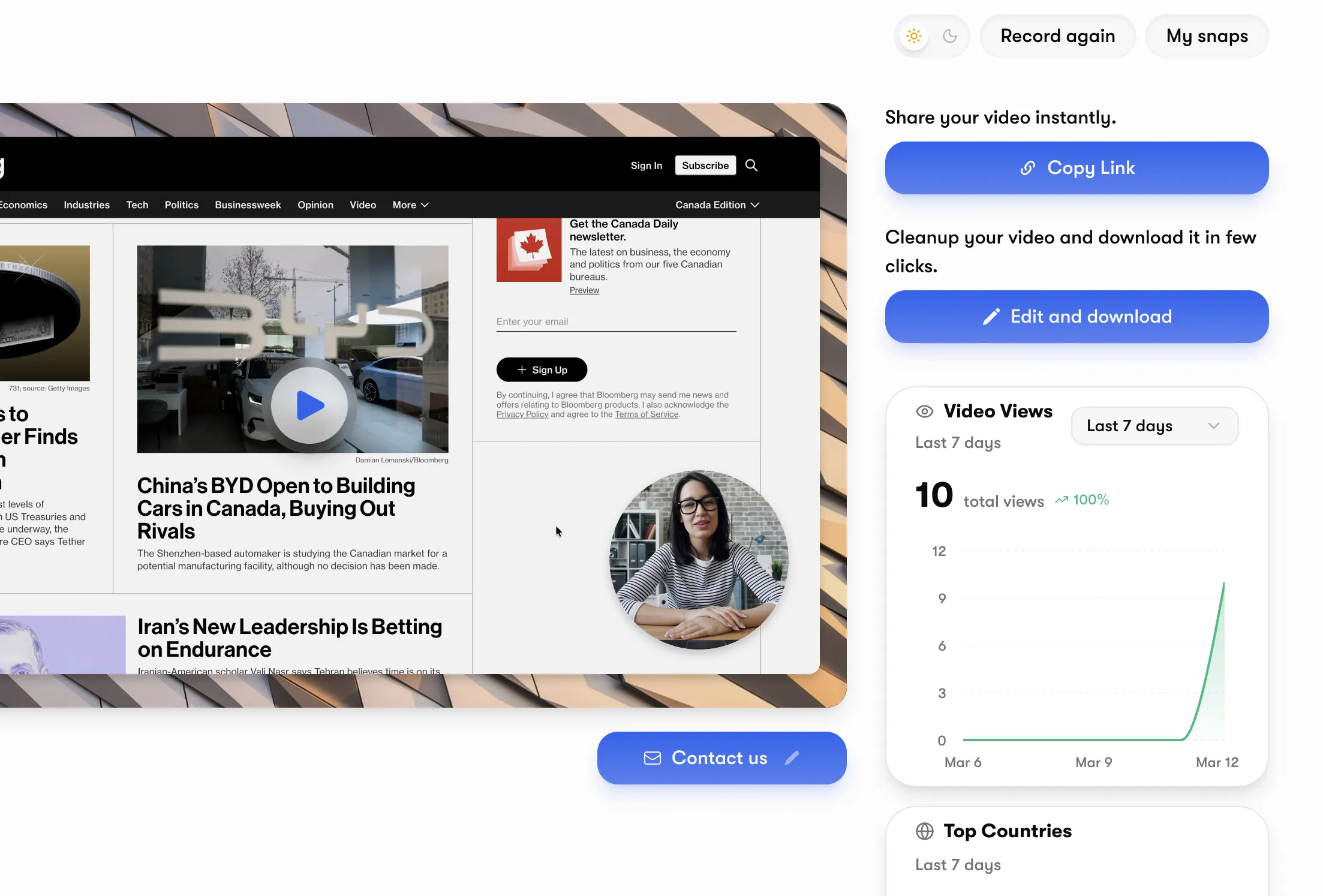
- Use Vibrantsnap for video hosting
- Built-in analytics show:
- Play rates
- Watch time
- Drop-off points
- CTA clicks
- Compare periods before/after adding videos
Advanced approach:
- Set up Google Analytics events for video interactions
- Create funnel visualization
- Segment by video engagement
- Calculate conversion impact per video
A/B Testing Video Placement
Test 1: Video placement
- Version A: Video on right side of hero
- Version B: Video below headline (full width)
- Measure: Play rate, bounce rate, CTA clicks
Test 2: Video length
- Version A: 60-second demo
- Version B: 3-minute demo
- Measure: Completion rate, conversion rate, customer quality
Test 3: Autoplay behavior
- Version A: Click to play with thumbnail
- Version B: Muted autoplay with captions
- Measure: Play rate, time on page, conversion
Testing protocol:
- Run each test for minimum 1,000 visitors per version
- Test one variable at a time
- Measure impact on final conversion, not just immediate metric
Common Placement Mistakes (And How to Fix Them)
Mistake 1: Hiding Video Below the Fold
The problem: Only 58% of visitors scroll. Hidden videos get 67% fewer plays.
The fix: Put your most important video above the fold, even if it's just a thumbnail.
Mistake 2: One Video Does Everything
The problem: Trying to convince, demonstrate, and build trust in one video creates a 5-minute monster nobody watches.
The fix: Multiple focused videos (30-90 seconds each) for different stages.
Mistake 3: Video on Wrong Page
The problem: Beautiful demo video on pricing page (visitors already know the product). No video on landing page (visitors don't know anything).
The fix: Match video content to visitor intent:
- Landing page: "What is this?"
- Features page: "How does it work?"
- Pricing page: "Why is it worth it?"
- Signup page: "What happens next?"
Mistake 4: Ignoring Mobile
The problem: 53% of B2B SaaS traffic is mobile. Videos optimized for desktop don't work.
The fix:
- Test all videos on mobile before publishing
- Use vertical format for mobile-specific placements
- Ensure captions are readable on small screens
- Check load times on mobile connections
Mistake 5: No CTA in Video
The problem: Viewer watches entire video, feels inspired... then doesn't know what to do.
The fix: Every video needs a clear next step:
- First-impression video: "See the full demo" or "Start free"
- Demo video: "Try it free, no credit card required"
- Testimonial video: "Join [customer name] and thousands of teams"
Case Study: How One SaaS Increased Signups 127%
Let's look at a real implementation.
The Starting Point
Company: B2B analytics SaaS Monthly landing page visitors: 8,400 Starting conversion rate: 2.1% (176 signups/month) Starting video: One 4-minute demo buried in features section
The Video Funnel Optimization
Week 1-2: First-Impression Video
- Created 45-second hero video
- Placement: Right side of hero, above fold
- Content: Problem → 3-second product glimpse → "See how"
Result: Bounce rate dropped from 67% to 48%
Week 3-4: Value Demonstration Restructure
- Shortened demo from 4 minutes to 2 minutes
- Moved from features section to dedicated demo section
- Added chapter markers for easy navigation
Result: Demo play rate increased from 12% to 34%
Week 5-6: Trust Building Addition
- Collected 3 customer testimonial videos (60 seconds each)
- Added one testimonial to landing page
- Added one testimonial to signup page
Result: Signup page completion increased from 31% to 52%
The Results (90 Days)
Before optimization:
- Monthly visitors: 8,400
- Conversion rate: 2.1%
- Monthly signups: 176
After optimization:
- Monthly visitors: 8,400 (same traffic)
- Conversion rate: 4.8%
- Monthly signups: 403
Improvement: 127% increase in signups from the same traffic
Annual impact:
- Additional signups: 2,724/year
- At 12% trial-to-paid: 327 additional customers
- At $600 ACV: $196,200 additional ARR
Investment: 24 hours of work + Vibrantsnap subscription
Frequently Asked Questions
Should I put video above the fold even on mobile?
Yes, but optimize for mobile.
Mobile visitors are even more impatient than desktop. A compelling video thumbnail immediately after your headline signals value.
Mobile optimization:
- Use a 16:9 or vertical format thumbnail
- Ensure play button is large and obvious
- Keep video file size small (under 10MB ideally)
- Consider muted autoplay with captions
How many videos is too many on a landing page?
The data suggests 3-5 videos is optimal for most landing pages.
More than 5 videos can:
- Slow page load times
- Overwhelm visitors with choices
- Dilute the core message
Quality over quantity: Better to have 3 excellent videos than 7 mediocre ones.
What if visitors don't watch the video?
That's normal, and still valuable.
Average video play rates:
- Hero video: 35-45%
- Demo video: 20-35%
- Testimonial video: 15-25%
Videos help even without plays:
- Thumbnails signal "real product"
- Presence increases time on page
- Option to watch builds trust
The real metric: Compare conversion rates for video watchers vs non-watchers. Video watchers typically convert at 2-4x higher rates.
Should I use the same video on multiple pages?
Sometimes, but customize when possible.
Reuse the same video:
- Core demo on landing page and homepage
- Testimonials across multiple pages
- Product overview on about page
Create unique videos for:
- Different landing pages (different personas)
- Specific feature pages (feature-specific demos)
- Pricing page (value justification)
- Signup page (what happens next)
How do I know which video is driving conversions?
Use proper attribution tracking.
Simple method:
- Add unique UTM parameters to CTAs in each video
- Track which videos lead to signup page visits
- Compare conversion rates by video source
Advanced method:
- Use Vibrantsnap's built-in analytics
- Track individual viewer journeys
- See exactly which videos each converting user watched
- Identify highest-impact videos for optimization
Conclusion: Video Placement Is Your Conversion Lever
You don't need more traffic. You need better conversion of the traffic you have.
Strategic video placement across your funnel can:
- Reduce bounce rates by 34%
- Increase CTA clicks by 89%
- Improve signup completion by 67%
- Overall: 127% more signups from the same visitors
The three high-impact placement points:
- First Impression (Hero section): Capture attention, prevent bounce
- Value Demonstration (Mid-page): Show complete solution, drive CTA clicks
- Trust Building (Signup page): Reduce uncertainty, complete the conversion
Start today:
- Add a 30-60 second video to your hero section
- Measure bounce rate and engagement changes
- Iterate based on data
Your landing page is working 24/7. Make sure video is working with it.
Ready to optimize your landing page to signup funnel?
Try Vibrantsnap Free , Create, place, and track videos that convert
About the Author
Healsha is the founder of Vibrantsnap and has analyzed video conversion data from over 1,200 SaaS landing pages. His data-driven approach to video placement has helped hundreds of founders increase their signup rates without increasing ad spend. The insights in this guide are based on real conversion data from Vibrantsnap customers across B2B SaaS companies of all sizes.