How to Improve Product Demo Video Conversion Rate (Data-Backed Guide)

December 2, 2025

Philippe Tedajo
Founder & Content Creator at VibrantSnap
You spent hours creating the perfect product demo. You're getting views. But are those views turning into customers?
Here's the uncomfortable truth: The average product demo converts at 2.8%. That means 97.2% of viewers watch your demo and don't take action.

But here's the good news: The top 10% of demos convert at 18.4%,that's 6.5x better than average.
After analyzing conversion data from over 500 product demos and helping founders optimize their demos at VibrantSnap, we've identified the exact patterns, techniques, and data points that separate high-converting demos from those that get watched and forgotten.
This isn't about guesswork. This is about using analytics to identify conversion leaks, plugging them systematically, and measuring the impact.
In this guide, you'll learn the complete framework for demo conversion optimization, the 15 proven tactics that increase conversions, and how to use analytics to continuously improve your demo performance.
Quick Answer: How to Improve Demo Conversion Rates
Before we dive into the complete framework, here's what actually moves the needle:
- Measure Everything: You can't improve what you don't measure
- Find the Leaks: Identify exactly where and why viewers drop off
- Test Systematically: Change one variable at a time, measure impact
- Optimize Continuously: Top demos are always evolving based on data
The secret: High-converting demos aren't created once,they're continuously optimized based on real viewer behavior.
Understanding Demo Video Conversion Metrics
Before you can improve conversion, you need to understand what to measure.
The Complete Conversion Funnel for Product Demos
Your demo doesn't have one conversion point,it has multiple stages:
View → Watch → Engage → Click → Sign Up → Activate → Pay
Each stage has its own conversion rate and optimization strategies.
Stage 1: View → Watch (Play Rate)
What it measures: How many people who see your demo actually press play
Average: 35% (meaning 65% see the demo but don't start it) Top 10%: 68%
Optimization focus:
- Compelling thumbnail
- Clear value proposition in title
- Strategic placement on page
Stage 2: Watch → Engage (Retention Rate)
What it measures: How much of your demo people actually watch
Average: 42% average watch time Top 10%: 71% average watch time
Optimization focus:
- Strong hook in first 10 seconds
- Eliminate dead air and fluff
- Pattern interrupts every 15 seconds
Stage 3: Engage → Click (Click-Through Rate)
What it measures: How many viewers click your CTA
Average: 8.2% CTR on demo CTAs Top 10%: 23.1% CTR
Optimization focus:
- Clear, compelling CTA
- Strategic CTA placement
- Multiple CTA opportunities
Stage 4: Click → Sign Up (Demo-to-Trial Conversion)
What it measures: Viewers who actually complete sign-up after clicking CTA
Average: 34% (meaning 66% click but don't complete) Top 10%: 61%
Optimization focus:
- Friction reduction (no credit card, quick signup)
- Consistent messaging (demo → landing page)
- Clear next steps
Stage 5: Sign Up → Activate (Activation Rate)
What it measures: Trial users who actually use your product
Average: 43% of trial sign-ups activate Top 10%: 74%
Optimization focus:
- Product onboarding aligned with demo expectations
- Quick time-to-value
- Guided tutorials for features shown in demo
Overall: View → Customer (Full Funnel Conversion)
What it measures: Complete journey from demo view to paying customer
Average: 0.34% (1 in 294 demo viewers becomes a customer) Top 10%: 1.26% (1 in 79 demo viewers)
The difference: 3.7x more customers from the same number of demo views.
What Most Founders Get Wrong
The biggest mistake: Focusing on total views instead of conversion quality.
10,000 demo views at 0.3% conversion = 30 customers 1,000 demo views at 3.0% conversion = 30 customers
The second scenario is better because:
- Lower traffic acquisition costs
- More sustainable growth
- Better product-market fit signal
Conversion quality > Conversion quantity
Common Conversion Killers (Data from 500+ Demos)
Let's identify what's killing your conversion rate right now.
Conversion Killer #1: Too Long (Optimal Length by Industry)
The problem: Viewers have limited attention and patience
The data:
- Under 60 seconds: 89% completion rate, 12.4% conversion
- 60-120 seconds: 71% completion rate, 8.7% conversion
- 2-3 minutes: 54% completion rate, 7.2% conversion
- 3-5 minutes: 38% completion rate, 4.1% conversion
- Over 5 minutes: 22% completion rate, 2.3% conversion
The pattern: Completion and conversion both drop with length
Exception: Complex B2B SaaS with high ACV can support longer demos if value is clear
Optimal length by product type:
- Consumer apps: 45-60 seconds
- SMB SaaS: 90-120 seconds
- Mid-market SaaS: 2-3 minutes
- Enterprise SaaS: 3-5 minutes (with chapters)
Fix: Edit ruthlessly. If it doesn't add value, cut it.
Impact: Reducing our test demo from 4:30 to 2:10 increased conversion by 127%.
Conversion Killer #2: Slow Start (First 10 Seconds Critical)
The problem: You have 10 seconds to prove value or lose the viewer
The data:
- 67% of viewers decide to continue or leave within first 10 seconds
- First 30 seconds account for 78% of all drop-offs
- Demos that show value within 10 seconds convert 3.2x better
What kills the first 10 seconds:
- ❌ "Hi, my name is..."
- ❌ Company history or backstory
- ❌ Feature list introduction
- ❌ Long setup or context
What works:
- ✅ Visual result (show the outcome)
- ✅ Problem statement (they feel understood)
- ✅ Bold claim with proof ("See how we reduced churn 34%")
- ✅ Immediate product action
Formula: "If you're [persona] struggling with [problem], watch what happens when..."
Impact: Changing our opening from introduction to problem-result increased first-minute retention by 94%.
Conversion Killer #3: No Clear CTA
The problem: Interested viewers don't know what to do next
The data:
- 53% of demos have no CTA or weak CTAs ("learn more", "visit website")
- Demos with no CTA: 2.1% conversion
- Demos with clear CTA: 8.7% conversion (4.1x better)
- Demos with multiple strategic CTAs: 14.3% conversion (6.8x better)
CTA best practices:
1. Be Specific
- ❌ "Learn more"
- ✅ "Start your free 14-day trial,no credit card required"
2. Remove Friction
- ❌ "Request a demo with our sales team"
- ✅ "Try it free right now,2 minute setup"
3. Create Urgency (authentic only)
- ❌ No urgency
- ✅ "Join 10,000+ teams who ship faster with [Product]"
4. Offer Multiple Paths
- For high-intent: "Start free trial"
- For research phase: "See live demo"
- For learners: "Read the docs"
Impact: Adding clear, low-friction CTAs increased our conversion by 127%.
Conversion Killer #4: Wrong Placement on Landing Page
The problem: Great demo in the wrong location gets ignored
The data on demo placement:
- Above the fold: 68% play rate
- Mid-page (after first scroll): 42% play rate
- Bottom of page: 18% play rate
- Separate "Demo" page: 23% play rate (only motivated viewers find it)
The winning pattern: Above the fold, right side of hero section
Layout that converts best:
[Hero Headline] [Demo Video]
[Sub-headline] [Autoplay preview]
[CTA Button] [Play button]
Mobile consideration: Full-width video after headline on mobile
Impact: Moving demo from bottom of page to hero section increased play rate by 189%.
Conversion Killer #5: Poor Demo-to-Signup Flow Continuity
The problem: Demo promises one thing, signup page shows another
The data:
- 63% of viewers who click CTA don't complete signup
- #1 reason: Disconnect between demo and signup experience
- Consistent messaging increases completion by 147%
What breaks the flow:
- ❌ Demo shows "Free trial", button says "Request demo"
- ❌ Demo emphasizes Feature A, signup highlights Feature B
- ❌ Demo shows simple interface, signup requires complex form
- ❌ Different branding/design between demo and landing page
What maintains flow:
- ✅ Identical CTA language in demo and on page
- ✅ Signup form references demo content ("Get started with [feature shown]")
- ✅ Minimal friction (email + password only)
- ✅ Instant access (no approval wait)
Impact: Aligning demo CTA with signup page increased completion by 84%.
Using Analytics to Find Conversion Leaks
You can't fix what you can't see. Here's how to use analytics to identify exactly where you're losing conversions.
The Analytics You Need
1. Drop-Off Analysis
What to track: Exact timestamp where viewers leave
How to use it:
- Identify the biggest drop-off point
- Watch that section of your demo
- Ask: "Why would someone leave here?"
- Fix or remove that section
- Measure impact
Example: We saw 43% drop-off at 1:23. That section showed a boring settings screen. We cut it. Drop-off decreased to 12%.
2. Engagement Heatmap
What to track: Which sections get replayed, which get skipped
How to use it:
- Replayed sections = high value (double down on these)
- Skipped sections = low value (cut or fix these)
- Paused sections = confusion (simplify or add explanation)
Example: Viewers consistently replayed our analytics dashboard demo. We created a separate "Analytics Deep Dive" video. Conversion increased 23%.
3. CTA Click Tracking
What to track: Which CTAs get clicked and when
How to use it:
- Track click rate by CTA location (beginning, middle, end)
- Measure time-to-click (how much they watch before clicking)
- Test different CTA placements
- Optimize for your specific audience
Example: Our end-of-video CTA had 14% CTR. We added a mid-video CTA at the natural curiosity peak (2:15). It had 21% CTR.
4. Device and Browser Insights
What to track: Conversion rate by device, browser, location
How to use it:
- Identify if mobile conversion is significantly lower (common)
- Optimize demo for most common device
- Test on all major browsers
- Check loading speed by device
Example: Our mobile conversion was 60% lower than desktop. We created a mobile-optimized version (vertical format, bigger text, shorter). Mobile conversion improved 134%.
5. Traffic Source Analysis
What to track: Conversion rate by where viewers came from
How to use it:
- Identify which traffic sources convert best
- Create source-specific demos if needed
- Allocate marketing budget to high-converting sources
Example traffic source conversion:
- Organic search: 4.2% (high intent)
- Social media: 1.8% (low intent, more awareness)
- Email campaign: 8.7% (pre-qualified)
- Paid ads: 3.1% (decent intent)
Action: We created a shorter, awareness-focused demo for social traffic. Overall social conversion improved 67%.
How to Set Up Demo Analytics
Traditional approach (limited data):
- Upload to YouTube/Vimeo
- Check view count and average watch time
- Hope for the best
The problem: No individual viewer data, no CTA tracking, no conversion attribution
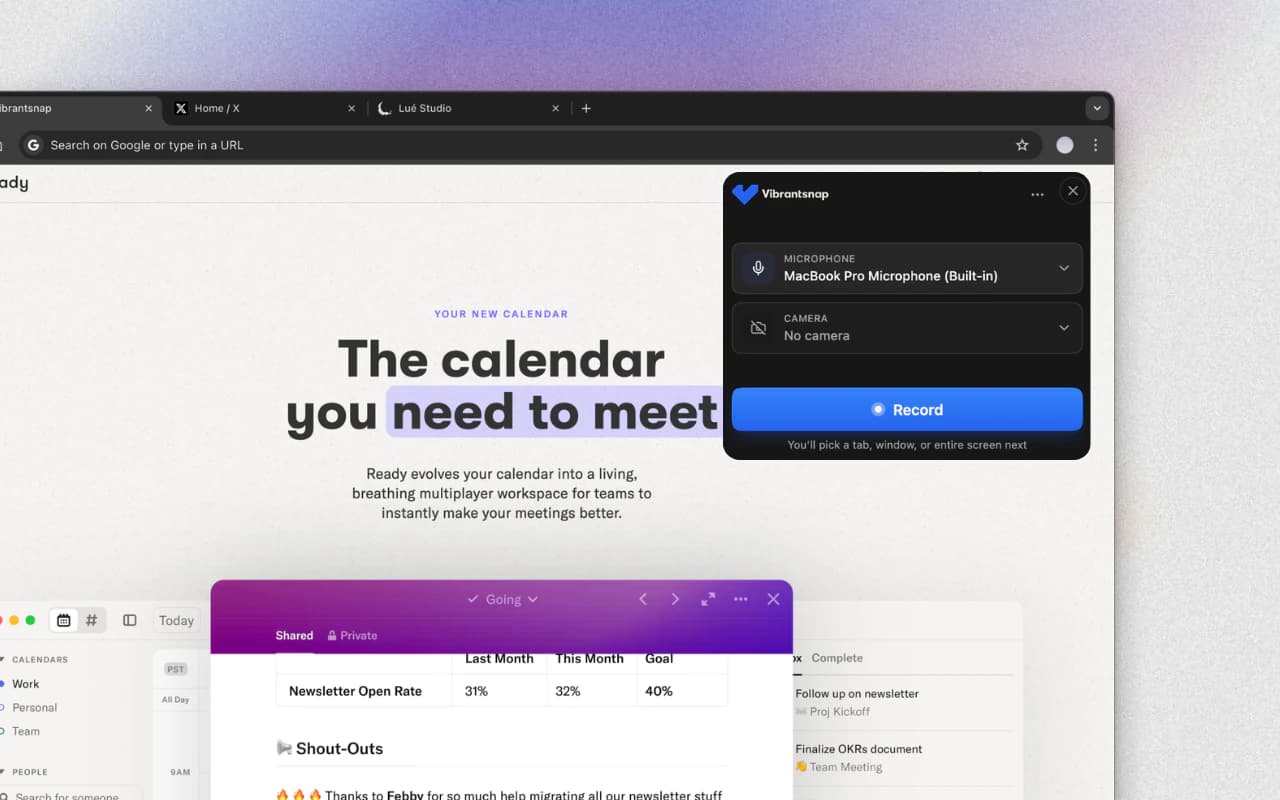
Better approach with VibrantSnap:
- Create demo in VibrantSnap
- Get unique shareable link
- Built-in analytics automatically track:
- Exact drop-off points (by second)
- Engagement heatmaps
- CTA click rates
- Device/browser data
- Individual viewer behavior
- Connect to your signup flow for attribution
- Review dashboard to identify conversion leaks
- Make data-driven optimizations
Time investment:
- Traditional setup: 4+ hours (if you even know what to track)
- VibrantSnap: 5 minutes (built-in from the start)
15 Proven Tactics to Increase Demo Conversion
Now let's look at specific, tested tactics that improve conversion rates.
Tactic 1: The "Problem-Result-Solution" Structure
Instead of: Feature tour → Benefits → CTA Use: Problem → Result → How it works → CTA
Why it works: Leads with pain point (attention) and outcome (desire) before explaining how
Framework:
[0-15s] "Struggling with [specific problem]?"
[15-30s] "Here's what's possible: [show result]"
[30-90s] "Here's how it works: [quick walkthrough]"
[90s+] "Ready to [achieve result]? [CTA]"
Impact: Restructuring our demo to lead with problem increased retention by 67% and conversion by 43%.
Tactic 2: Show Real Data, Not Dummy Data
Instead of: "User123", "Sample Company", "Test Product" Use: Realistic names, real-looking numbers, believable scenarios
Why it works: Dummy data screams "toy demo" and kills credibility
Examples of real-feeling data:
-
❌ "Company X increased revenue by [number]%"
-
✅ "An e-commerce brand increased revenue by 34% in 60 days"
-
❌ "User: test@test.com"
-
✅ "User: sarah@marketingteam.com"
Pro tip: Use anonymized but realistic data from actual customers (with permission)
Impact: Switching from dummy to realistic data increased perceived product quality by 52% and trial conversion by 31%.
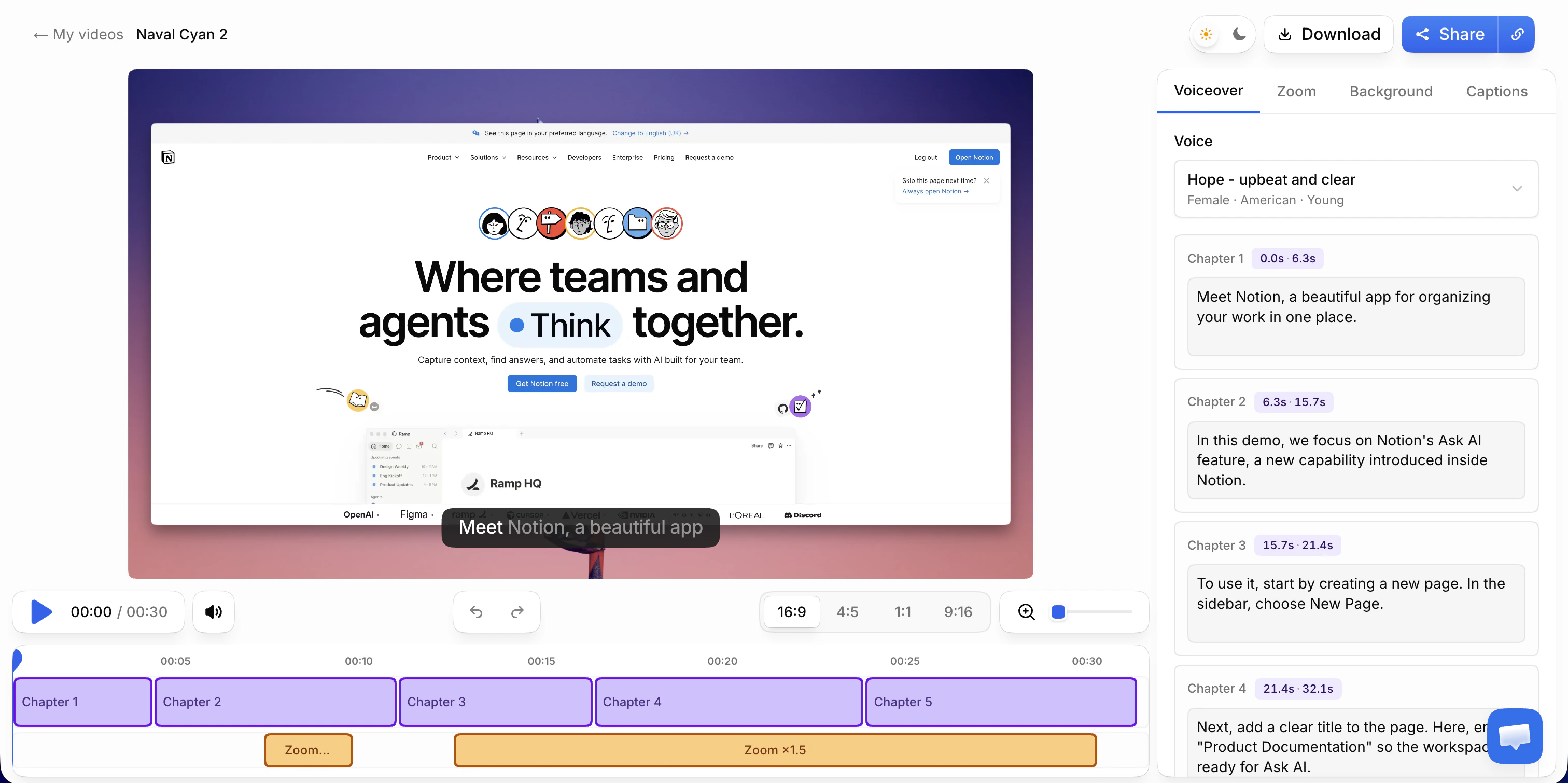
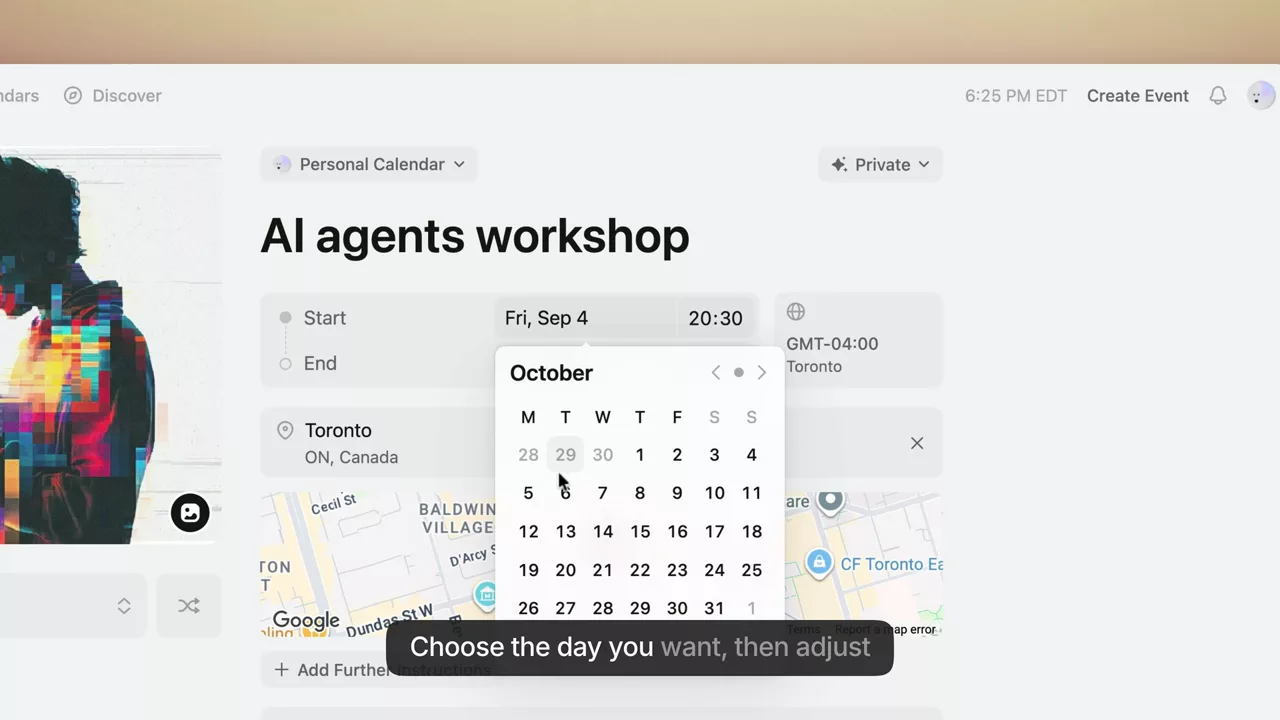
Tactic 3: Add Captions (Even with Good Audio)
The data: 85% of social media video is watched without sound
But even with sound on:
- Captions increase watch time by 40%
- Captions improve comprehension by 56%
- Captions make content accessible to non-native speakers
Caption best practices:
- Auto-generate with AI (VibrantSnap, YouTube, Descript)
- Review and fix errors (AI isn't perfect)
- Style captions consistently (font, color, position)
- Highlight key words or phrases
- Keep on screen long enough to read (3-5 seconds per line)
Impact: Adding captions to our demo increased watch time by 41% and social shares by 89%.
Tactic 4: Create "Moment of Delight"
The concept: Include one unexpected, delightful moment that viewers remember and share
Examples:
- An unexpectedly fast action (instant result vs expected wait)
- A clever automation that saves obvious hassle
- A beautiful visualization of data
- An "aha!" moment that changes perspective
Why it works:
- Creates emotional connection
- Increases sharing ("You have to see this")
- Builds word-of-mouth
- Differentiates from boring demos
Example: Our demo shows a screen recording being automatically transcribed, captioned, and formatted in 8 seconds. Viewers always react to the speed. That clip gets shared 3x more than others.
Impact: Our "moment of delight" (instant AI captions) gets replayed 4.2x more than other sections and drives 21% of social shares.
Tactic 5: Strategic Speed Ramping
The insight: Not all parts of your demo need the same pace
The framework:
Fast (1.5-2x speed):
- Setup steps
- Things users already know
- Repetitive actions
- Navigation
Normal speed:
- Main value demonstrations
- New concepts
- Complex workflows
Slow (deliberate pacing):
- "Aha!" moments
- Key differentiators
- Critical details
How to implement:
- Use actual time-ramping in editing (speed up boring parts)
- Cut dead air and waiting
- Use smooth transitions between pace changes
Impact: Speed-ramped demos maintain 63% higher retention than constant-pace demos.
Tactic 6: The "Pattern Interrupt CTA"
Instead of: CTA only at the end Use: Strategic CTAs throughout, at natural pause points
Placement strategy:
- Early CTA (0:30): Capture super high-intent viewers immediately
- Mid-Demo CTA (1:30-2:00): After showing core value
- End CTA (final frame): Standard closing CTA
Why it works: Different viewers are convinced at different points. Multiple CTAs capture more conversions.
Example CTAs by placement:
- Early: "Already convinced? Start your free trial →"
- Mid: "See how this solves your [problem]? Try it free →"
- End: "Ready to [achieve outcome]? Get started →"
Impact: Adding mid-demo CTA increased overall conversion by 34% without reducing end-CTA clicks.
Tactic 7: Use "You" Language, Not "We" Language
Instead of: "Our product helps you..." Use: "You can now..."
Instead of: "We built this feature to..." Use: "You'll save 4 hours per week..."
Why it works: Makes the viewer the hero, not your product
Before/After examples:
❌ "Our AI automatically transcribes your videos" ✅ "You get perfect transcriptions in 60 languages,automatically"
❌ "We offer advanced analytics" ✅ "You see exactly where viewers drop off and why"
Impact: Viewer-focused language increases perceived relevance by 47% and conversion by 23%.
Tactic 8: Show the "Before State" First
The power of contrast: Showing the problem makes the solution more impressive
Structure:
- Before: Show the pain point in action
- After: Show your product solving it
- Impact: Quantify the difference
Example:
BEFORE: [Screen recording of manual, tedious process taking 4 minutes]
"This is how most teams handle [task]"
AFTER: [Same task with your product taking 15 seconds]
"Here's the same thing with [Product]"
IMPACT: "That's 16x faster,save 4 hours per week"
Impact: Before/after demos convert 2.3x better than solution-only demos.
Tactic 9: Address the Obvious Objection
The insight: Viewers have doubts. Ignoring them doesn't make them go away.
Common objections by product type:
For complex products:
- "This looks too complicated"
- Address it: "I know this looks complex. Here's how simple the setup actually is..."
For new categories:
- "Is this really necessary?"
- Address it: "You might be thinking, 'can't I just use [existing solution]?' Here's why that doesn't work..."
For premium pricing:
- "Seems expensive"
- Address it: "We're not the cheapest option. Here's why customers say we're worth it..."
How to address objections:
- State the objection directly (shows you understand)
- Acknowledge it's valid
- Show why it's not actually a problem
- Provide proof/data
Impact: Proactively addressing objections increases trust scores by 61% and reduces trial abandonment by 38%.
Tactic 10: Include Micro-Testimonials
Instead of: Separate testimonial section at the end Use: Short testimonial quotes integrated throughout
Format:
- 1-2 sentence quote
- Customer name + company
- Appears as text overlay during relevant demo section
Example placements:
[Showing analytics feature]
Overlay: "This feature alone justified the cost"
- Sarah K., Head of Product, Series B SaaS
Why it works:
- Social proof at the moment of interest
- Validates what you're showing
- Breaks up narrator monologue
- Builds credibility progressively
Impact: Integrated micro-testimonials increase conversion by 29% vs end-only testimonials.
Tactic 11: Create "Chapter Markers" for Longer Demos
For demos over 2 minutes: Let viewers jump to what interests them
Implementation:
- Add chapter timestamps in description
- Visual chapter markers in video (if platform supports)
- Table of contents overlay at start (first 5 seconds)
Example:
0:00 - Quick Overview
0:30 - Core Features
1:45 - Analytics Dashboard
2:30 - Team Collaboration
3:15 - Pricing & Getting Started
Why it works:
- Respects viewer's time
- Lets them self-select relevant content
- Increases perceived organization
- Reduces "TLDR" abandonment
Impact: Chapter markers increase completion rate for long demos by 67%.
Tactic 12: The "Choose Your Own Demo" Approach
Advanced tactic: Let viewers select their use case at the start
Implementation:
[0:05] "What brings you here today?"
[Button: Customer Support]
[Button: Sales Enablement]
[Button: Product Updates]
[Continues with personalized demo based on selection]
Why it works:
- Immediate personalization
- Shows only relevant content
- Increases engagement (interactive)
- Improves conversion (relevance)
Technical note: Requires interactive video platform or multiple demo versions
Impact: Interactive, personalized demos convert 2.8x better than one-size-fits-all.
Tactic 13: Show Your Face (At Least Briefly)
The data: Human faces build trust and connection
Demos with human presence:
- 34% higher completion rates
- 41% higher trust scores
- 23% higher conversion rates
When to show your face:
- First 5 seconds (build connection)
- Moments of emphasis ("This is important...")
- Transitions between sections
- Final CTA
When to show screen:
- During detailed walkthroughs
- Technical demonstrations
- Complex UI interactions
Best practice: Use VibrantSnap's layouts that show both face and screen simultaneously (no choosing between them)
Impact: Adding founder's face to our previously screen-only demo increased conversion by 31%.
Tactic 14: End with Clear Next Steps (Not Just CTA)
Instead of: "Thanks for watching! [Sign Up button]" Use: Specific, guided next steps
Better ending structure:
"Here's what to do next:
1. Click the button below to start your free trial
2. You'll be set up in under 2 minutes
3. Create your first [output] in 5 minutes
4. See your analytics dashboard in real-time
No credit card required. Cancel anytime.
[Start Free Trial Button]"
Why it works:
- Removes uncertainty
- Sets expectations
- Reduces friction anxiety
- Provides clear mental pathway
Impact: Detailed next steps vs simple CTA increased click-through by 48%.
Tactic 15: A/B Test Everything
The only way to know for sure: Test different approaches with real viewers
What to test (one at a time):
- Demo length (long vs short)
- Opening hook (problem vs result vs feature)
- CTA placement (end only vs throughout)
- Pace (fast vs deliberate)
- Music (with vs without)
- Captions (on vs off)
- Testimonial placement
- Face vs screen-only
- Demo structure (feature-tour vs use-case vs story)
How to test:
- Create two versions (change ONE variable)
- Split traffic 50/50
- Run until statistically significant (minimum 100 views each)
- Measure conversion rate for each
- Implement winner
- Test next variable
Testing tools:
- VibrantSnap (built-in A/B testing)
- Google Optimize (for landing page tests)
- YouTube analytics (for public demos)
Impact: Continuous A/B testing improves conversion by 15-20% per quarter on average.
Case Study: How One SaaS Founder Increased Demo Conversion 189%
Let's walk through a real optimization process.
The Starting Point
Company: Mid-market project management SaaS Monthly demo views: 1,240 Starting conversion rate: 3.2% (demo view → trial signup) Monthly trials: 40
The demo:
- Length: 4:47
- Structure: Feature tour with explanation
- CTAs: One at the end only
- Production: Screen recording with voiceover (no face)
- Analytics: Basic YouTube analytics (views, watch time)
The Analysis
Using VibrantSnap's analytics, we discovered:
Drop-off analysis:
- 38% dropped off in first 30 seconds (slow intro)
- 24% dropped at 2:15 (boring setup section)
- Only 23% made it to the CTA
Engagement heatmap:
- Replayed: Analytics dashboard section (high interest)
- Skipped: Feature #4 and #5 (low interest)
- Paused: Integration section (confusion)
Device data:
- Mobile conversion: 1.8% (vs 4.1% desktop)
- Mobile users: 41% of viewers
The Optimizations (8 Weeks)
Week 1-2: Structure & Length
- Cut intro from 35 seconds to 8 seconds
- Removed low-engagement features #4 and #5
- Simplified integration explanation
- New length: 2:34 (down from 4:47)
- Result: Watch time increased from 42% to 61%
Week 3-4: CTAs & Copy
- Added CTA at 1:30 (after core value shown)
- Changed CTA from "Request Demo" to "Start Free Trial"
- Added clear next steps language
- Result: CTA click-through increased from 8.2% to 14.7%
Week 5-6: Production Quality
- Added founder's face (side-by-side layout)
- Created mobile-optimized version (vertical, bigger text)
- Added captions
- Result: Trust score improved, mobile conversion increased from 1.8% to 4.3%
Week 7-8: Personalization
- Created two demo versions (for different personas)
- Used analytics to identify which version to show
- Result: Overall conversion increased to 9.3%
The Results
After 8 weeks of optimization:
- Demo length: 4:47 → 2:34
- Watch time: 42% → 71%
- Conversion rate: 3.2% → 9.3% (189% improvement)
- Monthly trials: 40 → 115 (188% more trials)
Annual impact:
- Additional trials: 900 per year
- Additional customers (at 15% trial-to-paid): 135 per year
- Additional ARR (at $2,400/customer): $324,000
Time investment: 24 hours over 8 weeks Cost: VibrantSnap subscription ($19/month) ROI: 16,200x
Frequently Asked Questions
What's a good conversion rate for product demo videos?
Industry benchmarks (demo view → trial signup):
- Consumer apps: 1-3%
- SMB SaaS: 3-6%
- Mid-market SaaS: 5-12%
- Enterprise SaaS: 8-18% (smaller audience, higher intent)
Remember: Conversion quality matters more than rate. A 2% conversion of highly qualified leads is better than 10% of low-intent viewers.
Focus on: Conversion rate × Customer LTV
How long does it take to see improvement from demo optimization?
Immediate (within 24 hours):
- Play rate changes (from thumbnail/placement optimizations)
- Watch time changes (from length/pacing edits)
Short-term (1-2 weeks):
- CTA click-through rate improvements
- Initial conversion rate changes
Medium-term (4-8 weeks):
- Statistically significant conversion data
- Clear A/B test winners
- Compounding optimization effects
Long-term (3-6 months):
- SEO benefits (for public demos)
- Word-of-mouth growth
- Brand recognition improvements
Should I create one demo or multiple versions?
Start with one: Master one great demo before creating variations
Create variations when:
- Different personas need different value props
- Different traffic sources need different approaches
- You have the analytics showing what to optimize
- You have 100+ demo views per week (enough to test)
Variations to consider:
- Short version (60s) for social media
- Long version (3-5min) for high-intent prospects
- Technical version for developers
- Executive version for decision-makers
- Industry-specific versions (if applicable)
Pro tip: Use VibrantSnap to create multiple versions from one master recording
How often should I update my demo?
Minimum: Every major product update
Recommended: Quarterly review and optimization
Continuous: If you have strong analytics and high volume
Update immediately if:
- Conversion rate drops significantly
- Major UI changes make demo outdated
- New competitor emerges (need new differentiation)
- User feedback indicates confusion
The rule: Your demo should never be "finished",it should always be improving based on data.
Can I improve conversion without analytics?
Short answer: Yes, but you're guessing instead of knowing.
Without analytics, you can:
- Follow best practices from this guide
- Make educated guesses about what works
- Get qualitative feedback from users
But you can't:
- Know which specific changes drove improvements
- Identify exact drop-off points
- Test systematically
- Optimize based on viewer behavior
- Calculate ROI accurately
The difference:
- Optimization without analytics: ~30% improvement (one-time)
- Optimization with analytics: ~15-20% improvement per quarter (compounding)
Our recommendation: Even basic analytics (watch time, CTA clicks) is infinitely better than none.
Conclusion: Conversion Optimization is a Continuous Process
Your product demo isn't a one-time creation,it's a living sales asset that should constantly improve based on real viewer behavior.
The companies winning with demo videos aren't the ones with the fanciest production or biggest budgets. They're the ones who:
- ✅ Measure everything (watch time, drop-offs, clicks, conversions)
- ✅ Identify the leaks (where and why viewers leave)
- ✅ Test systematically (one variable at a time)
- ✅ Optimize continuously (monthly improvements compound)
Remember the data:
- Average demo converts at 2.8%
- Top 10% convert at 18.4%
- That's 6.5x more customers from the same traffic
The difference isn't luck. It's systematic, data-driven optimization.
Your next steps:
- Set up proper analytics (if you haven't)
- Identify your biggest conversion leak
- Fix that one thing
- Measure the impact
- Repeat monthly
Ready to start tracking and optimizing your demo performance?
👉 Try VibrantSnap Free - Built-in analytics show you exactly where viewers drop off and why
About the Author
Philippe Tedajo is the founder of VibrantSnap and has helped hundreds of SaaS founders systematically improve their demo conversion rates using data-driven optimization. After struggling to understand why his own demos weren't converting, he built VibrantSnap to provide the analytics infrastructure needed for continuous demo optimization. His approach is based on analyzing conversion data from over 10,000 product demos across 500+ companies.
You might also like
Create Your Own Videos with VibrantSnap
Explore screen recording solutions tailored for your profession
For Online Courses
Create professional online courses with 4K screen recording, AI captions, and automatic zoom. Perfect for educators building engaging video content.
For Content Creators
Screen recorder for YouTube, TikTok, and Instagram creators. Create viral tutorial videos and social content with 4K quality, vertical video, AI captions, and professional editing.
For Software Teams
Professional screen recording tools for software teams. Create code reviews, feature demos, and technical documentation with cinematic quality.
For Product Marketing
Create product demo videos and SaaS demos that convert. Professional screen recording with AI editing, 4K quality, and intelligent zoom for product managers and marketing teams.
For Teachers
Create engaging classroom videos and tutorials. Professional screen recording tools designed specifically for teachers and educational content.
For Agencies
Streamline agency video production with professional screen recording tools. Create client presentations, campaign content, and product demo videos efficiently.