
Explainer Video Guide for SaaS: Turn Confused Visitors into Customers

January 11, 2026

Healsha
Founder & Content Creator at VibrantSnap
Your product is powerful. Your landing page visitors just don't get it.
This is the core problem 80% of SaaS founders face: they've built something genuinely useful, but they can't explain it quickly enough to capture attention.
Text descriptions fall flat. Screenshots look like every other dashboard. Feature lists blur together.
Explainer videos solve this. When video appears on a landing page, conversion rates jump as much as 80%. For SaaS specifically—where products are often abstract and complex—explainer videos bridge the gap between "What is this?" and "I need to try this."
This guide covers everything you need to create SaaS explainer videos that actually convert.
What Makes SaaS Explainer Videos Different
Generic explainer video advice doesn't work for SaaS. Your product isn't a physical item customers can visualize. You're selling:
- Abstract concepts (workflows, automations, integrations)
- Future states (what life looks like after adoption)
- Technical capabilities (features that need demonstration)
The SaaS Explainer Challenge
| Challenge | Why It's Hard | What Works |
|---|---|---|
| Complex functionality | 10+ features compete for attention | Focus on 1-2 core value props |
| Abstract benefits | Time saved" isn't visual | Show the before/after workflow |
| Technical audience | They've seen it all before | Skip the fluff, show the product |
| Multiple use cases | Different buyers want different things | Lead with universal pain, branch to specifics |
Three Types of SaaS Explainer Videos
1. Concept Explainers (60-90 seconds)
These answer "What is this product and why should I care?" They live on homepages and focus on the core value proposition.
Example: Dropbox's original explainer video didn't show the interface much—it focused on the problem (files scattered across devices) and the solution (everything synced everywhere).
2. Product Explainers (90-180 seconds)
These answer "How does it actually work?" They show the product interface and demonstrate key workflows.
Example: Notion's product videos walk through actual use cases—building a wiki, managing a project, creating a database—with real interface footage.
3. Feature Explainers (30-60 seconds)
These answer "What does this specific feature do?" They're targeted content for feature pages, help docs, or launch announcements.
Example: Short clips showing a single automation, integration, or workflow.
The Storytelling Framework That Works
Forget feature lists. The best SaaS explainer videos tell stories.
Problem-Agitation-Solution (PAS)
This framework has driven marketing success for decades—and it works perfectly for explainer videos.
Problem (10-15 seconds): Open with the pain your audience experiences. Make them nod in recognition.
"You spend hours every week copying data between spreadsheets. Half the time, something breaks."
Agitation (10-20 seconds): Twist the knife. Show the consequences of the problem.
"Meanwhile, your team is waiting. Deadlines slip. You're stuck doing manual work instead of strategic thinking."
Solution (30-60 seconds): Introduce your product as the answer. Show it working.
"What if your data just... synced? Automatically. In real-time. That's exactly what [Product] does."
Proof (10-15 seconds): Brief social proof or result.
"Teams like [Company] save 10+ hours weekly and never worry about broken spreadsheets again."
CTA (5-10 seconds): Clear next step.
"Start free at [website]. Takes 2 minutes."
The "Day in the Life" Framework
Show a character living with your product.
Setup: Meet the protagonist (someone like your ideal customer)
Before: Show their frustrating current reality
Discovery: They find your product
After: Show their improved workflow
Resolution: Results they've achieved
This works especially well for products with visual interfaces.
The "What If" Framework
Start with a provocative question.
"What if you never had to schedule another meeting?"
Then show how your product makes that possible.
This framework works for products offering transformative capabilities.
Script Writing for SaaS Explainer Videos
Your script is everything. Production quality won't save a bad script.
The One-Message Rule
Pick one core message and build everything around it.
Not "Our product has 47 features including..."
Instead: "Never lose a customer conversation again."
Every sentence should support that single message.
Writing for the Ear
Written text and spoken script are different. Read your script aloud.
Written: "Our platform facilitates seamless collaboration between cross-functional teams through integrated communication channels."
Spoken: "Your team actually talks to each other. In one place. No more switching between 10 apps."
Tips for natural scripts:
- Use contractions (you're, it's, can't)
- Write short sentences
- Use simple words
- Include pauses and breaths
- Read it out loud repeatedly
Word Count by Length
A natural speaking pace is about 150 words per minute.
| Video Length | Word Count | Best For |
|---|---|---|
| 30 seconds | ~75 words | Social ads, feature clips |
| 60 seconds | ~150 words | Homepage hero, LinkedIn |
| 90 seconds | ~225 words | Product overview |
| 2 minutes | ~300 words | In-depth explainer |
Script Template: 60-Second Explainer
[0:00-0:10] Hook + Problem "You know that feeling when [specific frustration]? [Company] solves it."
[0:10-0:25] Solution Introduction "[Product] is [one-sentence description]. Here's how it works:"
[0:25-0:45] Core Feature Demo "[Show the product doing the main thing]. In seconds, you [achieve outcome]."
[0:45-0:55] Proof/Results "Teams like [Customer] have [achieved specific result]."
[0:55-1:00] CTA "Try it free at [website]."
Visual Approaches for SaaS
You have three main options for SaaS explainer videos:
1. Screen Recording + Voiceover
Pros:
- Shows the real product
- Fast to produce
- Easy to update
- Authentic
Cons:
- Requires polished UI
- Can feel less "premium"
- Harder to show concepts
Best for: Feature explainers, tutorials, product demos
How to do it well:
- Use zoom effects to focus attention
- Smooth transitions between screens
- Professional voiceover (not monotone screen reading)
- Clean up notifications, personal data, and distractions
VibrantSnap is built for this—record your screen, and it automatically edits out silences, adds smooth zooms, and produces polished output.
2. Animated Explainer
Pros:
- Highly polished look
- Can visualize abstract concepts
- Strong brand expression
- No real UI dependency
Cons:
- Expensive ($3,000-$30,000+)
- Slow to produce (4-8 weeks)
- Difficult to update
- Can feel generic
Best for: Homepage hero videos, brand campaigns, complex concepts
Styles:
- Motion graphics (clean, corporate)
- 2D character animation (friendly, approachable)
- Whiteboard/sketch (educational feel)
- Isometric/3D (modern, technical)
3. Hybrid Approach
Combine real product footage with animated elements.
Example: Animated intro establishing the problem, then actual product interface showing the solution.
This gives you the brand polish of animation with the authenticity of real product footage.
Best for: Brands that need premium feel but want to show actual product
Comparison by Budget
| Approach | Budget | Timeline | Update Difficulty |
|---|---|---|---|
| DIY screen recording | $0-100 | 1-2 days | Easy |
| Professional screen recording | $500-2,000 | 1-2 weeks | Easy |
| Basic animation | $3,000-10,000 | 4-6 weeks | Moderate |
| Premium animation | $10,000-30,000+ | 6-12 weeks | Difficult |
For most bootstrapped SaaS companies, screen recording or basic animation is the right starting point.
The Production Process
Pre-Production (Get This Right)
1. Define your audience
Who specifically is watching this video? What do they already know? What do they care about?
A video for technical decision-makers differs from one for end users.
2. Clarify the goal
What action do you want viewers to take after watching?
- Start a free trial
- Book a demo
- Learn more about a specific feature
- Share with their team
One video, one goal.
3. Write the script
Draft, read aloud, revise, repeat. Get feedback from someone outside your company. Can they explain your product after watching/reading?
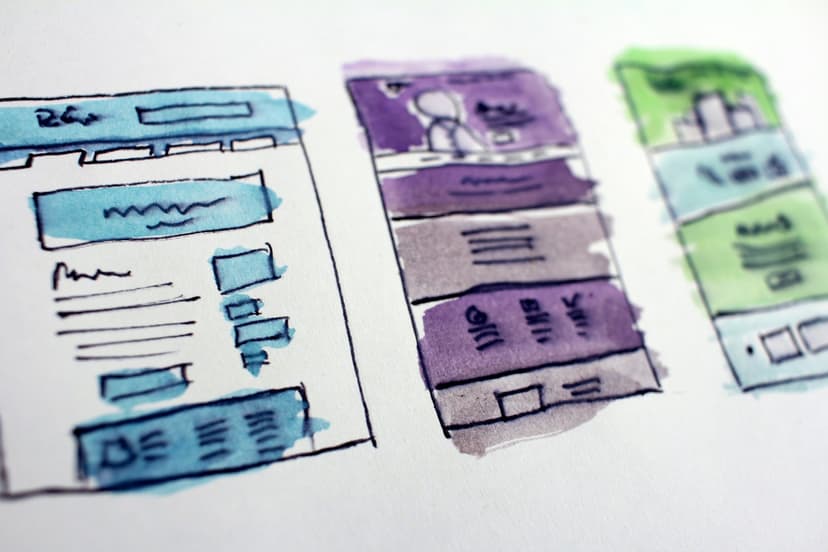
4. Create a storyboard
Rough sketches of what viewers will see at each moment. For screen recordings, list exactly which screens and actions you'll show.
5. Gather assets
- Demo account with clean, realistic data
- Brand guidelines (colors, fonts, logo)
- Previous videos for tone reference
- Music selection (if applicable)
Production (Recording or Animation)
For screen recording:
- Use a test account with realistic but fake data
- Close all unnecessary apps and notifications
- Record in high resolution (1080p minimum, 4K preferred)
- Do multiple takes for each section
- Capture more footage than you need
For voiceover:
- Record in a quiet space
- Speak slightly slower than natural
- Smile while recording (it affects voice tone)
- Do 3-5 takes of each section
For animation:
- Work with your animator on style frames first
- Review rough animations before full production
- Check pacing before final polish
Post-Production (Polish)
Editing priorities:
- Pacing (cut all dead air)
- Audio quality (levels, clarity, background noise)
- Visual polish (transitions, alignment, timing)
- Captions (80%+ of web video is watched muted)
- CTA (clear end screen)
Length Guidelines by Placement
Homepage Hero (60-90 seconds)
Your homepage video needs to:
- Capture attention in 3 seconds
- Explain the core value in 30 seconds
- Show the product briefly
- End with clear CTA
Don't try to explain everything. The goal is to get them interested enough to explore more.
Pricing Page (30-60 seconds)
Focused on value justification:
- Reinforce what they'll get
- Address common objections
- Create urgency without pressure
Feature Pages (30-90 seconds)
Feature-specific explainers should:
- Show that exact feature in action
- Explain the benefit (not just functionality)
- Connect to the user's goal
Social Media (15-60 seconds)
Platform-specific requirements:
LinkedIn: 30-90 seconds, professional tone, captions essential
Twitter/X: 15-45 seconds, punchy, immediate hook
TikTok: 15-60 seconds, vertical format, trend-aware
YouTube: 2-5 minutes for discoverable content, shorter for ads
Paid Ads (6-30 seconds)
Ad explainers follow a compressed structure:
- 0-2 sec: Hook (stop the scroll)
- 2-15 sec: Problem → solution
- 15-30 sec: CTA
Learning from the Best: SaaS Explainer Examples
Dropbox (Classic Concept Explainer)
What works:
- Simple, relatable problem
- Visual metaphor (files floating between devices)
- No feature overload
- Clear, friendly tone
Key lesson: You don't need to show every feature. Focus on the core value.
Slack (Product in Context)
What works:
- Shows the product in realistic team workflows
- Demonstrates multiple use cases naturally
- Focuses on outcomes (faster communication) not features (channels, threads)
Key lesson: Show how work gets done with your product, not just what buttons exist.
Notion (Versatility Demo)
What works:
- Uses the actual product interface
- Shows real use cases (not abstract concepts)
- Demonstrates flexibility without overwhelming
Key lesson: For versatile products, show 2-3 clear use cases rather than trying to cover everything.
Monday.com (Transformation Story)
What works:
- Before/after narrative
- Emotional appeal (less chaos, more clarity)
- Quick glimpses of the interface
- Social proof integrated naturally
Key lesson: Lead with the transformation, not the product.
DIY vs. Hiring: When to Do What
DIY When:
- Budget under $2,000
- You need fast turnaround
- The video will need frequent updates
- You're comfortable on camera or behind a mic
- Your product UI is the star
DIY tools:
- VibrantSnap for screen recording with auto-editing
- Descript for script-based video editing
- Canva for simple animations
- AI voiceover tools for narration
Hire When:
- This video will run for 1+ years
- It's for homepage or major campaign
- You need animated concepts
- Budget allows for $5,000+
- Brand polish is critical
Finding vendors:
- Dribbble for animators
- Upwork for freelance editors
- Agencies like Demo Duck, Explainify for full service
- Ask other founders for referrals
The Hybrid Approach
Many SaaS companies do both:
- Professional animated concept video for homepage
- DIY screen recordings for feature pages and tutorials
This balances brand polish with practical content needs.
Measuring Explainer Video Performance
Engagement Metrics
- Play rate: What percentage of page visitors click play?
- Watch rate: What percentage of the video do viewers watch?
- Drop-off points: Where do people stop watching?
Conversion Metrics
- CTA click rate: Do viewers take the desired action?
- Page conversion rate: Compare pages with video vs. without
- Time on page: Do visitors stay longer with video?
Optimization Actions
Low play rate (< 30%):
- Improve thumbnail
- Move video higher on page
- Add play button overlay
- Autoplay (muted) for background videos
Low watch rate (< 50%):
- Video is too long
- Hook isn't compelling
- Content doesn't match expectations set by title/thumbnail
High watch, low conversion:
- CTA is unclear or weak
- Video didn't address objections
- Wrong audience watching
The 30-Day Explainer Video Plan
Week 1: Strategy
- Define audience and goal
- Study competitor videos
- Draft script
- Get feedback and revise
Week 2: Pre-Production
- Finalize script
- Create storyboard/shot list
- Prepare demo account
- Select/record voiceover
Week 3: Production
- Record footage (multiple takes)
- Capture b-roll and variations
- Initial assembly edit
- Review and iterate
Week 4: Launch
- Final edit and polish
- Add captions
- Export for all platforms
- Publish and promote
- Set up tracking
Start Creating Your Explainer Video
Your product deserves to be understood. An explainer video—even a simple one—can transform how visitors perceive and engage with your SaaS.
Start with a screen recording explainer using VibrantSnap. Record your product in action, let the automatic editing polish the footage, and publish something real this week.
Perfect is the enemy of done. A good explainer video today beats a perfect one that never ships.
Sources: Wyzowl State of Video Marketing 2025, SaaS explainer examples from Notion, Dropbox, Slack, and Monday.com, Motioncue 2025 SaaS Explainer Report
You might also like

Create Your Own Videos with VibrantSnap
Explore screen recording solutions tailored for your profession
For Online Courses
Create professional online courses with 4K screen recording, AI captions, and automatic zoom. Perfect for educators building engaging video content.
For Content Creators
Create viral tutorials in minutes. 4K screen recording, AI-generated captions in 30+ languages, and one-click vertical video for TikTok & Reels.
For Software Teams
Professional screen recording tools for software teams. Create code reviews, feature demos, and technical documentation with cinematic quality.
For Product Marketing
Create product demo videos and SaaS demos that convert. 4K screen recording with AI editing and intelligent zoom for marketing teams.
For Teachers
Create engaging classroom videos and tutorials. Professional screen recording tools designed specifically for teachers and educational content.
For Agencies
Streamline agency video production with professional screen recording tools. Create client presentations, campaign content, and product demo videos efficiently.