Extension Chrome enregistreur d'écran

Enregistreur d'écran gratuit pour Chrome

Enregistrez votre écran directement depuis Chrome avec montage IA, voix off et sous-titres. Créez des démos produit, tutoriels et présentations sans téléchargement.

Commencer gratuitement

Features

Everything you need

One-Click Chrome Recording

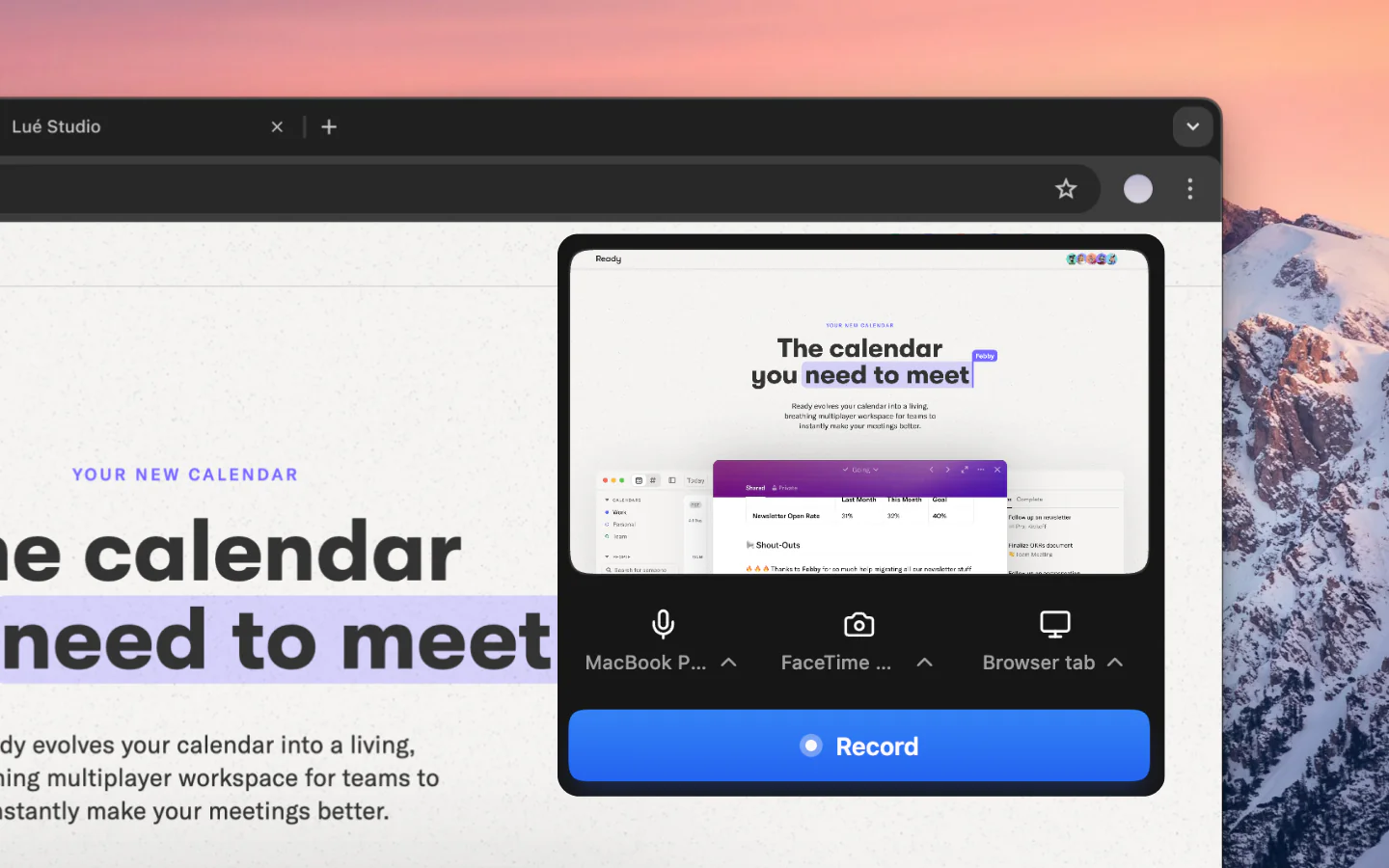
Record your screen, a browser tab, or webcam directly from the Chrome toolbar. No desktop app downloads, no complicated setup, just click and record.

AI Auto-Edit

Your screen recordings are automatically cleaned up, silences removed, filler words cut, transitions added, and pacing optimized by AI in seconds.

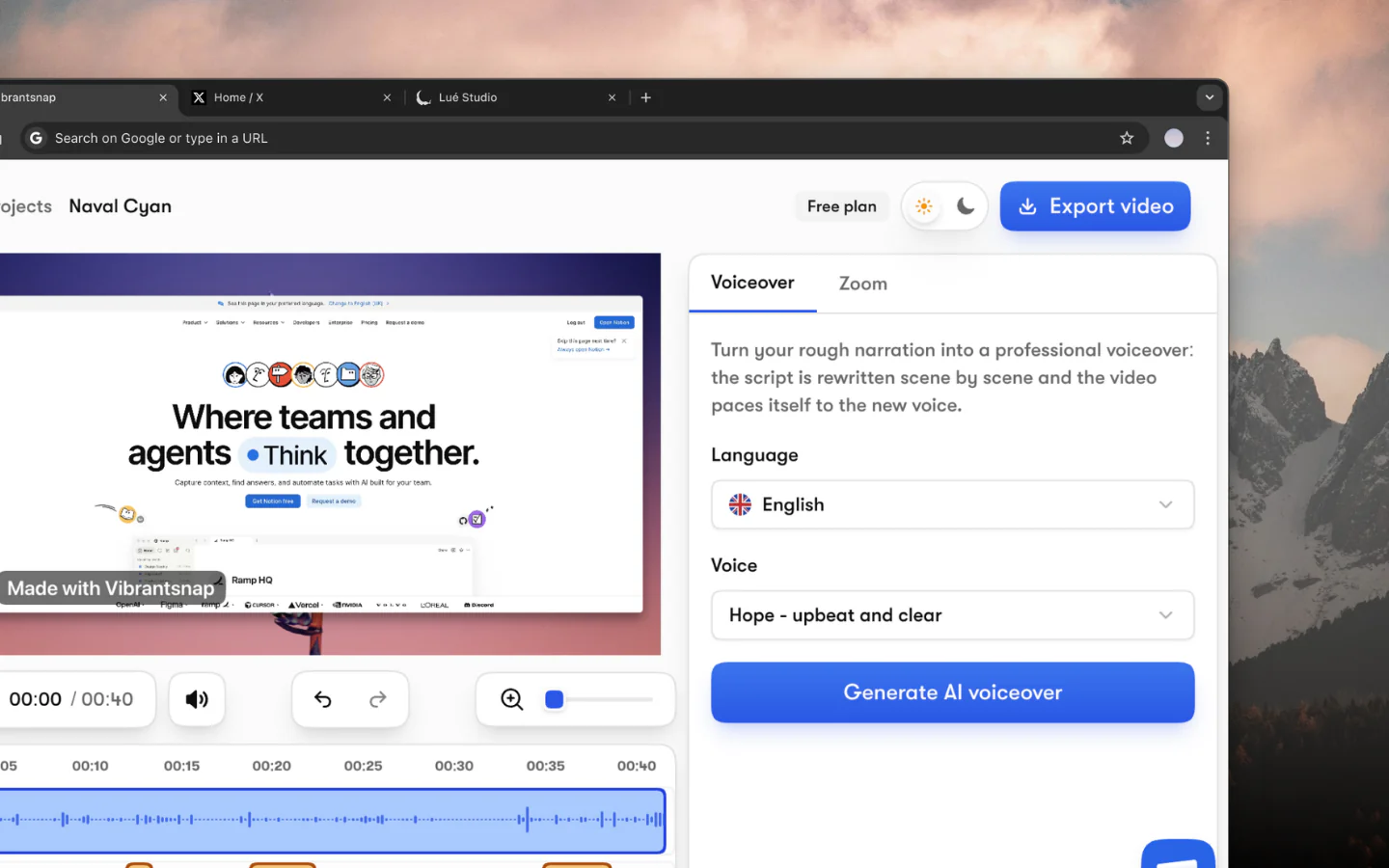
AI Voiceover in 30+ Voices

Add professional AI-generated voiceovers to your recordings. Choose from 30+ natural voices in multiple languages without recording your own voice.

Multi-Language Captions

Automatically generate accurate captions and translate them into multiple languages. Make your recordings accessible to global audiences.

Built-in CTAs & Analytics

Add call-to-action buttons directly to your videos. Track who watches, how long they watch, and where they click with built-in analytics.

Works on Any Website

Record any tab, web app, or desktop screen. Perfect for product demos, tutorials, bug reports, and presentations, on any site you visit.

Instant Share & Embed

Share your recordings instantly with a link or embed them on any website. No uploading to third-party platforms required.

Private & Secure

Your recordings are processed securely. Vibrantsnap respects your privacy with enterprise-grade security and data protection.

How it works

Start recording in 4 simple steps

1

Install the Chrome extension

Add the Vibrantsnap screen recorder to Chrome from the Chrome Web Store. It takes less than 10 seconds, no account required to install.

2

Click to record

Click the Vibrantsnap icon in your Chrome toolbar. Choose to record your full screen, a browser tab, or your webcam. Recording starts instantly.

3

AI auto-edits your recording

When you stop recording, Vibrantsnap's AI automatically removes silences and filler words, adds transitions, and optimizes the pacing of your video.

4

Share with a link

Your polished recording is ready to share instantly. Copy the link, embed it on your website, or add CTAs to drive conversions. Track viewer engagement with built-in analytics.

Comparaison

Vibrantsnap vs Screencastify

NousScreencastify
AI auto-editing
AI voiceover (30+ voices)
Built-in CTAs
Video analytics
4K @ 120fps recording
Multi-language captions
Beautiful backgrounds
No watermark

See how Vibrantsnap compares to Loom, Screen Studio, and other alternatives.

The screen recorder Chrome extension that edits for you

Most Chrome screen recorder extensions do one thing: capture raw footage. Screencastify, Loom's extension, and Nimbus all record your tab or desktop, but none of them edit the video for you.

Vibrantsnap's Chrome extension records your screen and auto-edits the footage with AI, removing silences, adding transitions, and optimizing pacing. You get a polished video ready to share, not raw footage that needs editing.

No watermark, no time limits

Free screen recorder extensions typically add watermarks, limit recording to 5 minutes, or compress video quality. Vibrantsnap records in up to 4K at 120fps with no watermark and unlimited recording length on all plans.

Perfect for Chromebook users

If you're on a Chromebook, desktop recording apps aren't an option. Vibrantsnap's Chrome extension gives you full screen recording with AI editing directly in your browser, no installation beyond the extension itself.

Learn more: How to screen record on Mac | Vibrantsnap vs Loom | Mac screen recorder

Support

Frequently asked questions

Vibrantsnap

Essayez Vibrantsnap

Rejoignez des milliers de fondateurs et créateurs qui produisent des vidéos démo générant de vrais résultats.

Sans carte bancaire - Annulez à tout moment

Moins de montage, plus d'impact. Des vidéos de qualité qui transforment l'attention en clients naturellement.
Healsha, Founder of Vibrantsnap

Healsha

Fondateur de Vibrantsnap