Montage automatique IA
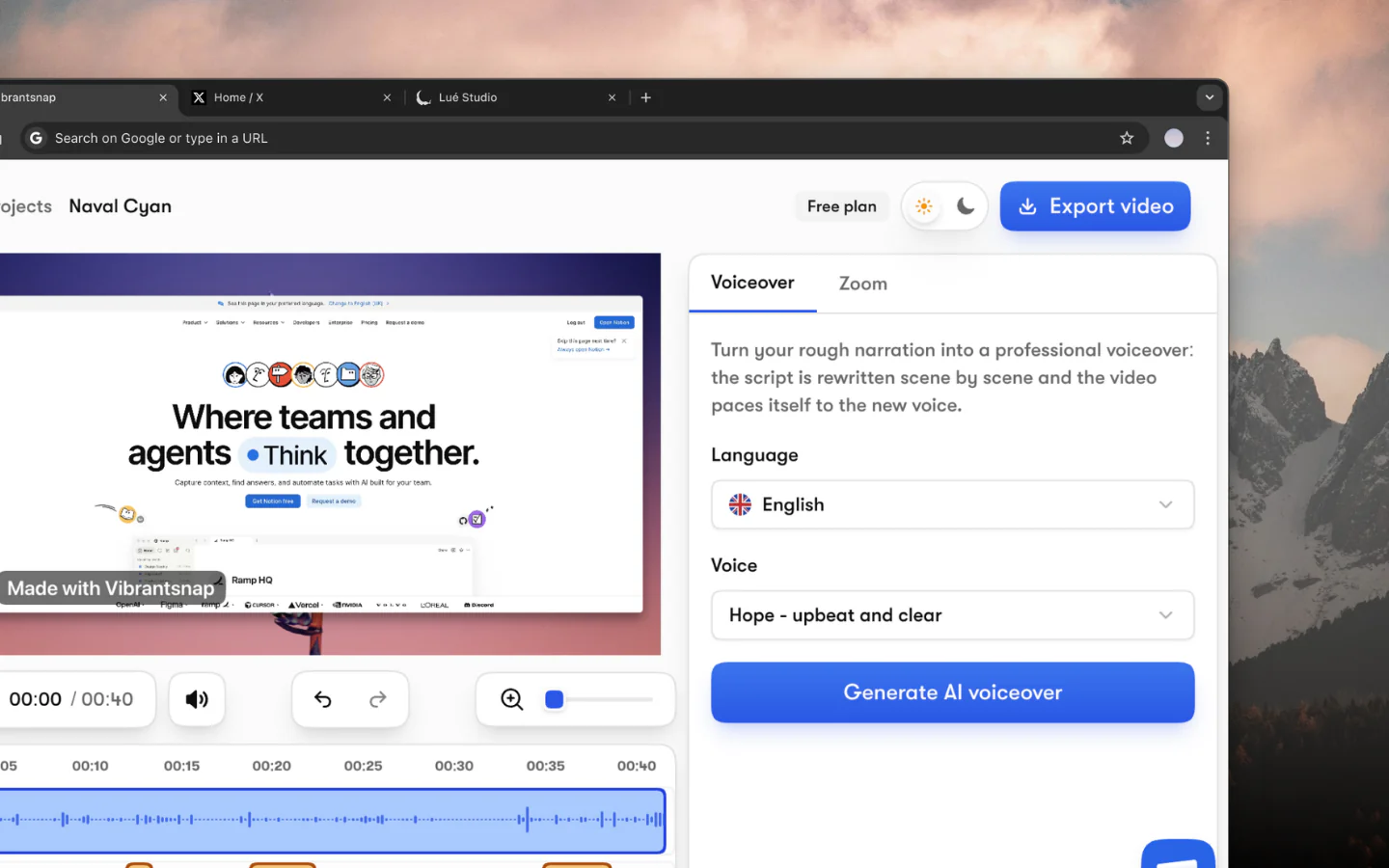
Enregistrez et l'IA s'occupe du reste. Votre narration est réécrite en un script propre et lue par une voix studio, la vidéo est resynchronisée dessus, et des zooms fluides se posent autour de chaque clic.
Éditeur vidéo IA
Arrêtez de passer des heures à monter vos enregistrements d'écran. L'IA de Vibrantsnap réécrit votre narration en un script propre, le lit avec une voix studio, resynchronise la vidéo dessus, et ajoute zooms et sous-titres.
Fonctionnalités
Enregistrez et l'IA s'occupe du reste. Votre narration est réécrite en un script propre et lue par une voix studio, la vidéo est resynchronisée dessus, et des zooms fluides se posent autour de chaque clic.
Enregistrez votre narration, puis laissez l'IA la relire avec une voix studio naturelle. Choisissez parmi 30 voix en 10 langues, et revenez en arrière quand vous voulez.
Les sous-titres sont générés automatiquement à partir de votre audio et restent entièrement modifiables et personnalisables, mot par mot.
Vibrantsnap suit vos clics et votre frappe et zoome sur ce qui compte, avec un mouvement de caméra fluide qui suit votre curseur, comme si un monteur professionnel avait posé chaque keyframe.
Ajoutez des CTA cliquables à vos vidéos. Incitez les spectateurs à s'inscrire, réserver une démo ou visiter une page, directement dans le lecteur vidéo.
Suivez les vues de chaque lien que vous partagez ou intégrez. Les statistiques de lien sont incluses à partir de Pro.
Comment ça marche
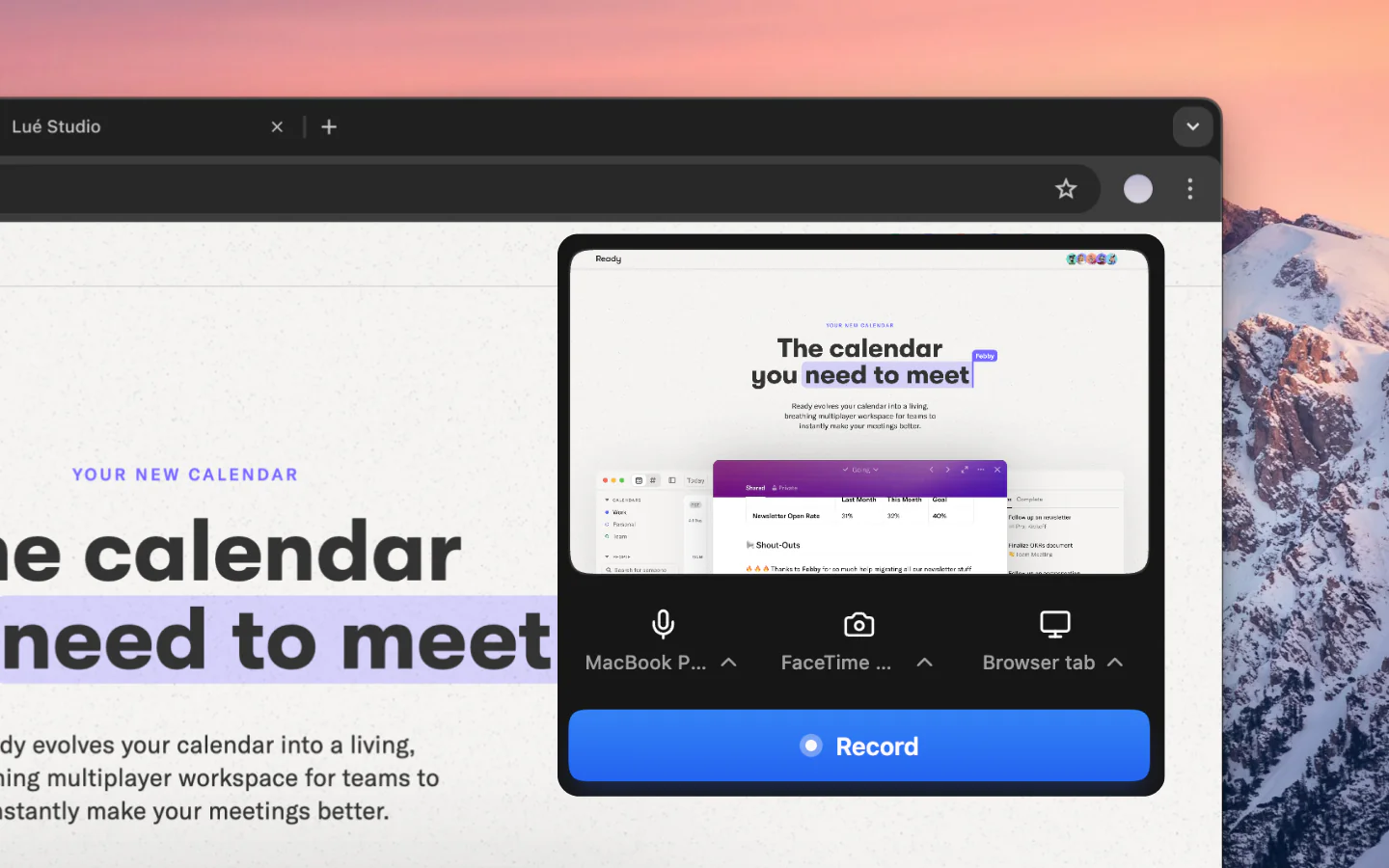
Enregistrez un onglet, une fenêtre ou tout votre écran directement depuis l'extension Chrome Vibrantsnap, avec votre webcam et votre micro si vous le souhaitez.
L'IA de Vibrantsnap réécrit votre narration en un script propre, le lit avec une voix studio, resynchronise la vidéo dessus, et place des zooms fluides autour de vos clics automatiquement.
Enrichissez votre vidéo avec une voix off IA, des sous-titres générés automatiquement que vous pouvez modifier mot par mot, et des appels à l'action cliquables.
Exportez en 1080p ou 4K, ou partagez via un lien. Suivez les vues avec les statistiques de lien intégrées.
Les éditeurs vidéo traditionnels comme Premiere Pro, Final Cut ou DaVinci Resolve sont puissants, mais ils sont conçus pour les cinéastes, pas pour les équipes SaaS qui doivent livrer une démo produit avant le déjeuner.
L'enregistreur d'écran IA de Vibrantsnap prend une approche fondamentalement différente : enregistrez une fois, l'IA monte automatiquement. L'IA transcrit votre enregistrement, réécrit la narration en un script propre, le lit avec une voix studio, resynchronise la vidéo dessus, et place des zooms fluides autour de chaque clic.
Quand vous arrêtez l'enregistrement, l'IA de Vibrantsnap traite votre vidéo en plusieurs étapes : votre narration est transcrite puis réécrite en un script propre, où hésitations et faux départs ne survivent pas ; une voix studio le relit et la vidéo est resynchronisée dessus ; la détection des clics et de la frappe place des zooms fluides autour de l'action ; et les sous-titres sont générés mot par mot.
Tout le monde ne réussit pas la prise parfaite. Enregistrez votre narration telle qu'elle vient, puis laissez Vibrantsnap la relire avec une voix studio naturelle, parmi 30 voix en 10 langues. Gardez votre audio d'origine ou passez à une voix IA à tout moment, et revenez en arrière quand vous voulez.
Contrairement aux éditeurs vidéo génériques, Vibrantsnap ajoute des appels à l'action directement dans vos vidéos. Incitez les spectateurs à s'inscrire, réserver une démo ou visiter une page de tarifs. Puis partagez un lien ou intégrez-le où vous voulez, et suivez les vues avec les statistiques de lien intégrées.
En savoir plus : Flux de travail montage vidéo IA | Comparer les alternatives
Les questions que l'on nous pose le plus avant de se lancer.
L'éditeur vidéo IA de Vibrantsnap monte automatiquement vos enregistrements d'écran : il réécrit votre narration en un script propre, le lit avec une voix studio, resynchronise la vidéo dessus, place des zooms fluides autour de vos clics, et génère les sous-titres. Vous obtenez une démo produit soignée sans montage manuel.
Vibrantsnap est libre pour enregistrer et laisser l'IA monter, sans carte bancaire. Vous vous abonnez pour exporter le fichier et pour le publier sans filigrane : Pro à 49 $/mois pour 90 min d'export 4K avec les statistiques de lien, ou Scale à 149 $/mois pour 400 min, un kit de marque et le rendu prioritaire. Business est sur devis. La voix off IA, les zooms automatiques et les sous-titres sont sur tous les plans, gratuit compris.
Non. Vibrantsnap est conçu pour les gens qui ne veulent pas apprendre le montage vidéo. L'IA réécrit et relit votre narration et place les zooms pour vous, automatiquement. Vous enregistrez, l'IA fait le reste.
Vibrantsnap est optimisé pour les démos produit, vidéos d'onboarding, tutoriels, présentations, vidéos commerciales et vidéos de support. Tout enregistrement d'écran peut être monté automatiquement par l'IA en une vidéo soignée.
Les éditeurs traditionnels vous obligent à couper, rogner, ajouter les zooms et exporter à la main. L'IA de Vibrantsnap fait tout cela automatiquement. Il est conçu spécifiquement pour les enregistrements d'écran et les démos produit, pas pour la production vidéo généraliste.
Oui. Vous pouvez poser votre enregistrement sur un fond d'écran ou une couleur unie, passer du 16:9 au 4:5, 1:1 ou 9:16, restyler les sous-titres, ajuster les zooms et ajouter des appels à l'action.
Rejoignez des milliers de fondateurs et créateurs qui produisent des vidéos démo générant de vrais résultats.
Sans carte bancaire - Annulez à tout moment
“Moins de montage, plus d'impact. Des vidéos de qualité qui transforment l'attention en clients naturellement.”

Healsha
Fondateur de Vibrantsnap