Enregistrement d'écran sur Mac
Enregistrez un onglet, une fenêtre ou tout votre écran sur votre Mac, avec votre webcam et votre micro si vous le souhaitez. Rien à installer au-delà de l'extension Chrome.
Enregistreur d'écran Mac
Enregistrez un onglet, une fenêtre ou tout votre écran sur votre Mac. L'IA transforme l'enregistrement en démo produit soignée avec voix off studio, sous-titres, zooms automatiques et lien de partage, sans compétences en montage.
Fonctionnalités
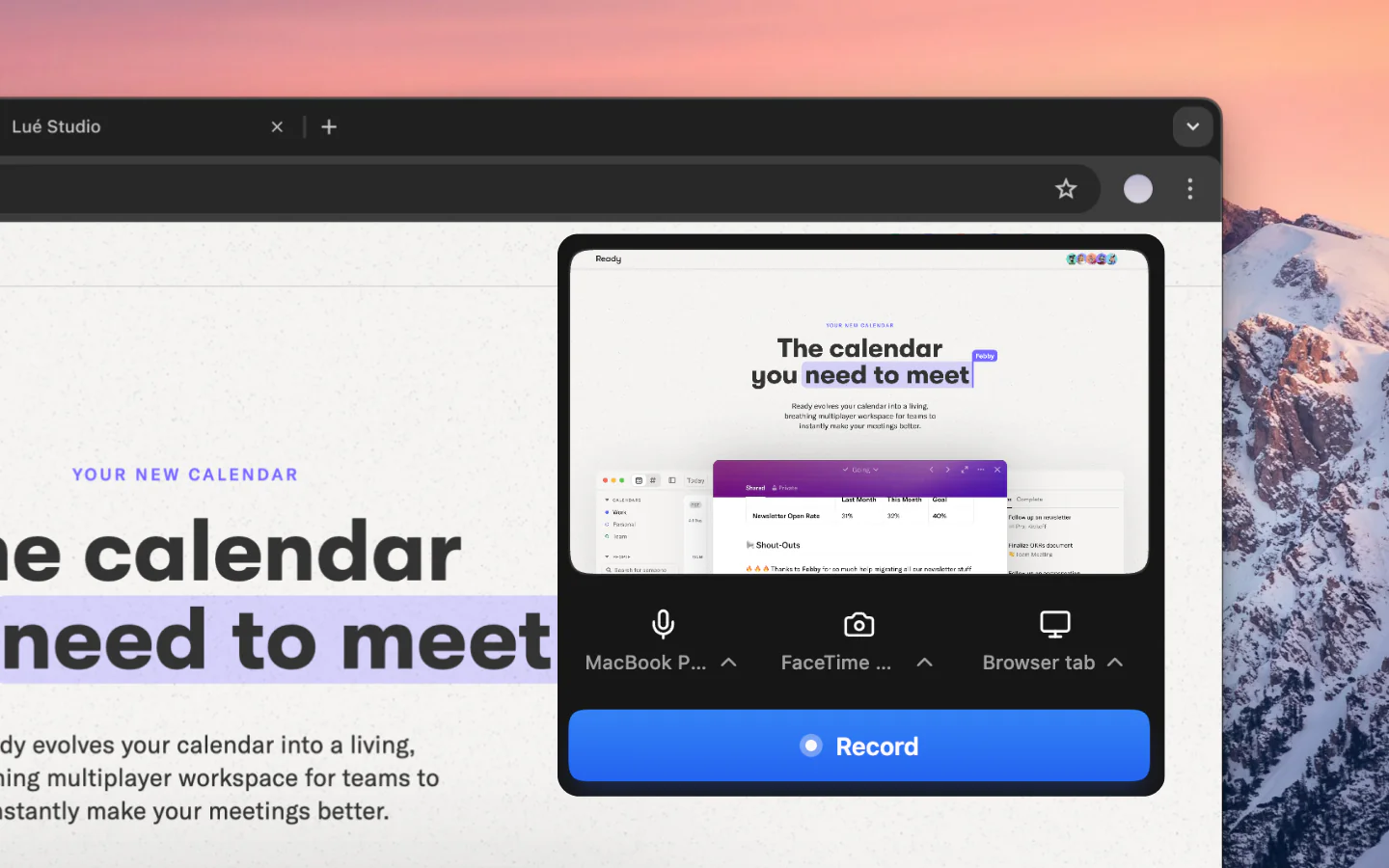
Enregistrez un onglet, une fenêtre ou tout votre écran sur votre Mac, avec votre webcam et votre micro si vous le souhaitez. Rien à installer au-delà de l'extension Chrome.
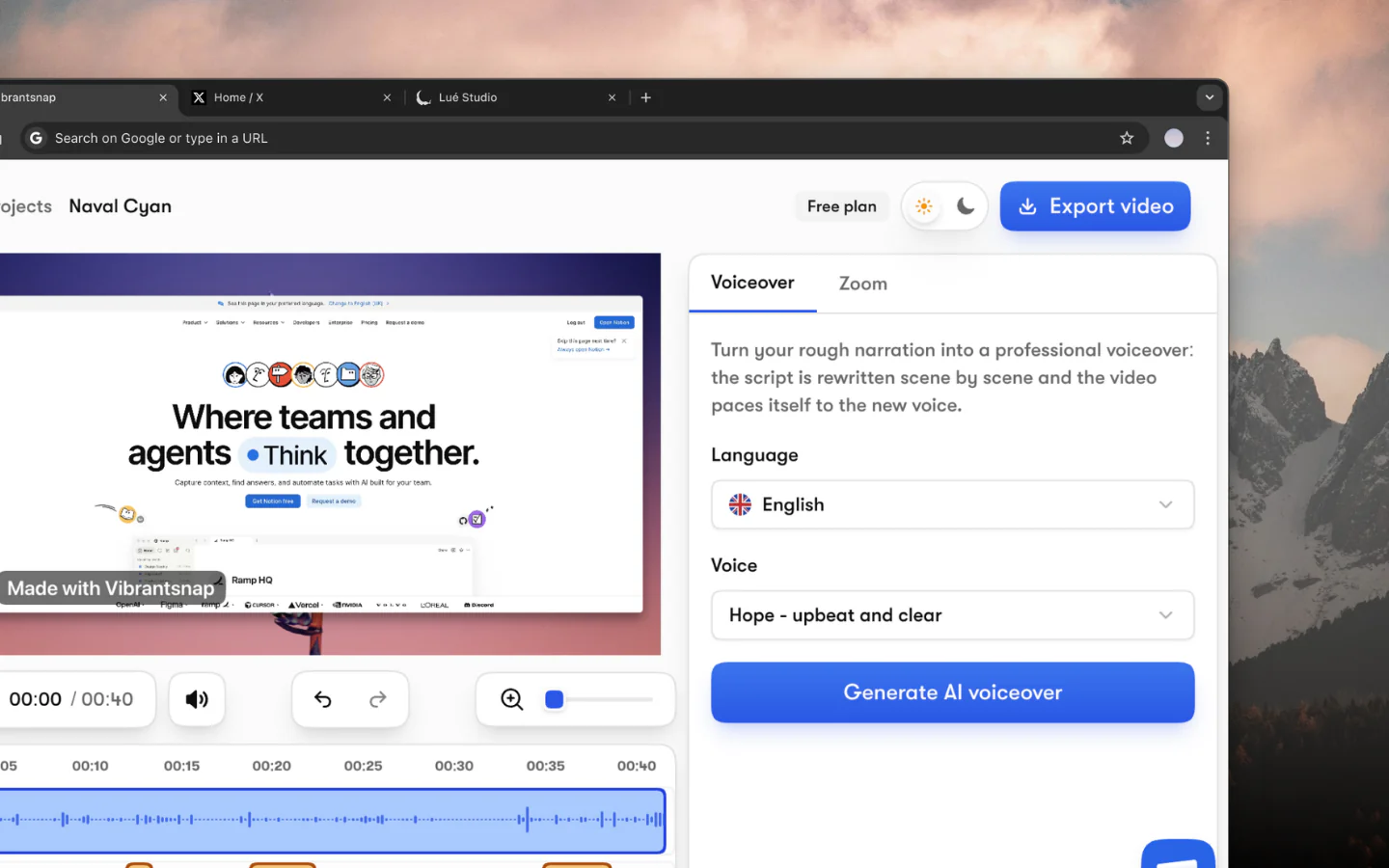
Vos enregistrements Mac sont nettoyés automatiquement : l'IA réécrit votre narration en un script propre, hésitations et digressions ne survivent pas, et des zooms fluides suivent chaque clic.
Enregistrez votre narration sur votre Mac, puis relisez-la avec une voix studio. Choisissez parmi 30 voix en 10 langues, et revenez en arrière quand vous voulez.
Les sous-titres sont générés automatiquement à partir de votre narration et restent entièrement modifiables et personnalisables, mot par mot.
Posez votre enregistrement sur un fond d'écran ou une couleur unie, et passez du 16:9 au 4:5, 1:1 ou 9:16 sans réenregistrer.
Suivez les vues de chaque lien que vous partagez ou intégrez. Les statistiques de lien sont incluses à partir de Pro.
Comment ça marche
Ajoutez l'extension Vibrantsnap à Chrome sur votre Mac et lancez l'enregistrement. Capturez un onglet, une fenêtre ou tout votre écran, avec votre webcam si vous le souhaitez.
L'IA de Vibrantsnap réécrit votre narration en un script propre et place des zooms fluides autour de vos clics, automatiquement. Aucun montage manuel requis.
Relisez votre narration avec l'une des 30 voix studio, en 10 langues. Les sous-titres sont générés automatiquement et restent modifiables mot par mot.
Partagez votre enregistrement soigné via un lien ou intégrez-le sur votre site. Suivez les vues avec les statistiques de lien intégrées.
Comparaison
Chaque Mac est livré avec QuickTime Player, et les utilisateurs avancés ne jurent que par OBS Studio. Les deux sont de bons enregistreurs d'écran, mais aucun n'a été conçu pour créer des démos produit qui génèrent des inscriptions et concluent des ventes.
Vibrantsnap est différent. Il enregistre votre écran, puis l'IA monte automatiquement les rushes : votre narration est réécrite en un script propre et lue par une voix studio, et des zooms fluides se posent autour de chaque clic. Ce qui prenait 30 minutes de montage dans Final Cut Pro prend maintenant quelques minutes.
L'une des frustrations les plus courantes de l'enregistrement d'écran sur Mac est la capture audio. QuickTime ne peut pas enregistrer l'audio système sans un plugin tiers comme BlackHole ou Soundflower. Vibrantsnap capture nativement l'audio diffusé dans l'onglet que vous enregistrez, ainsi que votre micro : aucune configuration, aucun plugin, aucun contournement.
Après l'enregistrement, relisez votre narration avec l'une des 30 voix studio en 10 langues, ajoutez des sous-titres générés automatiquement que vous pouvez modifier mot par mot, et insérez des boutons d'appel à l'action cliquables. Puis partagez par lien et suivez les vues.
Que vous réalisiez des démos commerciales, des parcours d'onboarding client ou de la documentation produit, Vibrantsnap transforme vos enregistrements Mac en outils de conversion, pas en simples fichiers vidéo.
Learn more: Vibrantsnap vs Screen Studio | Compare alternatives
Les questions que l'on nous pose le plus avant de se lancer.
Vibrantsnap est libre pour enregistrer et monter, sans carte bancaire. Vous vous abonnez pour exporter le fichier et pour le publier sans filigrane : Pro à 49 $/mois pour 90 min d'export 4K avec les statistiques de lien, ou Scale à 149 $/mois pour 400 min, un kit de marque et le rendu prioritaire. Business est sur devis. La voix off IA, les zooms automatiques et les sous-titres sont sur tous les plans, gratuit compris.
Vibrantsnap fonctionne entièrement dans votre navigateur sur macOS, il est donc compatible avec toutes les versions récentes de macOS, y compris les Mac Apple Silicon, avec prise en charge Retina. Il n'y a aucune application à installer au-delà de l'extension Chrome.
Oui. Vibrantsnap exporte en MP4 1080p et 4K. Vos démos produit et tutoriels auront un rendu net sur tous les appareils.
QuickTime capture votre écran mais vous laisse avec des rushes bruts. Vibrantsnap enregistre votre écran et le monte automatiquement avec l'IA : il réécrit votre narration en un script propre, le lit avec une voix studio, ajoute zooms et sous-titres, et vous donne un lien de partage avec statistiques. Vous obtenez une démo soignée, pas un simple enregistrement.
Oui. Vibrantsnap capture l'audio diffusé dans l'onglet que vous enregistrez, ainsi que votre microphone. Vous pouvez choisir d'inclure l'un ou les deux.
Oui. Vibrantsnap enregistre votre webcam en même temps que votre écran. Idéal pour les démos produit, tutoriels et présentations où vous voulez montrer votre visage.
Rejoignez des milliers de fondateurs et créateurs qui produisent des vidéos démo générant de vrais résultats.
Sans carte bancaire - Annulez à tout moment
“Moins de montage, plus d'impact. Des vidéos de qualité qui transforment l'attention en clients naturellement.”

Healsha
Fondateur de Vibrantsnap